Quick Take
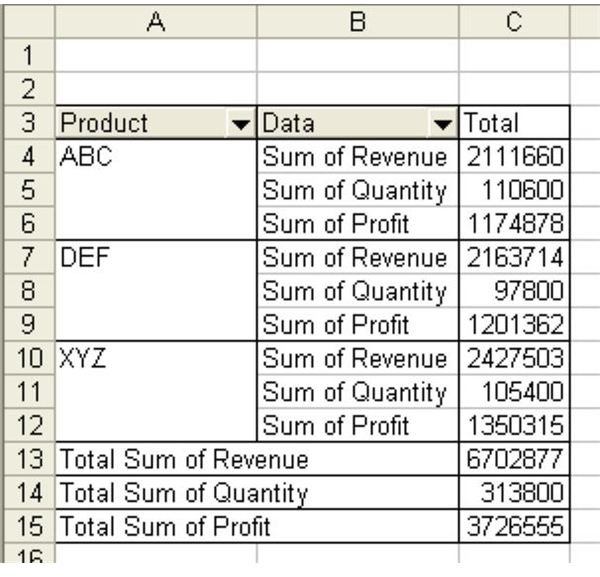
Problem: When you create a table with two or more Data fields, Excel will default to having the various Data fields be like the innermost Row field, as shown in Fig. 916. This is not the most useful view of the data. It would be preferable to have the three data columns going across the columns for each product.
On this page
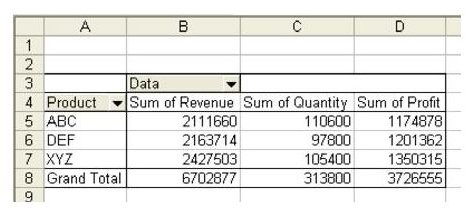
Strategy: When you have more than one field in the Data area, you will find that a new button appears on the pivot table that is called Data, as shown in Fig. 917. You can drag the Data button from the Row field to the Column field.
Summary: Although the default view of the pivot report for multiple Data fields is unusual, you can easily correct it by moving the Data field to the Column area.
Advertisement
Commands Discussed: Data – PivotTable
Advertisement
Images