Quick Take
Problem: Even though pivot tables are the fastest way to summarize data, you are looking for an even faster way to create pivot tables.
On this page
Strategy:
Advertisement
This method is only available in Excel 2000 and newer versions.
Follow these steps.
Advertisement
-
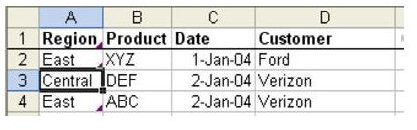
Select a single cell in the original data, as shown in Fig. 911.
-
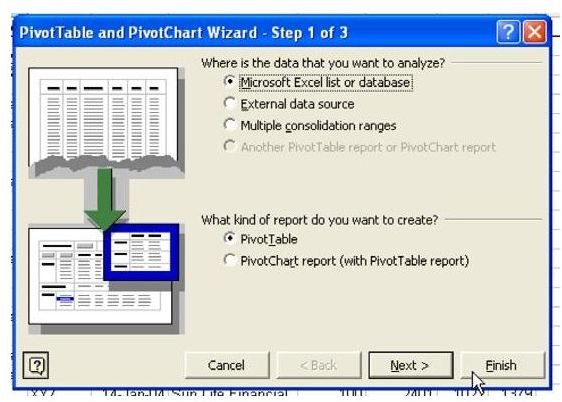
From the menu, select Data – PivotTable. Click Finish, as shown in Fig. 912.
Advertisement
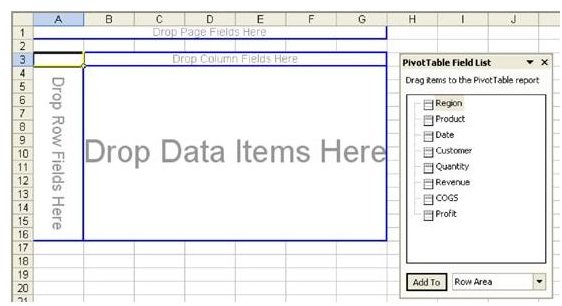
You are given a blank pivot table on a new sheet, as shown in Fig. 913.
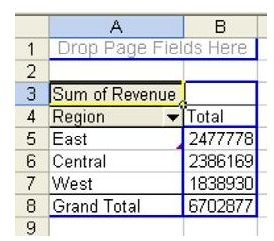
- Drag fields from the field list to the table, as shown in Fig. 914.
**
Advertisement
Summary:
This visual method for creating a pivot table is faster and more intuitive.
Advertisement
Commands Discussed:
PivotTable
Advertisement
**
Advertisement
Images
Advertisement