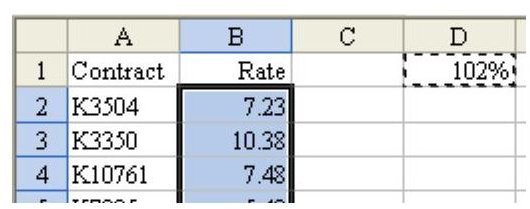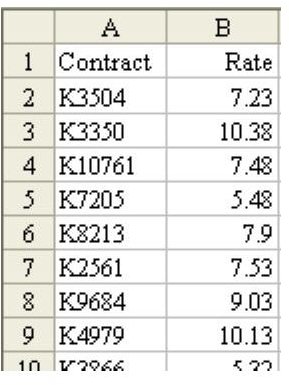
Problem: You run the repair department for a company. As shown in Fig. 779, you have a spreadsheet of prices. Your manager tells you to increase the price on all service contracts by two percent.
Strategy:
****
In a blank cell, enter 102%, as shown in Fig. 780. Copy that cell and then use Paste Special Multiply to multiply all of the contract prices by this cell.
-
Find a blank cell, such as D1. Enter 102% in that cell.
-
Select D2 and choose Edit – Copy from the menu.
Advertisement -
Select all of the rates in column B.
-
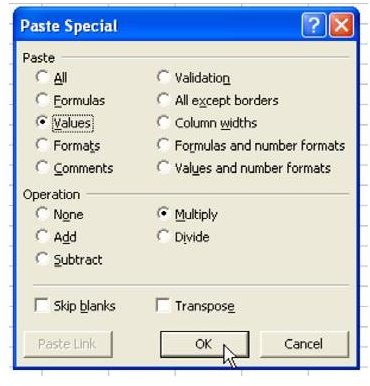
From the menu, select Edit – Paste Special. In the Paste Special dialog, choose Values and Multiply, as shown in Fig. 781.
Advertisement
**
Result:
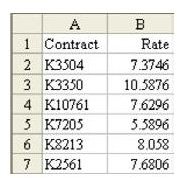
All of the values in column B are increased by 2 percent, as shown in Fig. 782.
Summary:
Multiply an entire range by a single cell, using Paste Special – Multiply.
Commands Discussed:
Edit – Paste Special – Multiply
**
****
See all Microsoft Excel tips
Images