Quick Take
Problem: Your manager insists that subtotals for each rep appear above the data. There doesn’t appear to be any hope of the manager being reassigned to Minsk soon.
On this page
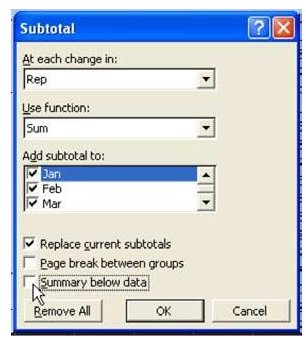
Strategy: Luckily, someone on the Excel team at Microsoft must have worked for your manager once. There is a setting on the Subtotals dialog to move the totals to the top of the section being subtotaled.
As shown in Fig. 692, in the Subtotal dialog, uncheck the box for Summary Below Data.
Advertisement
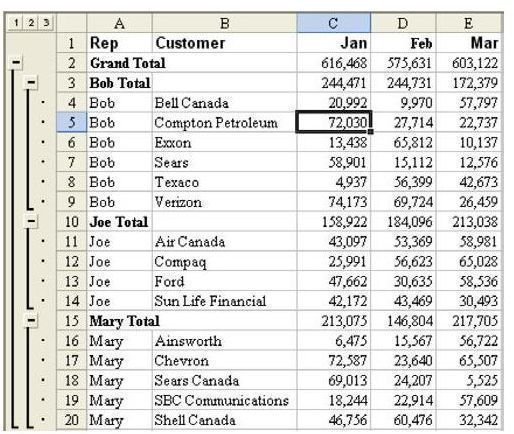
Result: As shown in Fig. 693, the Grand Total appears at the top of the dataset and the subtotal for each manager appears before records for that manager.
Summary: You can easily add subtotals above each section being subtotaled.
Advertisement
Commands Discussed: Subtotals
Images
Advertisement


