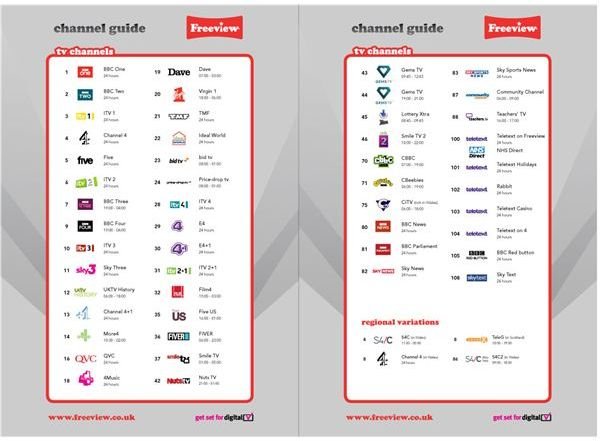
British computer users can receive free digital broadcasts through their PCs. We explain how and look at the benefits this can offer over a traditional TV set.
What is Freeview?
Freeview is a brand name for the digital terrestrial television service in the UK, which has run in various forms since 1998. This service, which has no charge, allows users to receive a range of television stations through traditional over-the-air broadcasts.
How can I get Freeview on a PC?
Most Freeview users get the service through a standard TV aerial and use either a set-top box or a specially designed television to decode the digital signals. However, it is possible to pick up the signals through an aerial plugged into a computer. As well as giving access to live television, this system can allow a computer to record programs to watch later. It can also give you an alternative to upgrading all of the TV sets in your house.
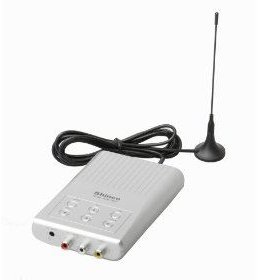
You will need both a TV tuner (usually in the form of a USB ‘stick’ which acts as an aerial, though some systems come with an input for a regular aerial) and decoding software to watch Freeview on your TV.
At the moment, Microsoft’s Media Center (powered by a Hauppauge tuner) is the only system which is licensed to use the Freeview brand name. However, there are many systems available on the market, usually sold using the term ‘DVB tuner’ (Digital Video Broadcast).
Remember that you will need a decent strength signal to pick up Freeview broadcasts. Before buying a system for your PC, it may be worth checking you can get a good quality picture on a television in the same room as your PC.
You can pick up Freeview signals this way on the move through a laptop. However, you may lose signal in some locations so don’t plan on it being your only form of entertainment on a long train journey!
What about recording shows?
Most systems include ‘timeshifting’ software which allows you to record programs to watch later on. Usually the system will include a ‘twin tuner’ meaning you can watch one channel live while recording another; in some cases, you can record two channels at once.
You should look carefully at the system requirements listed for the particular software you are considering: such programs can demand quite a lot of memory and disk space. It’s worth searching online for user reviews as they may reveal a program needs more computing power than a manufacturer lists to work effectively in practice.
How does this affect my TV license requirements?
Even if you don’t have a TV set, you will still need a TV license to watch Freeview programs on a computer. This is because you need a TV license if you live in the United Kingdom and have any device which lets you watch television shows at the same time they are broadcast.
You shouldn’t need a separate license to cover watching Freeview on a laptop away from home. However, if you have a second home which doesn’t currently have a TV set, you may need an extra license if you take such a laptop there.
Images