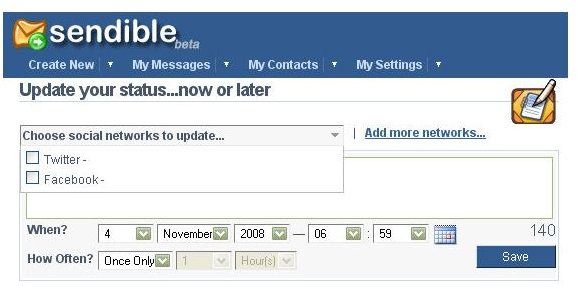
If you’re active on the social networking scene, then you know how much time it can take to keep all your accounts updated with your latest news. One of Sendible’s latest tools makes this process a little easier, allowing users to update their status on several sites with one message.
In a recent review of Sendible , I wrote about how the free scheduling tool could be used to postdate emails, Blogger posts, and messages on a number of social networking sites. Since Sendible is a fairly new utility (it’s still in beta), I also mentioned that it would be a good idea to keep an eye on this site to see what other features might be added. I’ve been following my own advice on that one and recently noticed a nice new tool that Sendible users can now access – the ability to update your status on multiple social networking sites with one message.
The basic structure for managing multiple accounts has been in place at Sendible for awhile now. However, up until recently you still had to update these accounts one at a time. That was still a nice feature, since it’s a lot quicker to handle everything through Sendible rather than log into each account separately.
This recent update is a great enhancement to that feature, though, especially for people who have several social networking accounts and update them frequently. Not only can you update multiple accounts at once, but you can also decide when you want that update to take place. In fact, you can schedule several future updates in advance, saving even more time. It’s also possible to set up a recurring list of updates for items that you change on a regular basis.
Another nice aspect of Sendible is that it’s a web-based application so you don’t have to worry about downloading and installing any additional software. This also means that you can access your Sendible account from any computer that has an Internet connection.
Currently, Sendible supports status updates for the following social networking sites.
-
Bebo
Advertisement -
Facebook
-
LinkedIn
Advertisement -
Plurk
-
Pownce
Advertisement -
Twitter
If you don’t see your favorite sites on the list, there’s still hope. According to the Sendible blog , additional social networking sites will continue to be added. Also, the Sendible development team seems to be very responsive to user feedback, so if there’s a particular site that you’d like to have added, you might want to drop by their user forums and make that request.


