If you are in search of some cool 3D wallpaper, I can help you. There are quite a few different types of wallpaper in this guide with a 3D look. Check out each of them to see if there is something you would love to add to your desktop.
These are our 3D desktop wallpapers. To use any of the wallpapers found in this guide, please find the name of the wallpaper in the “References & Resources” section and click the link beside it. The page will open in a new tab, or a new window, depending on the browser you are using. From that page, you can select the size wallpaper you want and download it to your computer. If you need step-by-step help with adding your new wallpaper to your desktop, please see the help section at the end of this article.
Beautiful Dolphin Wallpaper
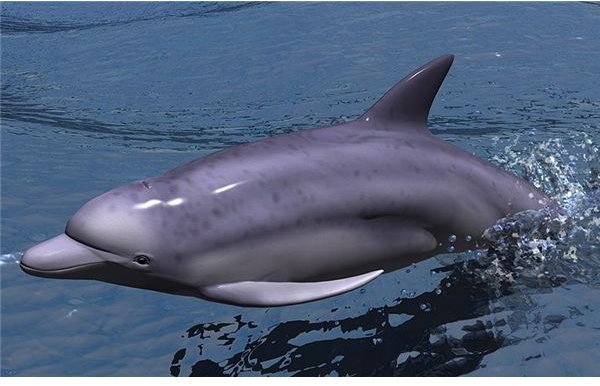
Dolphins are absolutely beautiful, and to most, relaxing to watch. The first wallpaper we will take a look at is a 3D dolphin wallpaper. The dolphin is jumping out of the water and there are ripple effects below the dolphin in the water. This is absolutely lovely and would make a great wallpaper for any desktop. The dolphin wallpaper is available in three different sizes, so you should be able to find the right size to fit your desktop.
Flowers & Bubbles Wallpaper
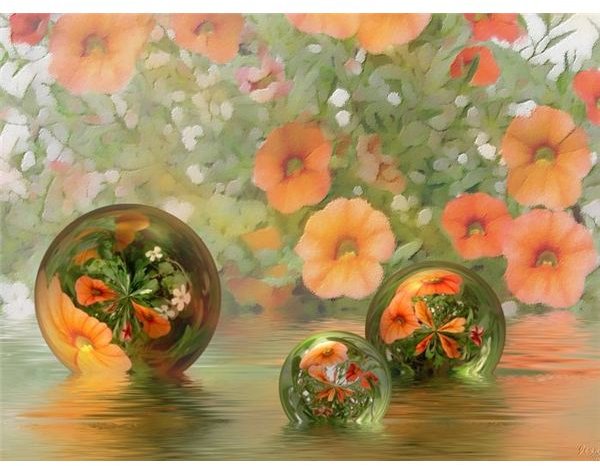
Our next wallpaper is the flowers and bubbles wallpaper. In the background of this wallpaper, you will find blurred flowers and then beautiful water at the bottom. Coming out of the water are glass bubbles with the flowers brightly showing inside. This wallpaper would go great with any desktop. The flowers inside the bubbles are so bright and beautiful. This particular wallpaper comes in ten different sizes that cover normal size desktops and wide screen desktops.
Eagle Wallpaper
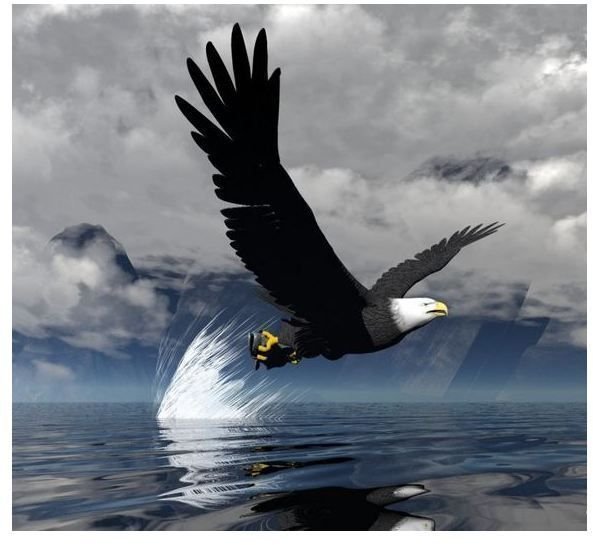
This next wallpaper is an eagle wallpaper. It has a beautiful eagle coming out of the water. There is a reflection of the eagle in the rippled water below. This is a really splendid wallpaper. You could use it as a single wallpaper or as part of a slideshow if you are using Windows 7. This is also a smaller sized wallpaper, so you may have to use the stretch option if you are using a larger monitor. If you are using a small netbook or a small screen laptop, this wallpaper should work fine.
Frog Wallpaper

This next wallpaper is for frog lovers. It has a frog holding onto a green globe. The 3D effect of this wallpaper is really cool. Behind the frog and globe is a solid white background, so this would work great if you have a lot of icons on your desktop because you will be able to easily see them. This is a 1920 x 1200 wallpaper, so if you have anything smaller than that, you shouldn’t have any problem with this wallpaper because it will shrink to fit your desktop.
Candle & Water Wallpaper
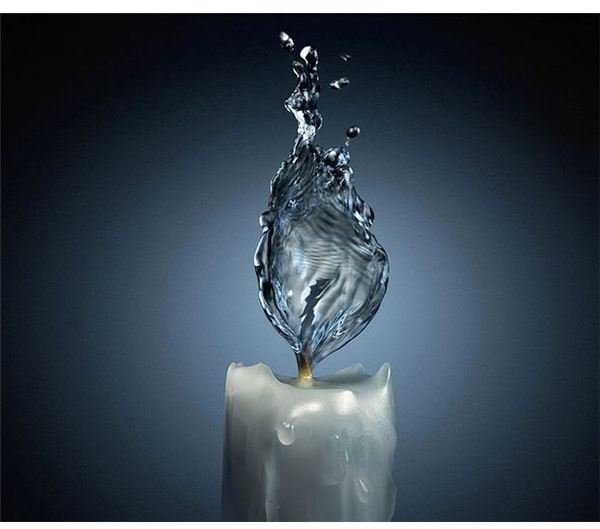
The next 3D wallpaper in our list is the candle and water wallpaper. This is a really unique wallpaper because it has a 3D candle with a blue background, the candle wick is covered water instead of a flame. The water is in the shape of a flame. I am not too sure of the size of this particular wallpaper, but it is fairly large. If you are using Windows 7, this would be a beautiful image to add to your desktop’s slideshow .
Glass Fruit Wallpaper
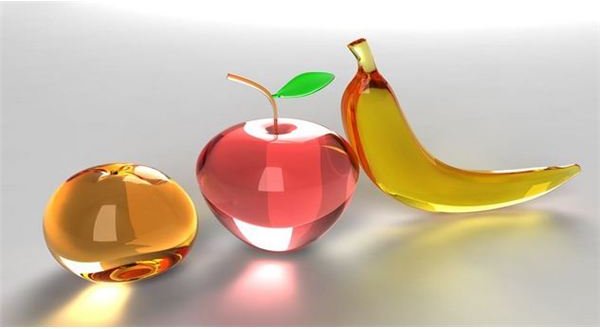
This next wallpaper is a unique 3D wallpaper. It has three glass fruits and all three are 3D. In the wallpaper is a bananna, an apple and an orange. The glass is so shiny that you can see through it. The background of the wallpaper is a white and gray gradient, which should allow you to see most of your icons easily. This wallpaper is 1024 x 768. If your screen is smaller than that, it will still fit.
Help with Wallpaper
In most browsers, all you have to do is right click on the wallpaper and choose the “Set as Wallpaper” or “Set as Desktop Background” option. If you are using a browser that does not give you that option in the menu, you will need to save the image to your desktop. Then you can right click on the image on your desktop and choose to set it as your background.
If your wallpaper interferes with your icons, you may want to change the color of your icons’ text. You can do this by going through the properties panel and changing the appearance of the desktop icons.
References & Resources
1. Dolphin Wallpaper - https://www.visualparadox.com/wallpapers/whishuponawave.htm
2. Flowers & Bubbles Wallpaper - https://www.digitaldesktopwallpaper.com/downloads/abstract_wallpaper_069.htm
3. Eagle Wallpaper - https://www.freewallpaperdownload.info/eagle-3d-wallpaper
4. Frog Wallpaper - https://mi9.com/wallpaper/free-frog-3d-wallpaper-for-desktop_81216/
5. Candle & Water Wallpaper - https://nikadon.com/wp-content/uploads/2009/08/3d-Candlelight-Water-Flame-Fantasy-Wallpaper1.jpg
6. Fruit Wallpaper - https://hd-wallpapers.s-fun.com/wallpapers/3d-wallpaper-desktop/3d-wallpaper-desktop-glass-fruits/
All screenshots were taken by the author and are the property of their respective sites.


