Windows Live Writer is a powerful word processing application to create and publish blogs. Based on MS Word, with a slick interface and excellent features, Windows Live Writer is a great blogging tool to rival LiveJournal, WordPress, Blogger and Sharepoint. It is safe, secure, fast and reliable.
Windows Live Writer
Windows Live Writer is a free software and service offering from the Microsoft suite of Windows Live products. After undergoing some modifications and taking on board some of the tools from the Microsoft Office suite, Live Writer is a functional word processing agent for all of your online publication needs. It allows users to create exceptional blogs with an array of whistles and bells such as photos, video, maps, and many of the other mod cons found on common on Microsoft Word. With tools such as advanced image insertion, editing, table creation, spell checker, hyperlink extensions and a brilliant preview facility, Live Writer is fast becoming the top blog writing assistant.
The editor itself is very intuitive and if you are comfortable with Microsoft Word you will find the transition almost seamless. Creation of templates, formatting, tables and standard blog text is extremely easy, requiring zero coding knowledge, and with extensive, free, plug-ins it is easy to create the blog you want. For those who are comfortable with programming code, there is a choice between HTML and XHTML which allows you to create clean and well formed blogs.
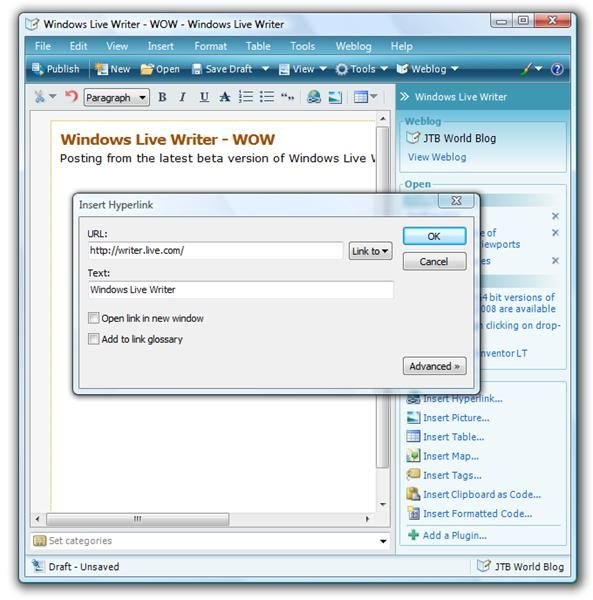
As with Windows Live Spaces, Messenger and Toolbar, Live Writer incorporates some excellent Microsoft and 3rd party developed gadgets that are extensive and become more impressive by the day. It is hard to imagine a place or time when Live writer will not be useful to a large proportion of the world’s bloggers. With extended integration with a variety of providers and supporting FTP, processing of blogs on various forums is also fully catered for.
As of the time of writing there are several features that would be handy additions to the Live Writer service. For example, a word count, and greater customization of the toolbar. However, with the diversity of blogging, and the newest modern technologies bloggers need to embrace, Windows Live Writer will always be a work in progress. For now, it is true to say that Windows Live Writer is a superb tool, certainly one of the best in the Windows Live suite. As an offline word processing service it more than holds its own and as an online blog creation, preview and publication tool it stands head and shoulders above the rest.
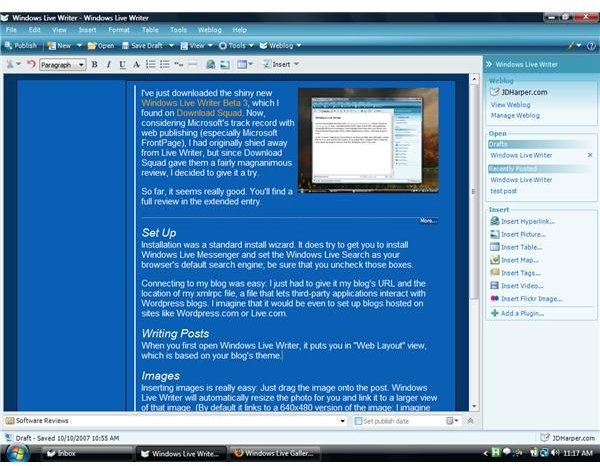
I strongly recommend Windows Live Writer for bloggers at any level of expertise. Free, easy to use, and with extended configurability, Windows Live Writer is so good it competes on fairly equal ground with Microsoft Word for word processing needs. And considering it provides quick and seamless publication of content to most online blogging services, Windows Live Writer is truly exceptional.
This post is part of the series: Microsoft Windows Live - A Review
This series provides a look at each of the applications provided in Microsoft Windows Live software bundle.
- Reviewing Windows Live: The New Microsoft Ideology (Everything Online And Under One Roof)
- Windows Live Review: Products, Installation and System Specification
- Windows Live Hotmail Review: Free Web Based Email
- Windows Live Mail Review: The New & Improved Microsoft Email Client
- Windows Live Messenger: Award Winning Instant Messaging
- Windows Live Toolbar Review: Find Web Pages Faster!
- Windows Live SkyDrive Review: Personal Online Data Storage
- Windows Live Spaces Review: Building Your Own Free Personalized Webspace
- Windows Live Photo Gallery Review: Online Personal Multimedia Storage from Microsoft
- Windows Live Writer Review: Top Online Writing & Blogging Software
- Windows Live Events Review: A Time Management Service That Eases Your Workload
- Windows Live Family Safety Review: Complete Home PC Security for the Family or Office


