IT Administrators will have done fewer tasks if they will use NetChk Protect, a complete patch management tool with active protection by Sunbelt’s VIPRE Antivirus+Antispyware.
Overview
Shavlik is a well-known company for patch management. If you are familiar with Microsoft Baseline Security Analyzer , you should know that portion of MBSA program was created or developed by Shavlik. A new security suite for SMBs is being offered by Shavlik: NetChk Protect 7
System Requirements and Installation (5 out of 5)
NetChk Protect 7 is compatible to XP, Vista but it’s recommended to use in Windows Server 2003 and 2008 systems. 64-bit is not supported unless you will install NetChk Protect in XP x64.
The installation process of NetChk Protect is easy and smooth. The installer will try to identify the required components:
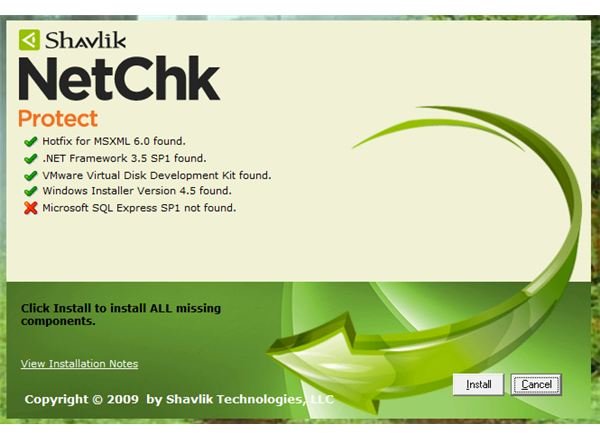
After the download and installation of the missing component (Microsoft SQL Express SP1 on this review and test machine), the installation will finish in no time. The database configuration wizard is next and that too was done without issue.
Features of NetChk Protect (5 out of 5)
Most Administrators will enjoy the feature of NetChk Protect for it will allow them to:
- Patch the operating systems in the network
- Patch any programs
- Patch virtual machines
- Easy to use Agent to create policies
- Use anti-malware engine by Sunbelt VIPRE Antivirus+Antispyware
- Patch anytime by using scheduler
- E-mail the scan results and reports
Performance and Usage (4 out of 5)
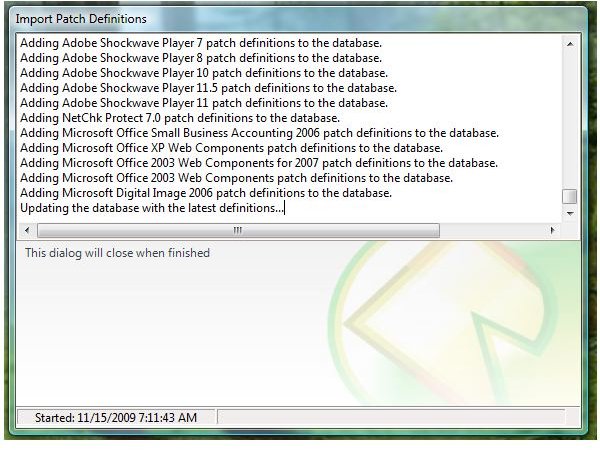
After creating the patch policy using its agent, I let NetChk Protect to download the threats and patch definitions. It was done by NetChk Protect without problem:
On a test system that I believe does not have missing security patches, NetChk Protect has detected a missing security update:
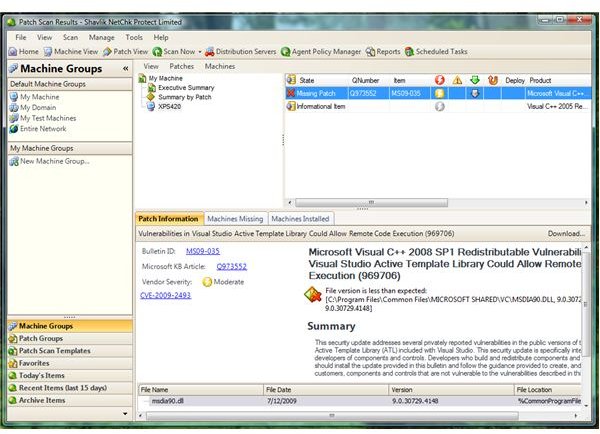
Installing the patch using NetChk Protect is easy to do and if you have other computers in the network, you can scan those machines and install the needed security updates. NetChk Protect is able to detect the installed programs (including third-party) on the machine:
The only issue I found with NetChk Protect is when I tried to look for anti-malware UI to start scanning the system but to my disappointment, there is no such console by default (you have to manually install the agent). With all agents in place, I configured the threats action and what type of malware NetChk Protect should detect. The system and two clean VMs are clean: NetChk Protect found no false positive which is good news.
Price to Value (5 out of 5)
NetChk Protect costs $40.00 per workstation or $80.00 per server. A good deal for SMBs that want to have a complete patch management utility and anti-malware engine by Sunbelt Software.
Conclusion
NetChk Protect is complete security suite for SMBs that is not heavy to use and scan for missing patches and threats the target machines correctly. Highly recommended!


