Parents often worry on how to guard the kids from viewing unwanted online contents. KSS Parental Control software will help most parents in keeping the safety of kids while they surf and using the computer.
* Editor’s Note: Kid Safety Surf from Isoftwise is no longer available.
Kid Safety Surf (KSS) Parental Control will block unwanted websites, monitor activity in the PC, prevent applications from opening, limit the time spent on a PC by your kids and only allow sending e-mails to approved contacts. Read more about KSS to find out if this is the internet filtering software that you need.
System Requirements and Installation (5 out of 5)
The supported operating system of KSS Parental Control is Windows 2000, XP, Vista and Windows 7. A reboot is required after the quick installation process. The program will prompt you to create administrator user account and password when it launches.
Options and UI (5 out of 5)
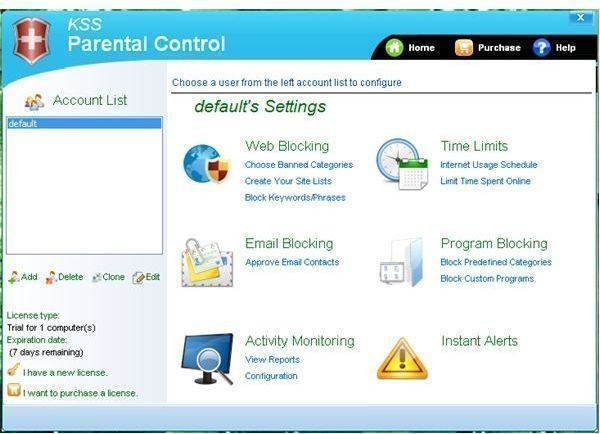
The user interface of KSS is not comprehensive. You have the following options to start guarding and monitoring your kids against unwanted websites or PC usage:
-
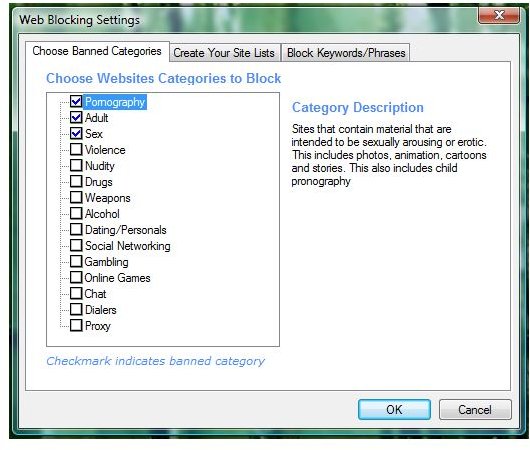
Web Blocking – you can use KSS to block sites that are categorized as pornography, sex, adult, dating, social networking, violence and many others. You have the option to create your own sites to block and enter keywords on a website that will be blocked by KSS in loading.
-
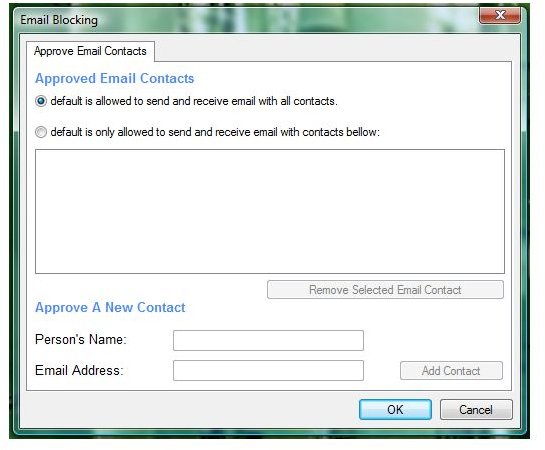
E-mail Blocking – KSS let you enter approved contacts which you and anyone using the PC is only allowed to communicate.
Advertisement -
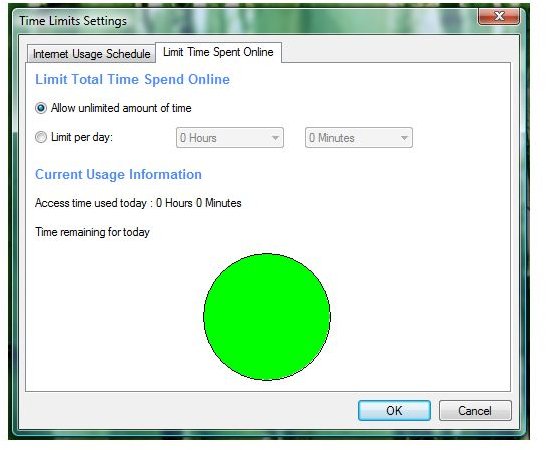
Time Controls – there is no option what time you will allow your kids to use the computer but there is option to limit the number of hours the user can use the PC.
-
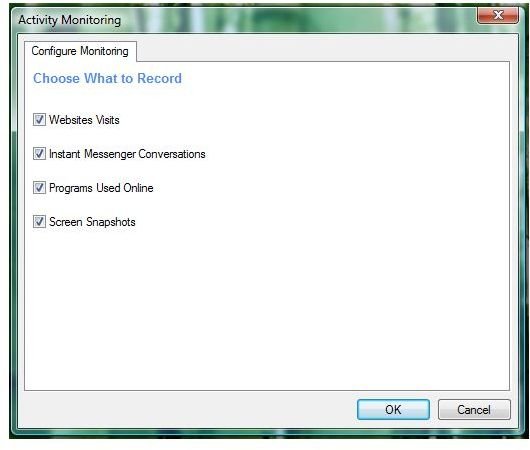
Activity Monitoring – KSS will log every activity you asked it to so you can review them (note it can log also screen snapshots).
Advertisement -
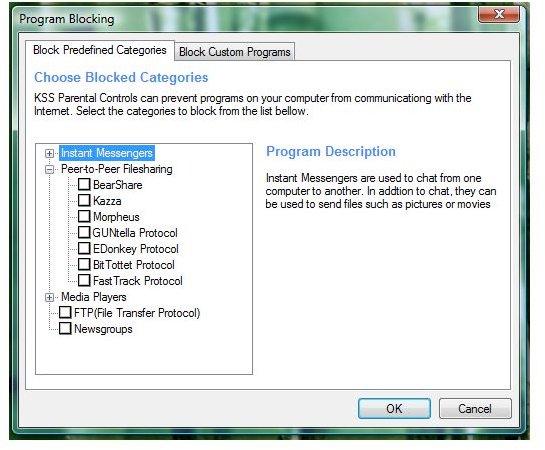
Program Blocking – the program will not only try to block unwanted websites but can also block in running some programs (P2P, Instant Messengers, FTP, Media Players and any other program that you wish).
-
Receive e-mail alerts when for activities
Advertisement -
Add additional user profile that will use different policy
Images
Performance and Effectiveness (3 out of 5)
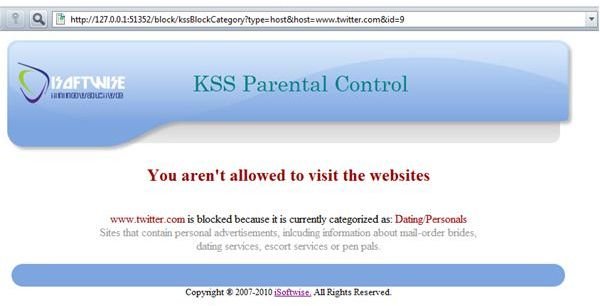
I find KSS useful when blocking known websites in the category of Social Networking , dating/sex/adult, games,
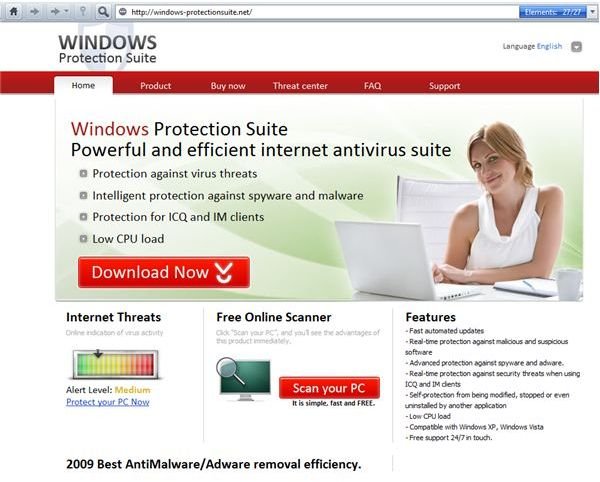
violence etc but it is lacking to block malicious sites that will scam people e.g. phished sites or websites that will offer rogue programs. Most browsers have malware and fraud protection for this though and also, anti-malware programs with web guard. The image at the left is a sample blocked social networking site and how the blocked message is presented to the end-user. While the image on the other side shows a rogue software’s website will load (not blocked by KSS).
The program will use 13MB of memory which is not too much. The internet filtering by keywords or custom sites is powerful so you must be careful in adding new sites or keywords to be blocked by KSS. If you add, *gle.com, you will be blocking google.com!
Price to Value (3 out of 5)
$39.95 per year for 3 PCs which is expensive especially if there is similar program that is free – K9 Web Protection or OpenDNS . Difference it you can use KSS to block programs in running and that is not available in K9 and OpenDNS. KSS is available to try in 7 days and offering money back guarantee in 30 days if you are not satisfied.
Conclusion
Kid Safety Surf is useful parental control software and it’s easy to manage. Recommended for parents wanting to guard their kids especially if you like the feature to prevent running applications that is not available in other internet filtering programs!
This article has been placed in our archives.


