Anti-malware has added protection against websites that has exploits or malicious content but it requires definitions update before you’ll get protection. Read this review to find out if NoScript is your answer to these problems.
Introduction
NoScript is a free Firefox browser plug-in. What NoScript does is to block JavaScript, Flash Player, Silverlight, QuickTime, PDF documents and other plug-ins’ content on a website. The free add-on, NoScript is used by many end-users of Firefox to help prevent Clickjacking and cross-site scripting attacks which is common problem nowadays.
System Requirements and Installation (5 out of 5)
You cannot use NoScript in any browser except Firefox, SeaMonkey, IceWeasel, MineField and Flock. There is no need to be advanced user in installing NoScript in supported browser. Once the browser has added NoScript add-on, you are ready to browse safely. Updating NoScript is done via browser’s add-on manager or you can download it from Mozilla Add-on or NoScript websites.
Options in Using NoScript (5 out of 5)
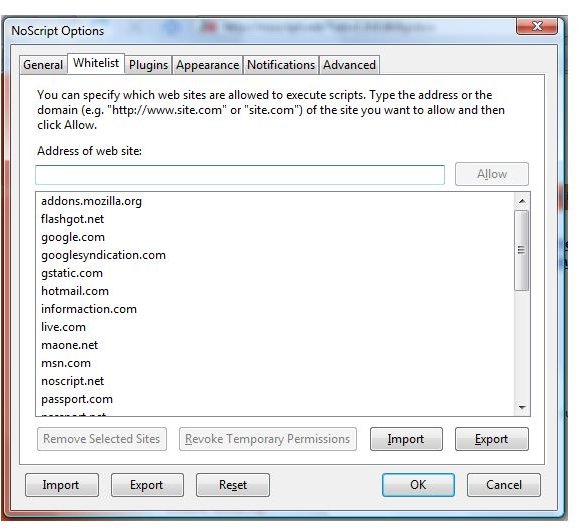
Some websites that requires you to log-in (e.g. discussion or support forums), you might need to allow several domains that the site is using before you can open its login or use any site features. An example is CNET.com Forums, you will need to configure NoScript to allow the following: cnet.com, com.com. If not, the login link on top of the page will not load the login window.
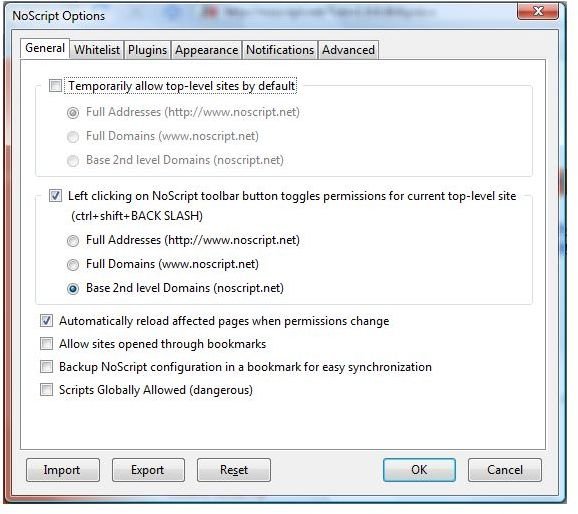
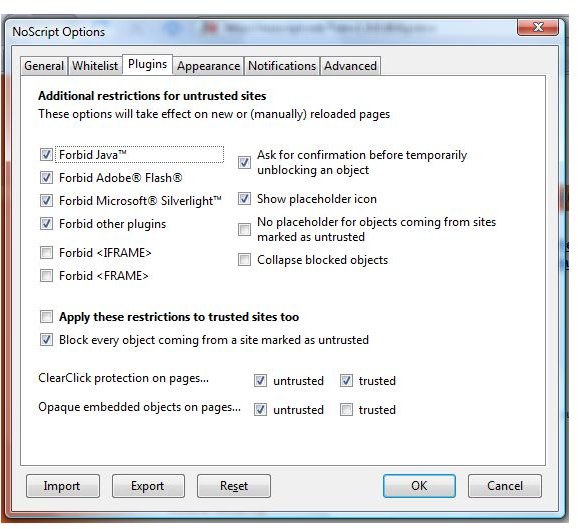
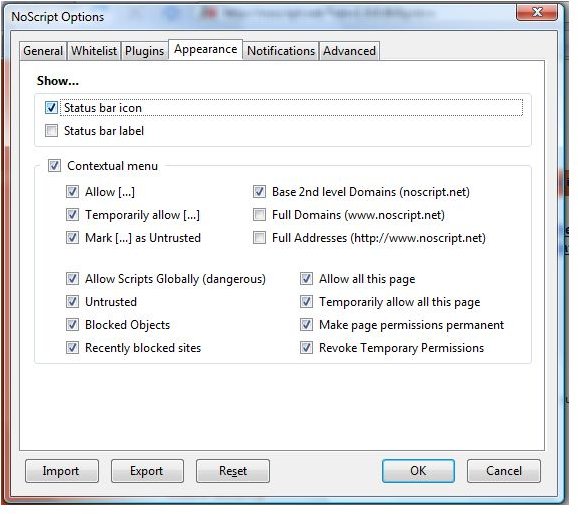
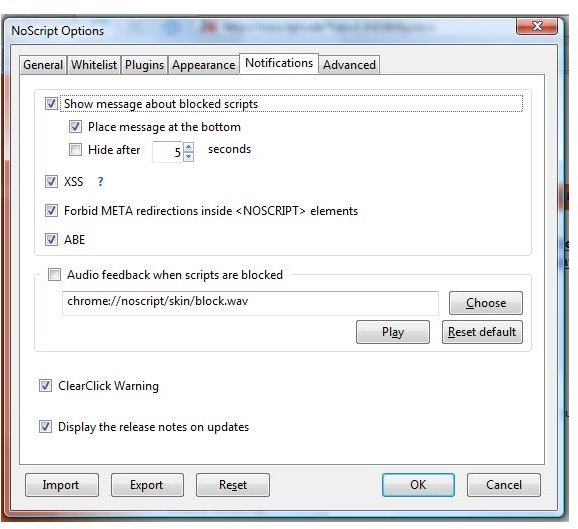
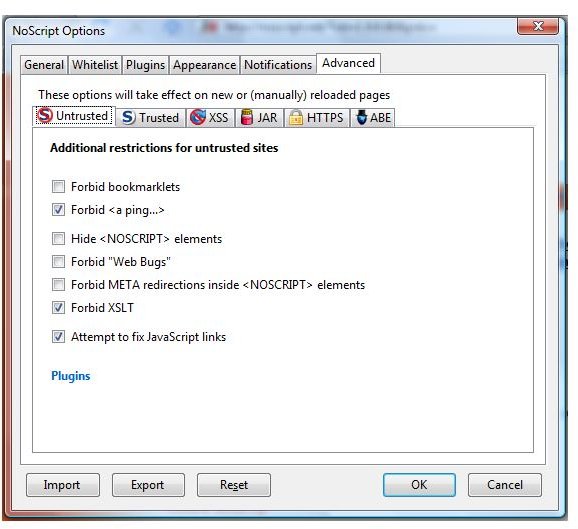
The default option is recommended but for people who want to control how it works, below screenshots are the available options in using NoScript.
Default Options or Settings of NoScript
Effectiveness of NoScript (5 out of 5)
The new version of NoScript is effective in blocking active contents in a website. Previously, it is not very effective because I personally seen fake codec or malicious files being served while NoScript add-on is installed, after loading a malicious page while testing malware links, even without user interaction! Example is here and here . Thankfully, NoScript is updated frequently and become better. It’s not perfect but you can always report any issues (e.g. bypass, compatibility, false positive) at their forums.
Some people find NoScript is annoying because it blocks them in viewing the content. This should not stop you in using NoScript because you can always control what it will block and allow… as easy as 1…2…3!
Support and Price to Value (5 out of 5)
NoScript is not going to hurt your pocket – it’s free! Support is offered via forums .
Conclusion
There is no secure browser on earth and there is no anti-malware scanner that can block all malicious contents from a legitimate but hijacked or compromised websites. It’s best to prevent than to secure so use NoScript if you currently do not use any program that will block contents that could be malicious! Highly recommended!
Read more reviews!
Check out Outpost Firewall 2009 review. This firewall is not only offering firewall protection but can block what NoScript will block. The advantage is… you are protected against malicious contents while using all types of browser.


