Kryptel 5.8 provides easy file and folder encryption as well as encrypted backups for Windows without administrative overhead. Find here all what you want to know about INV Softwork’s Kryptel file and folder encryption.
System Requirements (3 out of 5)
According to the vendor’s website “system requirements” are Windows 9.x, ME, NT, 2000, XP, Vista as well as Windows 7. Encryption and decryption operations are computing intensive so the more RAM and the faster your CPUs the better.
Installation (4 out of 5)
The Kryptel install steps are the welcome screen, a license agreement, and then a readme information screen with details pertaining to Windows Vista and Kryptel installation onto a system with preinstalled INV Softwork Silver Key software.
The install continues with selecting the destination folder and a program group, which leads over to a ready to install-summary. When the install has completed click Finish and restart your computer.
Interface (3 out of 5)
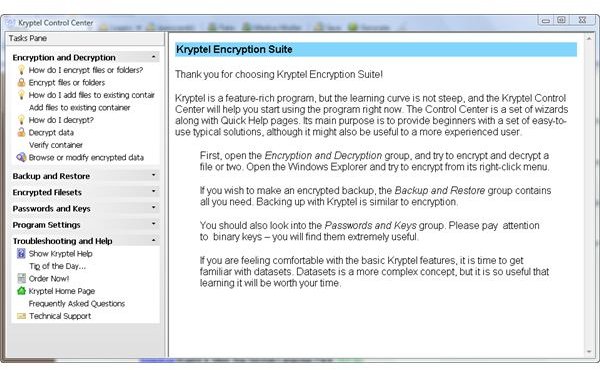
Kryptel Control Center is the software’s main interface combining information, configuration and tasks. It’s neither a standard GUI nor very intuitive, but after a while you get used it.
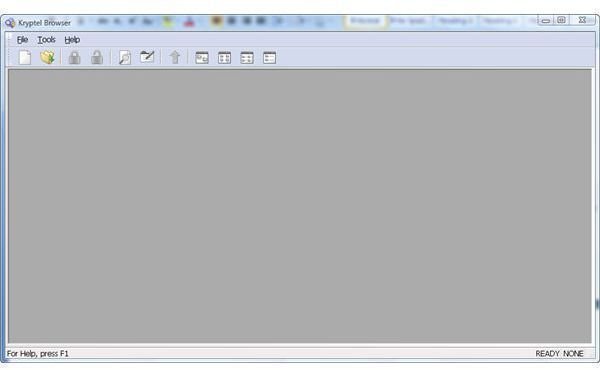
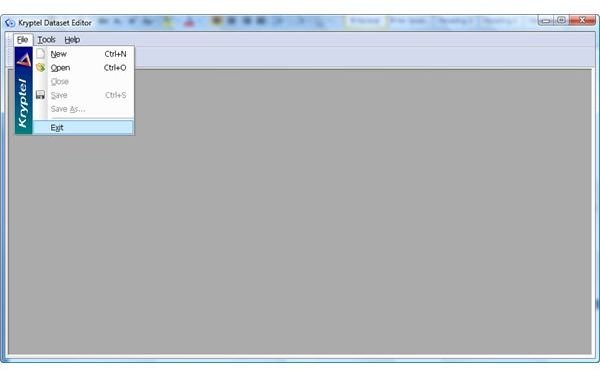
Kryptel additionally has an Explorer-like interface called Kryptel Browser as well as dataset editor to manage lists of encrypted objects shown below in the screen shots 2 and 3, respectively. These and other Kryptel GUIs/menus can be launched from its Windows Task bar icon by a right-click.
Features (4 out of 5)
Kryptel provides folder and file encryption as well as encrypted backups. During the install the software adds the two corresponding menu points to your Explorer’s context menu.
Kryptel backups have the advantage that they also store the objects path and leave the original file or folder intact, in contrast to Encryption which transforms the original objects.
The software, by default, uses the strong AES cipher; these and other Kryptel options can, for instance, be managed by the Crypto Settings utility you find the program folder.
In Crypto Settings you can also enable and configure Kryptel’s shredder, however it does not offers standard algorithms for the highest possible levels of permanently deleting data.
I found particularly useful that Kryptel lets you easily encrypt objects by dragging them onto the Kryptel icon of your desktop.
Performance (4 out of 5)
Kryptel 5.8 perfoms as expected, but the software sometimes makes a dusty impression.
Help & Support (4 out of 5)
Kryptel contains a help file in which I have found the information I had been looking for. On the vendor’s homepage you can find additional FAQs, email support details as well as a Kryptel support form.
Price to Value (4 out of 5)
Kryptel’s single-user license is US $29.95, a fair value in my opinion. Avoid the Kryptel suite, which is a bundle of Kryptel and Silver Key reviewed here despite the attractive price of US $39.95 as Silver Key provides little added value.
The Bottom Line
Using Kryptel 5.8 lets you easily encrypt files and folders without the administrative overhead sometimes seen in similar programs, but you perhaps want to make use of the 30 days fully functional evaluation version of Kryptel to try before you buy.
References
- Author’s own experience
- Screenshots by the writer


