Most anti-spyware program will work together with anti-virus which RemoveAny anti-spyware should be able to do. This article will discuss RemoveAny anti-spyware application by Heavenward.
Introduction
Heavenward is offering a free RemoveAny anti-spyware program that will remove spyware and other types of malware. The program also claims to be able to monitor the system’s processes for any malicious software.
Installation and System Requirements (2 out of 5)
Installing RemoveAny on any system will fail unless you have Windows XP SP2 and Vista SP1

The program requires no advanced knowledge to use and the installation is quite easy.
Options and Performance (1 out of 5)
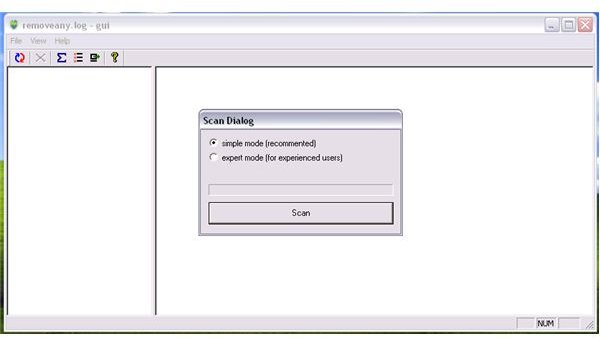
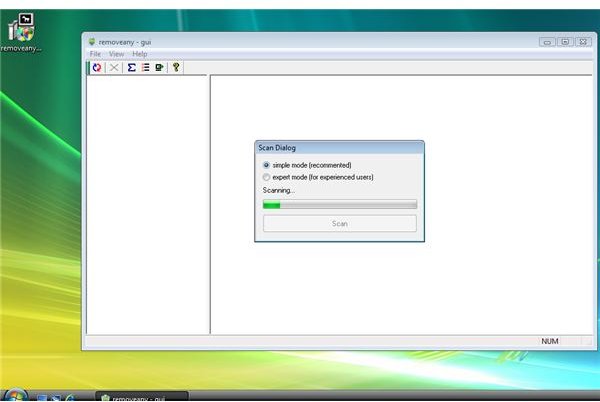
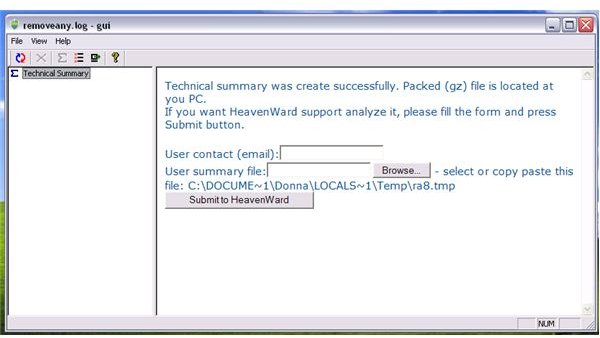
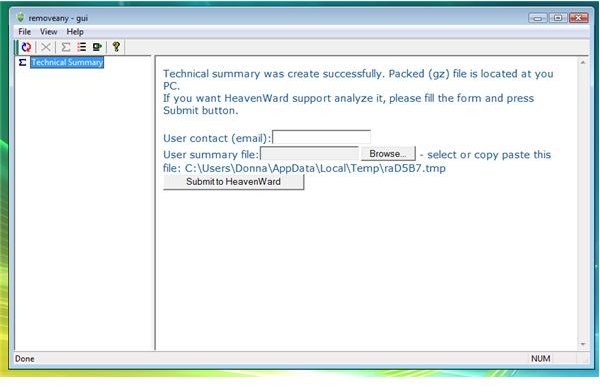
When running RemoveAny, there is an option to scan the system in two modes: Simple or Expert mode. However, no matter which mode I will use during this test, the program did not display what it should. What I get is information that the summary of the scan has been saved in a temporary location of the system. There is an option to submit the summary but you cannot it view the summary within the program.
I have tried running RemoveAny in supported XP system that has infection but RemoveAny continue to display the same scan result: The option to submit the summary to the vendor of the software. Check out the images below to see what I’m talking about.
The program is not confusing to use and yet, it seems not working. I have it installed on compatible or supported systems but it does not do what it claims to do. Removing RemoveAny is quite easy and there’s no suspicious connection or unwanted modification on the system. It just that the program did not display what is on my system or did not work as claim by the author.
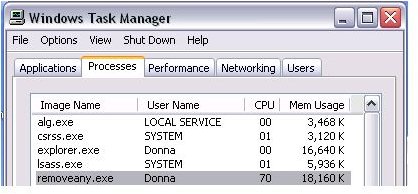
The memory usage of RemoveAny is unacceptable: 18MB when it cannot even present what it finds on the system.
Images
Price to Value (1 out of 5)
Free of charge anti-spyware program but it is not working. Don’t even spend time in trying!
Conclusion
The program is not recommended not only because it does not let you use on updated Windows but it simply does not work. Shop around for other anti-spyware programs!
More Reviews!
Would you like to read more reviews? Check out VIPRE Anti-virus + Anti-Spyware , Norman Antivirus and Antispyware , Norton AntiVirus 2009 , Norton Internet Security 2009 and ESET Smart Security .


