Trend Micro Worry-Free Business Security 6.0 Advanced uses a blend of client/server and cloud computing to provide total IT infrastructure protection, spam filtering and enhanced productivity for small and mid-sized organizations which want to focus on their core competences rather than IT.
What is Trend Micro Worry-Free Business Security (WFBS)?
Trend Micro develops, delivers and supports industry-leading security solutions to combat today’s ever-changing and rapidly evolving internet security threats. Trend Micro Worry-Free Business Security Advanced 6.0 , Trend’s flagship product for small to mid-sized organizations, provides total Internet, malware and email protection for client computers and servers using a sophisticated and unique combination of client/server and cloud computing technologies. Despite the innovative nature of the solution, the product remains extremely easy to configure, deploy and manage.
Trend Micro Worry-Free Business Security (WFBS) 6.0 Standard edition is the best choice for protecting Microsoft Windows-based desktop and laptop computer as well as file servers; organizations which have their own mail server should opt for Worry-Free Business Security Advanced 6.0 which includes InterScan Messaging Hosted Security Standard, a solution which eliminates up to 99% of spam before it reaches the network by forwarding incoming mails for analysis and cleansing to Trend Micro’s datacenter, which then returns legitimate mails to the SMTP or Exchange server.
Features (5 out of 5)
Worry-Free Business Security 6.0 Advanced features include:
-
InterScan Messaging Hosted Security (IMHS) inbound email traffic protection against spam and emails which contain malware infected attachments. IMHS Standard can be upgraded to IMHS Advanced which provides outbound message scanning, encryption and in-depth content filtering to support corporate policy or compliance requirements
-
Anti-virus and anti-malware protection with an optimized scan engine using little memory with CPU usage throttling
Advertisement -
Behavior-based anti-malware monitoring and lock-down protection
-
Improved Quarantine
Advertisement -
Smart Scan file reputation technology hosted mainly on the local Worry-Free Security Server with out-of band mobile computers protected by Trend Micro’s Data Centers in the cloud
-
Smart Feedback to help Trend Micro combat emerging threats
Advertisement -
URL Filteringto restrict users from visiting appropriate or insecure websites
-
Web Threat Protection: Web reputation technology real-time analysis before a downloaded is started
Advertisement -
Transaction Protector against browser hijacking
-
TrendProtect against phishing Web sites
Advertisement -
Location-awareness: maximum security both inside and outside the office
-
Wireless Protection inside as well as outside of your organization such as in public hotspots
Advertisement -
Stateful Inspection Firewall with Intrusion Detection System (IDS)
-
Instant Messaging (IM) Protection: Administrators can restrict the usage of certain words or phrases in instant messaging applications
Advertisement -
POP3 Anti-Spam plug-ins
-
USB Device Control to help prevent malware entering your network
Advertisement -
Remote management for clients and servers, even from outside of the office
System Requirements (5 out of 5)
WFBS runs on desktops and laptops using Windows XP, Windows Vista or Windows 7 installed along with Windows Server 2003, Windows Server 2008, Small Business Server 2000 to 2008, Windows Essential Business Server 2008, as well as Microsoft Exchange Server 2000 to 2007.
Setup and Management (5 out of 5)
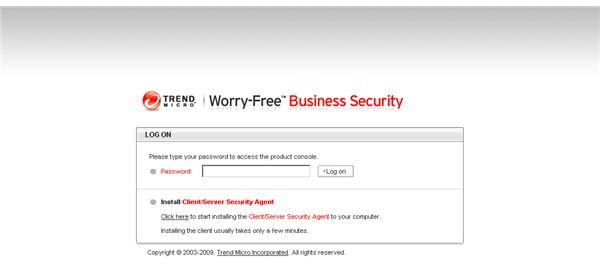
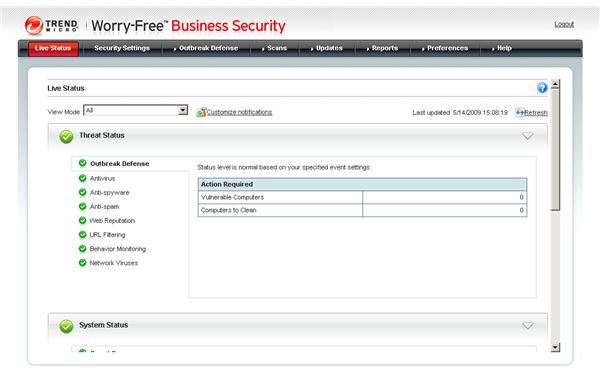
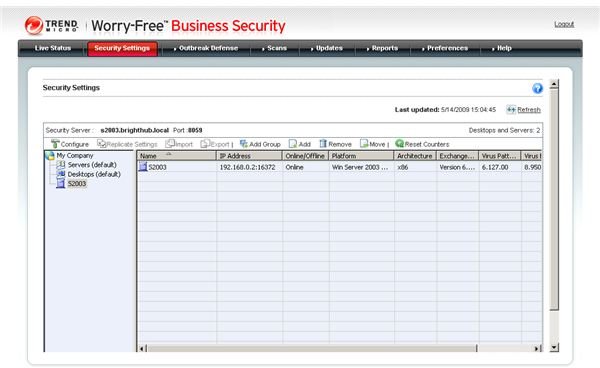
Deploying Trend Micro Worry-Free Business Security 6.0 is extremely easy and straightforward. The WFBS Security Server and Messaging Security Agent is installed on Windows Server, Windows Small Business Server 2000 to 2008 or Windows Essential Business Server and the Client/Server Security Agents - which extend WFBS’s protection to endpoints - are then remotely installed using the WFBS Web Console. The process is speedy, self-explanatory and entirely painless.
Help and Support (5 out of 5)
WFBS is very well documented in both downloadable guides and the online knowledge base, all of which can be accessed from within the WFBS help menu. On the vendor’s website you can find a lot of additional useful information including FAQ’s and How it works documents for example. Email and telephone support is available 24/7/365.
The help menu can also be used to download and install a number of language packs.
Price to Value (5 out of 5)
The WFBS one year license is extremely competitively priced for such a comprehensive solution. Additionally, by deploying a single, integrated and easily-managed solution to combat the entire range of internet security threats, organizations can drastically reduce their management overheads.
The Bottom Line (5 out of 5)
I deployed and tested WFBS 6.0 in my company’s IT infrastructure and can recommend the product without hesitation: WFBS is easy to deploy and manage and offers industry-leading protection against a broad range of threats. In short, Trend Micro Worry-Free Business Security Advanced 6.0 puts enterprise-class IT security easily within the reach of smaller businesses. Highly recommended!
References
- Author’s own experience
- Screenshots by the writer


