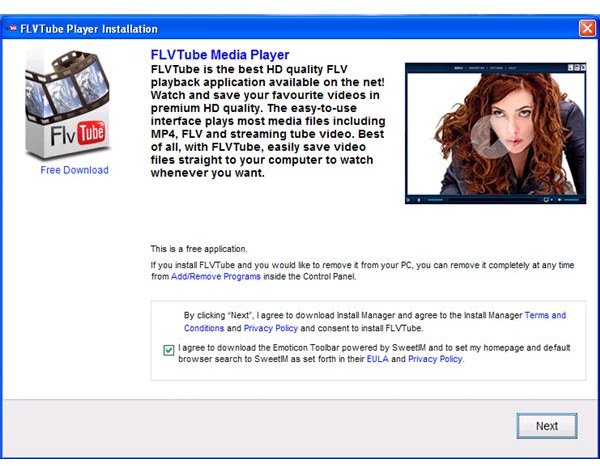
What is FLVTube Player? Is it safe to use or install FLVTube Media Player? Which antivirus program provides detection to FLVTube?
Is FLVTube Player Safe?
FLVTube Player from flvtube.net is a freeware application to search and download video clips from YouTube.com. Many Internet users have problems with the program even if they did not install the application. There are blogs that suggest using FLVTube Player and if you will look at the URL to download, you will notice an affiliate ID, which means the blogger or poster of the link will earn some cash per installation of FLVTube Player. Some antivirus and anti-malware programs have detection on FLVTube Player but cleaning-up a PC with this program requires other actions.
What are the files or programs installed by FLVTube Media Player?
Whether you are a victim of unwanted install of FLVTube Player or you intentionally download and install the program, you will find some
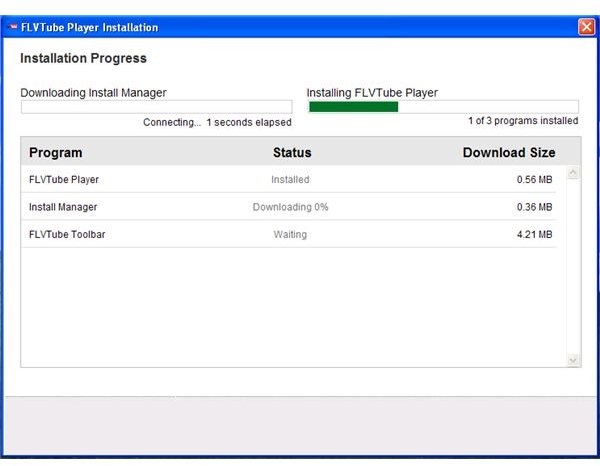
other programs were installed in your computer:
- FLVTube Player - the main program to download or search video clips from YouTube.com
- FLVTube Toolbar - The toolbar includes a search function that is powered by Yahoo.com
- Install Manager - a download and install manager for other programs. This program will automatically start in Windows.
- Homepage Protection Service - a program that prevents changes in home and search pages in browser. Note that FLVTube Toolbar hijacks the default search and home pages in the browser.
- QueryBrowser
All of the above programs are automatically installed and there is no advanced notice or option to not to install items number 3 and 4.
The installer of FLVTube Player is bundled with several unnecessary programs that you can skip or choose to not to install:
- Emoticon Toolbar powered by SweetIM
- WhiteSmoke Writer 2010
- Uniblue RegistryBooster 2010
How to Remove FLVTube?
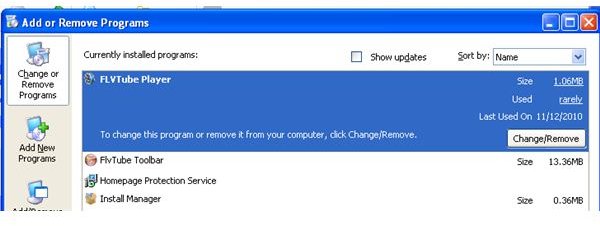
Removing FLVTube Player is possible if your computer continues to boot normally using normal or safe mode boot options. Some end-users are unfortunate that their computer has stopped working when FLVTube Player was installed without their consent . Removing FLVTube or removing FLVTube toolbar and other applications are easily done by using Add or Remove Programs in Windows.
Manually remove FLVTube and FLVTube Toolbar Removal and Removing Homepage Protection Service
You can manually remove the application using Add or Remove Programs by simply clicking on Remove or Uninstall button for the following applications:
Automatic Removal of FLVTube Player
Few antivirus or anti-malware programs has detection to FLVTube Player and some of them are:
-
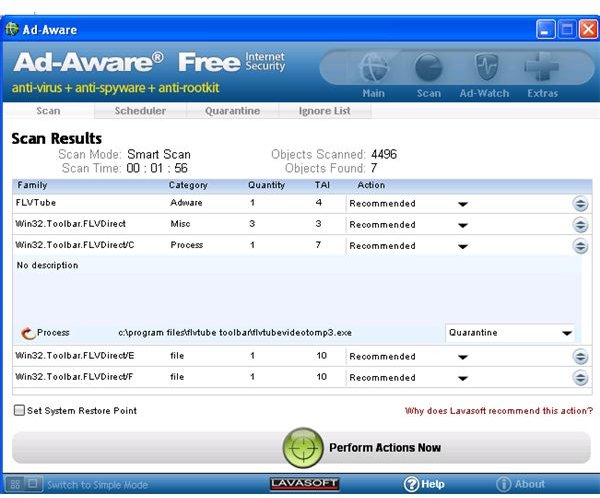
Ad-Aware Internet Security Free
 Advertisement
 -
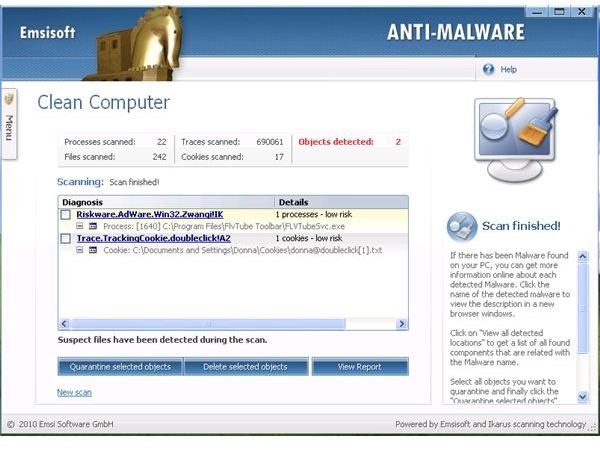
EmsiSoft Anti-Malware (formerly known as A-squared Free)
 Advertisement
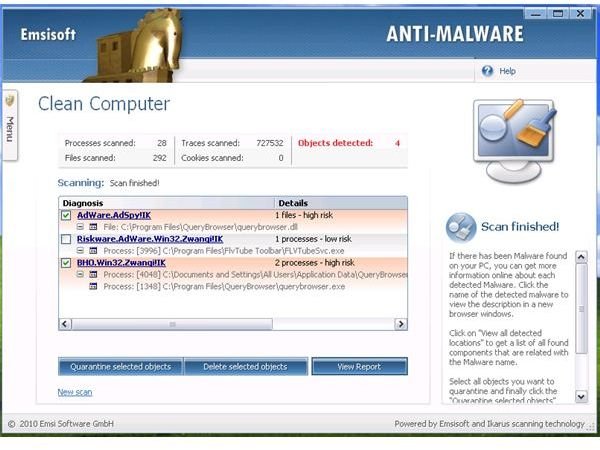
Both anti-malware provides risk detections on FLVTube Player and the threat is detected as Win32.Toolbar.FLVDirect with 10 risk rating and Riskware.Adware.Win32.Zwangi!IK, respectively. Note that in some installation of FLVTube Player, the anti-malware program will also detect AdSpy!IK threat:
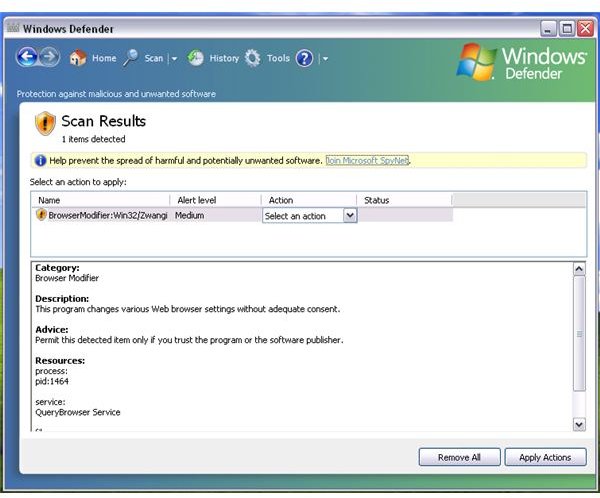
Some anti-malware will not provide threats detection, if the Querybrowser is not installed by FLVTube Player. For example, Malwarebytes Anti-Malware,
and
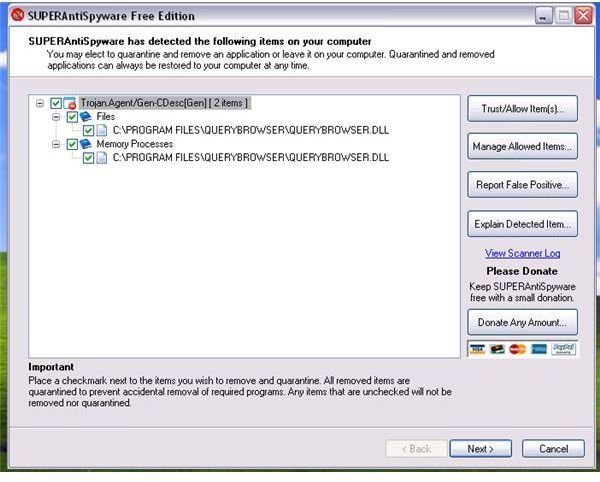
detects QueryBrowser only but not the FLVTube Player, FLVTube Toolbar, Install Manager and/or Homepage Protection Service applications:
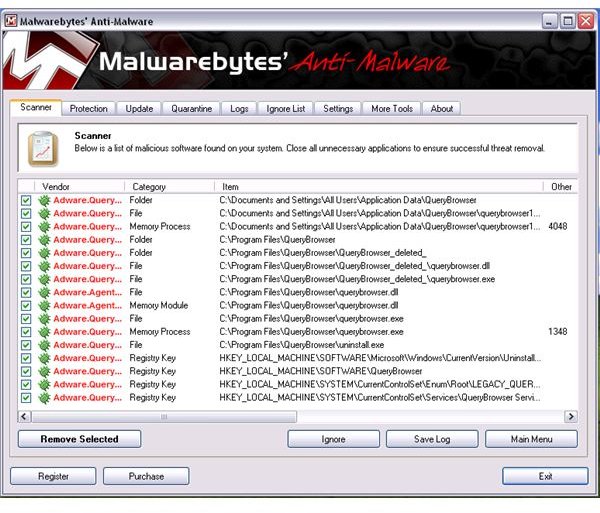
Note that if you use automatic removal process of FLVTube Player using Ad-Aware or EmsiSoft, you will need to remove other software that were installed by FLVTube Player:
- Install Manager
- Homepage Protection Service
Final Words
FLVTube Player is not safe to use or install because of the unwanted programs that it will install on your computer without your knowledge. It is recommended to view YouTube video clips by visiting YouTube.com only. YouTube.com does not recommend downloading video clips from their website. Keep your antivirus and anti-malware program up-to-date and if possible use an on-demand scanner to check the status of your computer. There is no single antivirus or anti-malware program that provides detection on all type of threats.
Image credit: Screenshots taken by the author.


