Do you want a free anti-virus program for MS Outlook? Find out which antivirus solution is providing free protection for incoming and outgoing messages received by Outlook program.
E-mail Protection by Antivirus Program
Most antivirus programs offer real-time protection against viruses, trojans, spyware, adware, rootkit, worms and other types of malware - whether it’s from web-based threats or transferred to/from your computer using a removable drive. Some antivirus software includes protection against e-mail borne threats, which is why corporate and business users (including ISP’s) are trying to ensure that their e-mail system is scanned by antivirus software.
Home users can enjoy e-mail protection using commercial versions of antivirus program because paid antivirus solutions provide an extra layer of protection. Also, paid antivirus solutions offer a fully functional protection service against any type of threats while you browse, chat, download or send/receive e-mails.
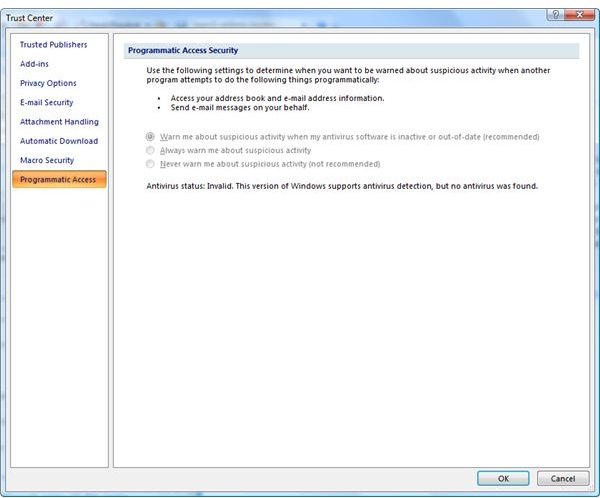
Microsoft Outlook may warn users if another program is trying to access the address book and contacts information. It can also warn you if something or someone tries to send e-mail on your behalf, without your consent or knowledge. The image at the left is an example status of the “Programmatic Access Security” in MS Outlook program which detects if an antivirus program is installed or if the antivirus program is not offering an e-mail protection. If you will receive security warnings from MS Outlook on the said malicious activities, you can solve it by installing an antivirus program with an e-mail scanner that is compatible with the e-mail client and will report its status to the Windows Security Center.
Free E-mail Protection for Microsoft Outlook: AVG and Avast
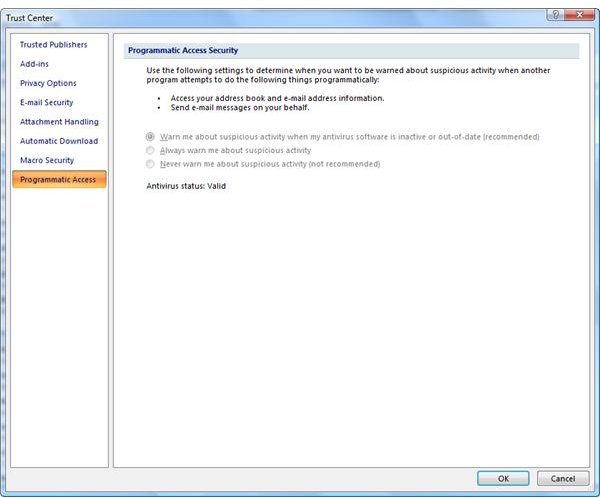
Not all free antivirus software provides free anti virus program for MS Outlook. It’s because they are offering a paid antivirus solution which provides protection to threats from e-mail. An e-mail protection by antivirus program should protect against malicious scripts, malware in e-mail attachments, phishing or scam messages and 0-day threats that are affecting or spreading via e-mail. If your antivirus program supports MS Outlook, you should see a “Valid” status in the “Programmatic Access Security” settings in the program. Microsoft Outlook includes e-mail filtering signatures that blocks known phishing e-mails and it is regularly updated by Microsoft via Windows Update.
If you are looking for extra protection for Outlook (since Outlook will only protect against spam and phishing e-mails), you can consider any of the following free antivirus programs that support Microsoft Outlook by providing e-mail protection:
-
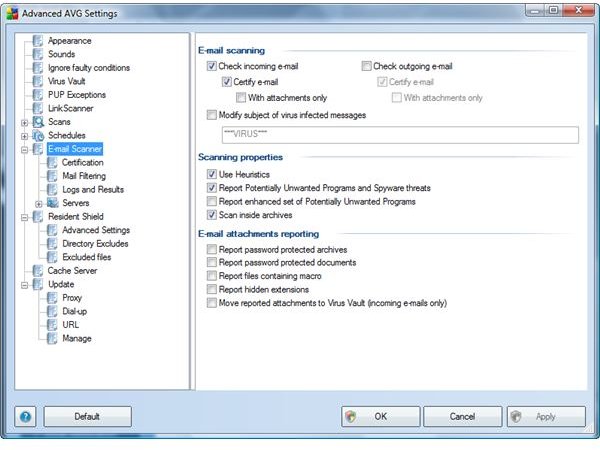
AVG Free - The freeware edition of AVG antivirus not only provides protection against malware but it offers a plugin for Microsoft Outlook. You don’t have to manually configure the POP3/SMTP servers because AVG includes an automatic detection of the currently used e-mail server settings. However, if you would rather enter the said information, AVG provides an option to manage the email servers.
 Advertisement
 -
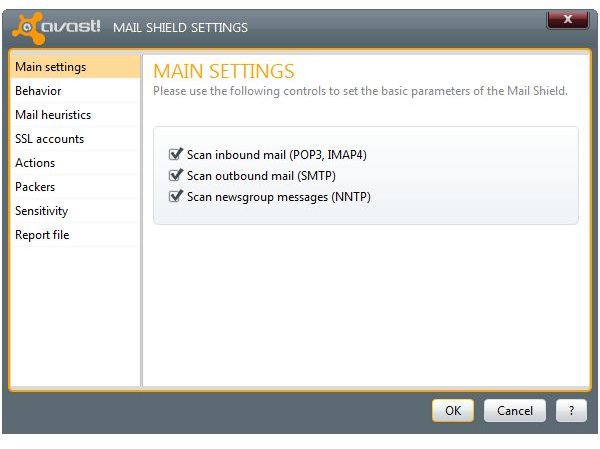
Avast Free - The Home edition which is for personal use also includes an e-mail protection. It’s similar to AVG’s e-mail scanner but with more options. The mail shield in Avast is installed by default but if you don’t have it, you may have setup the program during the install process to not to install the mail shield. Simply run the installer again to include the e-mail scanner of Avast.
 Advertisement
PC Tools Antivirus, ClamWin and Microsoft Security Essentials
Below you will find information on more free anti virus programs for MS Outlook but with limitations or problems:
-
PC Tools Antivirus Free - The free edition of PC Tools antivirus offers an e-mail guard that supports Microsoft Outlook. There are no options for configuring the email scanner but it does work in checking outgoing and incoming emails for malware or malicious contents, so you won’t be forwarding messages to your buddies or contacts that can pose security threats. The only issue that I noticed is that you are not allowed to remove the ’email certification’ where it will mark if the email has been checked for viruses or malware.
Advertisement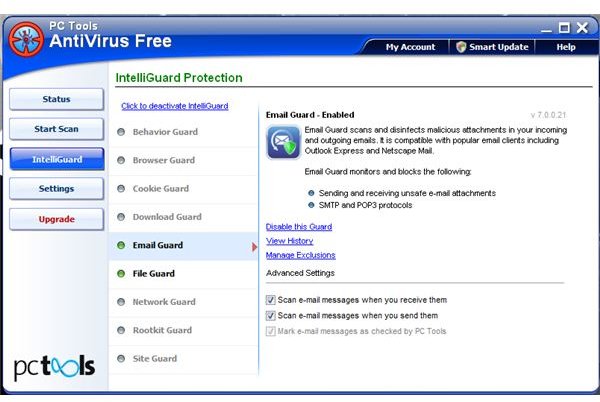
-
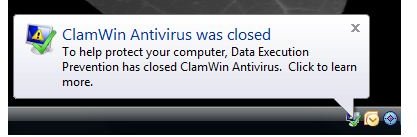
ClamWin - The free ClamWin antivirus program includes an add-in for Outlook to scan the incoming and outgoing emails. However, the current version of the plugin is buggy and actually shuts down by Windows Data Execution Prevention (DEP), a security feature in Windows. Note that free ClamAV for Windows does not include an email scanner. It is only available in the paid edition of ClamAV Plus and you should also note that ClamWin and ClamAV are not the same program because they are maintained by different developers.
Advertisement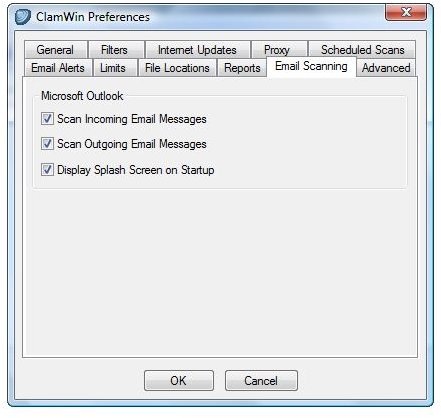
 Advertisement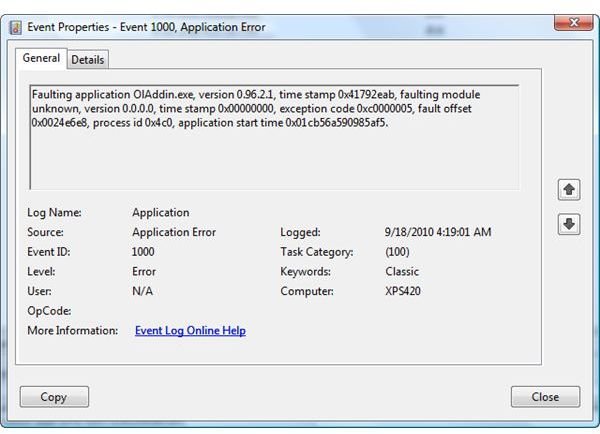
-
Microsoft Security Essentials - Microsoft’s free antivirus offers real-time protection against malware or suspicious attachments in an e-mail program such as Microsoft Outlook, Outlook Express, and Windows Live Mail. It is not a fully functional e-mail scanner but it does check attachments in downloaded messages for Outlook users.
Advertisement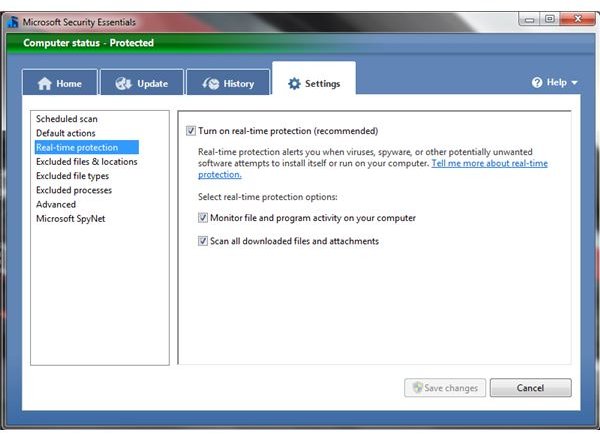
Recommendations
Some people believe that an e-mail scanner is not important since any malicious attachments are scanned in real-time by their antivirus program. They seem to forget that there are other threats that can pose security and privacy issues for end-users. I believe an e-mail scanner is essential as it provides an extra protection. If it’s not, then Microsoft will not provide a recommendation to install an antivirus solution for Outlook to prevent receiving security warnings on malicious activity in Outlook.
Check the security of your e-mail system using GFI Email Security Testing Zone because a good antivirus program provides an advanced protection. For more information, check out this great article on why e-mail scanning is an essential security feature .
Image credit: Screenshot taken by the author.


