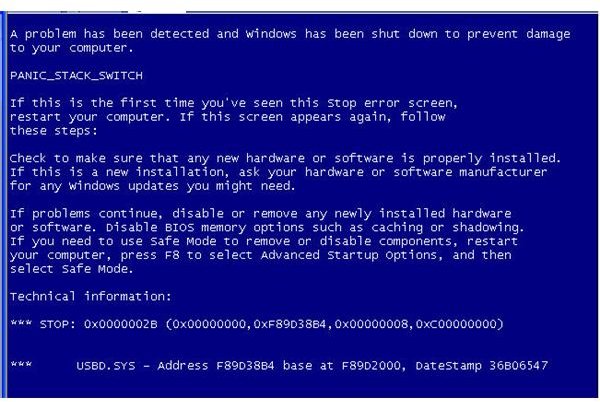
Scareware programs will not only display fake warning message and non-existent threats in a computer but may also change the desktop background. The background is similar to a blue screen saying, “Warning spyware detected on your computer”. Find out how to deal with such fake warning messages.
A Bluescreen of Death or BSoD in Windows
A bluescreen or BSoD is normally displayed in a computer when there’s a faulty driver from software or hardware. In some cases, a critical error occurs during system startup and error code is displayed in a form of BSoD. However, rogue distributors of MS Antivirus family including Antivirus Pro 2010 , PC Defender, Internet Security 2010 , XP Antivirus, Security Tool and many other names have included an image of a bluescreen on the PC to scare end-users.
BSoD Spyware Warning Message
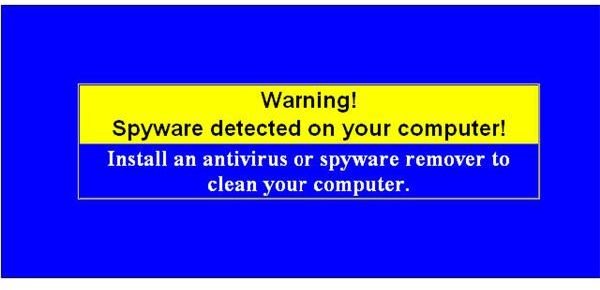
If you happen to see a blue screen saying warning spyware detected on your computer that is similar to the image above or the image at the left, the drivers in your computer are not faulty at all. The problem is that you computer is infected with a rogue program. You must not panic when you see such messages. Instead take control of your computer desktop screen again.
To get rid of the fake bluescreen spyware warning message, you need to clean-up Windows using an anti-virus or anti-spyware program. Restart the PC in Safe Mode with Networking:
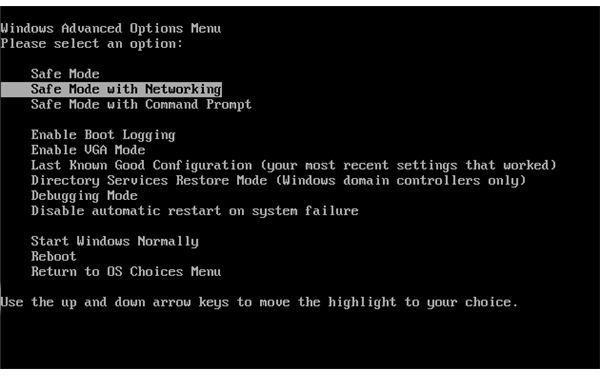
Log-on to Windows with an administrator user account, which permits your antivirus program to remove the fake warnings by the rogue program. If the antivirus did not detect or could not remove the infection, open the browser in Windows to download an on-demand malware scanner and remover. You may download any of the following anti-malware:
- SUPERAntiSpyware Portable scanner - this program will not install anything in your PC but will scan and remove detected malware and rogue programs.
- EmsiSoft MalAware - this is similar to SUPERAntiSpyware portable scanner. EmsiSoft MalAware will also scan and remove malware and rogue programs without the need to install the scanner.
- Malwarebytes Anti-Malware - a powerful malware removal tool, free for personal use. It can remove malware and rogue programs as well.
After you downloaded any of the above tools, start updating the detection signature and then run a quick scan. The rogue program should be detected, and the fake bluescreen spyware warning should be gone. If the rogue program is removed but the bluescreen continues to appear, you only need to change your desktop background settings by resetting it and then run another scan using the above scanners.
Dealing With Fake Warnings on Your PC
Bright Hub writer and Contributing Editor, Bill Fulks wrote in the article about Rogue AntiVirus Pro , “When dealing with these fake virus scanners, the important thing to remember is that you should familiarize yourself with the security software on your PC.”
So if you received the fake blue screen saying warning spyware detected on your computer, do not think that you need to buy and do not believe the fake messages from the new program that appears in the notification area in Windows, aka systray.
Below images are some of the free software that will scan and remove rogue programs like Rogue AntiVirus Pro. Note that variants of Rogue AntiVirus Pro can prevent rebooting the computer to safe mode, but the legitimate antivirus or anti-malware programs are not prevented running a scan, which means it is easier to deal with rogue programs.
Examples of Anti-Malware Programs That Can Remove Rogue AntiVirus Pro
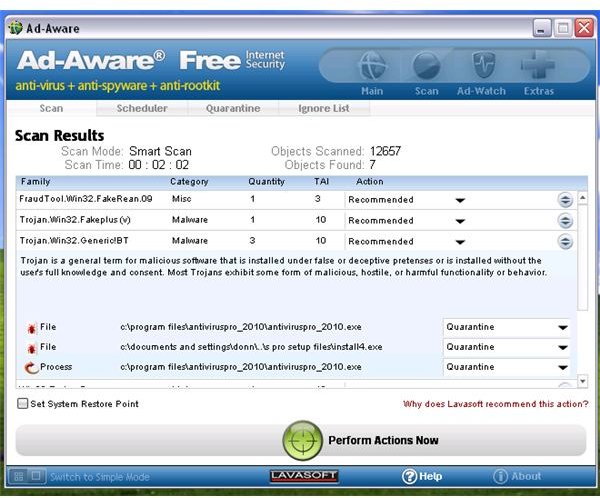
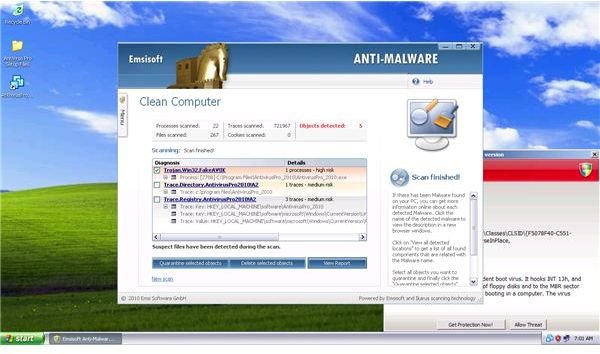
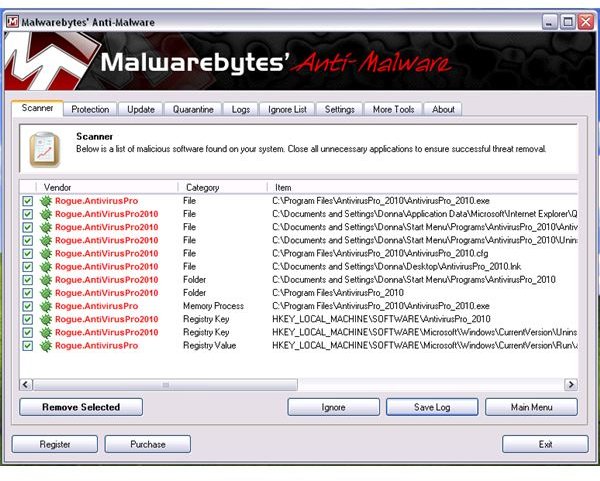
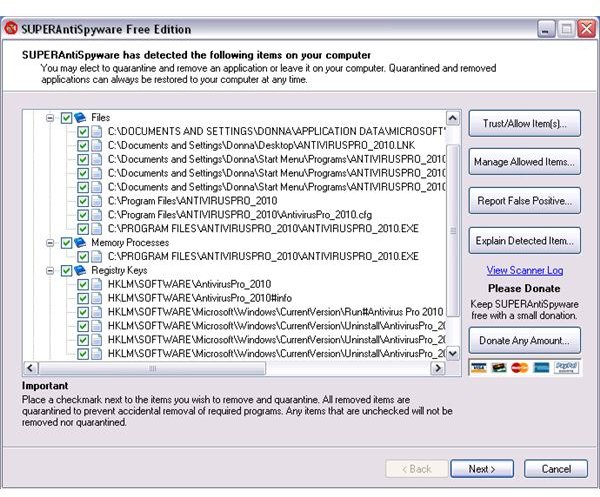
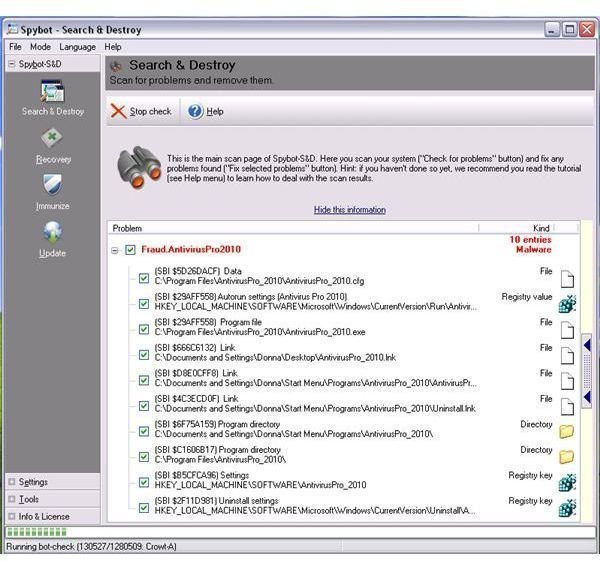
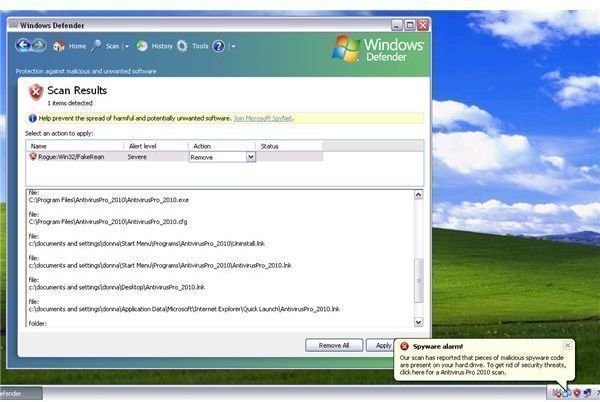
Image credits:
- Bluescreen fake warnings https://webhelper4u.net/main/scrnshts/desktopscams/anti-virus-proDesktopHijacking2008.jpg
- Fake BSoD https://webhelper4u.net/main/scrnshts/desktopscams/Bluescreen1.jpg
- Screenshot taken by the author


