With personal computer security being a very lucrative business, manufacturers look for ways to get you on their platform. One way to do this is to offer a fully featured free version of their product. This article will discuss my top four picks on computer virus protection freeware programs.
Overview
Nothing is more annoying than going to search for free applications only to install it and find out that you’ve got a trial edition that will expire in a few weeks. Luckily antivirus manufacturers have enough competition between themselves that these types of applications are commodities. In order to compete, these manufacturers need to lure you in to purchasing a higher edition. The best way for them to do this is to offer a free edition.
Luckily for you, these free editions meet all of the basic needs of most computer users while some offer advanced protection features.
In this roundup, I’ll offer my top four picks for computer virus protection freeware.
Avast
Avast offers three versions of its popular antivirus product – one of which is free. Avast Free edition offers anti malware protection. The Avast Free edition is surprisingly advanced and includes several features sometimes found only in commercial versions.
Examples of some of the advanced features found in Avast include:
- Boot-time scan – ability to scan prior to booting into the Windows operating system
- Root-kit detection
- Scheduled scanning – ability to specify schedules for scanning on a regular basis
- Real-time scanning of not only locally accessed files, but files downloaded from the Internet, from P2P applications and Instant Message applications
- Heuristics based detection – attempts to detect unknown malware by monitoring computer activity
For more information, check out Bright Hub’s review of Avast Home Edition . Avast has a free edition for consumer use and can be found on Avast’s website here .
Microsoft Security Essentials
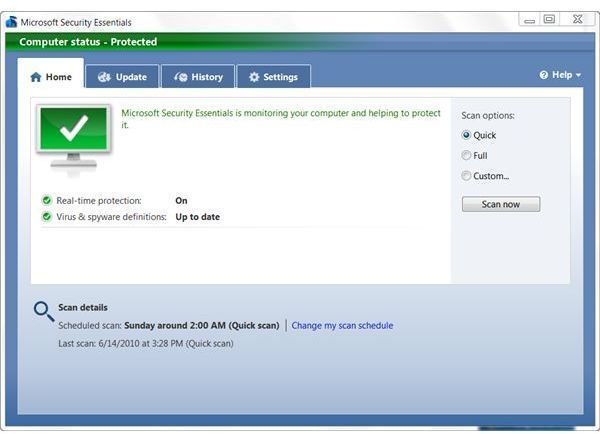
Microsoft recently released Security Essentials – the “light” edition of their commercial Forefront Security application. Security Essentials covers most of the anti malware features of other freeware in this list including scheduled, manual, and real-time scanning. Security Essentials offers a nice clean user interface and is definitely developed with ease of use in mind.
You can read more in this review of Microsoft Security Essentials . Microsoft Security Essentials can be downloaded from the Microsoft site here .
AVG
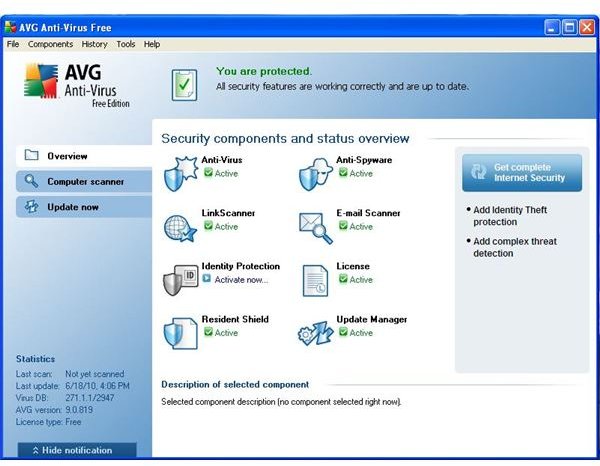
AVG’s free edition offers basic anti malware protection including real time protection and scheduled scans. Although some of the advanced features offered in Avast aren’t included in AVG’s free edition, AVG Free does offer a link scanner (read Bright Hub’s review of AVG Linkscanner ) that displays information when you perform searches letting you know if the link you are about to click on will be safe. You can also read more about Free AVG anti-virus to determine if it is enough to protect your computer here on Bright Hub.
AVG Free edition can be downloaded from the AVG site here .
Avira AntiVir
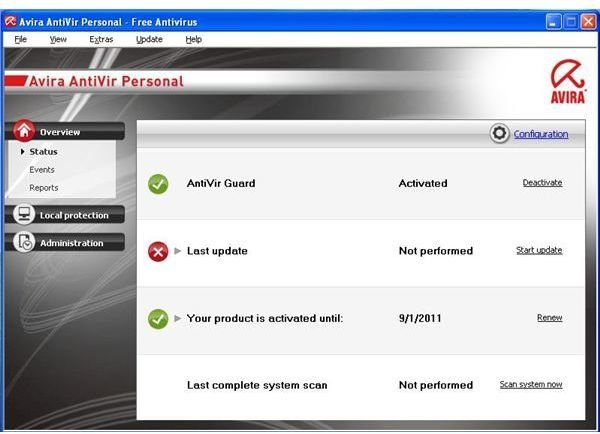
Avira AntiVir offers similar functionality to AVG with the exception of the link scanner. AntiVir offers basic malware protection including real-time and scheduled scans. One difference between AntiVir and AVG is that Avira’s product does offer root-kit detection. It’s a trade off between AntiVir and AVG depending on what you’d prefer to protect. You could always use AntiVir and download the standalone version of AVG’s link scanner if you are so inclined.
You can take a closer look at with a review of Avira Antivir from Bright Hub. Avira AntiVir can be downloaded from then Avira site here .
Wrapping Things Up
As you can see, you’ve got several options for computer virus protection freeware. Which one you choose all depends on your preferences. Due to some of the technology features Avast has that others don’t offer in free editions, I would have to recommend Avast in most circumstances. As it stands, all four offer good levels of protection.


