Looking for ways to protect vital files on your PC or laptop in the event of theft? If you’ve been asking yourself “how do i protect my files if my computer is stolen?” then read on - this article has the answers!
How Do I Protect My Files if My Computer is Stolen?
Whether you use a laptop or a desktop computer, the chances are you have some vital information on it.
This might be commercially sensitive data, personal data, a project you have been working on or something else entirely.
You would be pretty distraught to find that your hard work has gone in an instant – but if your PC or laptop is stolen, this is what would happen.
By this time, you can kiss goodbye to security and anonymity. Your data is open and at the mercy of the thief or whomever received the device. You’ve left it too late to ask, “How do I protect my files if my computer is stolen?”
Instead, ask yourself the question before the theft occurs - a couple of solutions might work for you.
How Thieves View Your Data
Although you might have a strong password on your Windows or Mac desktop or laptop, this can be bypassed in a matter of minutes.
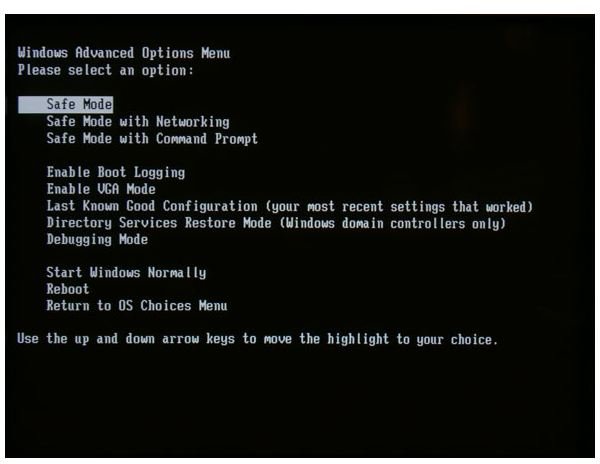
For instance on a Windows PC, booting the device into Safe Mode can allow the intruder to change the password, while booting from a Linux live CD can allow full access to the hard drive and the data saved there.
Your thief might even boot from a Windows disk and reset the Administrator login on your computer.
While a password is useful for preventing a quick glance at your PC from prying eyes in the office or cafe, it provides no protection from a determined cybercriminal.
Securing Your Data
You can choose from a selection of methods to secure your data. Each has its advantages and disadvantages:
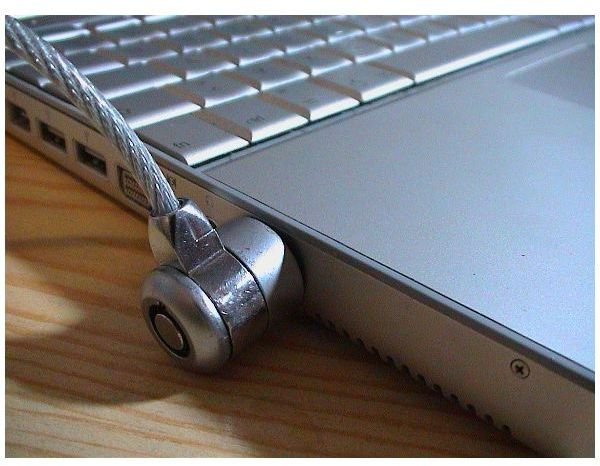
Physically securing your PC – attaching your PC to a desk and locking the case with a cable and padlock is a useful way to prevent theft. While it will not prevent a determined thief, it should slow them down and put off an opportunist.
Removing data – when you are not using the PC or laptop, you should perhaps consider removing your vital data. This can be done by means of a removable drive or disk media. By saving all data to this resource and removing it after use, you can be sure at all times where the data is – in your pocket!
Secure encryption – by applying a password to your sensitive data, you can protect it from prying eyes. TrueCrypt (www.truecrypt.org ) is a free, open source and cross-platform solution, which allows passphrase encryption of either a whole drive or a “container” (an encrypted virtual drive). The encrypted data can be read on a PC, Mac or Linux PC – as long as you have the passphrase to unlock the data! As free file encryption software, TrueCrypt could prove to be priceless!
The cloud - If you’re not too concerned about data sensitivity but aware that losing data would mean losing a lot of work, as well as taking regular backups, you could consider using an online storage facility. Microsoft offers the SkyDrive to Windows Live users, allowing 25 GB of storage. This solution might be best used in conjunction with secure encryption.
These are all great ways to protect your data from theft – for the best results combine one of more of the above.
Related Articles
If your computer should become lost or stolen, take quick steps to try to recover it. Read Bright Hub articles such as How To Get Your Stolen Laptop Back? A Guide to Tracing Software , Recovering from Laptop Theft and Is Your Business Computer Covered on Your Homeowner’s Insurance?


