
Looking for a quality spyware removal program? There are several of them out there. This article lists four great choices of antispyware programs. If one of them is ineffective at removing threats from your computer, another one of them should be able to. More…
Super Antispyware (5 out of 5)
Compare spyware removal programs: Super Antispyware
Super Antispyware is one of the best free spyware removers on the market. It is a bit bulky, and does take up some computer resources, when running. However, in terms of efficiency and effectiveness, it’s hard to beat. Super Antispyware does a great job of not only scanning for spyware, but removing it as well. Many spyware removers on the market will detect spyware, but not do a good job of getting rid of it. Thus, you may run into the same spyware in a future scan.Super Antispyware also features real time protection, which stops spyware the second it tries to reach your computer.
Malwarebytes (5 out of 5)
Compare spyware removal programs: Malwarebytes
Malwarebytes is another top notch spyware remover. It’s completely free for download from the Malwarebytes.org website. As far as effectiveness, Malwarebytes tends to get rid of the majority of spyware. It’s also one of the most lightweight spyware removers on the market, meaning it won’t take up many of your computer’s resources or slow down your computer’s performance. System scans with Malwarebytes tend to be fast. A full system scan can be done in under 10 minutes, depending on how much data you have on your computer.
If you try Malwarebytes and decide that you like it, they also offer a premium version of the software for around $25.
Ad-Aware (4 out of 5)
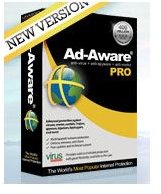
Compare spyware removal programs: Ad-Aware
Ad-Aware, developed by Lavasoft, was one of the first free spyware removers on the market. Since it’s release, Ad-Aware has constantly proven itself to be one of the best spyware removers available. You can get Ad-Aware Basic here . The latest version of Ad-Aware has made significant leaps in speed, performance, and general usability. Ad-Aware basic is quite limited in functionality. It provides no real time registry protection and several other features are off limits unless you upgrade. Still, as far as a spyware scanner, Ad-Aware does it’s job quite well.
You can upgrade to Ad-Aware Plus for around $25.00 and upgrade to Ad-Aware Pro for around $40.00.
Hijack This (4 out of 5)
Compare spyware removal programs: Hijack This
Hijack This, developed by software company Trend Micro, is a very effective spyware removal software. It’s completely free for download and features a very thorough scanner. Not only will it pickup common mainstream spyware, but it will also detect browser helper objects and some types of malicious registry files. Everything that Hijack This finds may not necessary be a malicious program. Be cautious when removing things and fixing programs if you are using this program, as it detects just about any file with malicious capabilities.
Conclusion
All of the above antispyware scanners are great programs. They will all remove the majority of spyware out there. However, one is not a clear winner over another for various reasons. Even though Malwarebytes has a 5 star rating, it still may be vulnerable to certain spyware. However, the 4 star rated Ad-Aware may be effective at removing that same spyware. It all depends on the circumstance. If you’re looking for a good antispyware scanner, one of these should work great for you.
Looing for an all-in-one antivirus/antispyware? Check out these great programs .
Check out Microsoft Security Essentials Antispyware/Antivirus.


