
Security and privacy gadgets for your Windows 7 are small programs you can include on your desktop to monitor various things about your PC hardware, network and Internet performance. Here are the top 10 free gadgets available through the Windows Live Gallery.
AlertCon Gadget
Are you paranoid about the state of security across the Internet? Then you may want to pick up the AlertCon gadget for Windows 7 (also compatible with Windows Vista). With a four level barometer display, it can alert you if there is a threat of rapidly spreading malware or computer viruses. Its status report is refreshed every sixty minutes. The gadget operates through IBM’s Internet security systems (ISS.com) AlertCon group.
CPU Meter and System Control A1
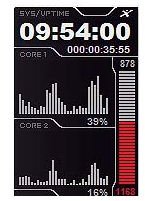
The CPU meter and System AI are free gadgets for Windows 7 (or Windows Vista) that can track your computer’s CPU and physical memory usage. The CPU Meter is very basic with a two dialed display that presents your PC’s current status in a percentage style format. This gadget is included with the Windows 7 /Vista operating systems.
Alternatively, the System Control A1 is a more advanced version that can support up to eight CPU cores. In addition to showing you the usage information, it displays the time in 12 hours and 24 hours mode.
System Monitor
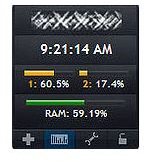
The System Monitor is another Windows 7 gadget that than track your CPU (up to four cores) and RAM usage. It also can monitor your wireless network, battery usage and display internal/external IP addresses.
Wired and Wireless Network Gadget
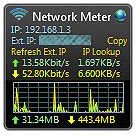
Both the Wired and Wireless Network gadgets can monitor the security and strength of your network. Features include displaying the current internal and external IPS address, total bandwidth usage, download speed and any current uploads. The gadgets can be configured for bandwidth scaling, background color and network interface card selection.
Drive Info
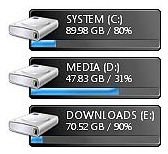
The Drive Info is another handy Windows 7 gadget that monitors your storage media and hard drives. Its display shows how much free space you have available in percentage and gigabytes.
MeMeter Gadget
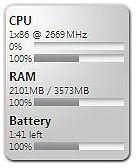
Consider downloading the MeMeter gadget if you are concerned about your PC’s hardware resources that Windows 7 is using. It monitors the CPU, battery life and RAM.
Drive Activity Gadget
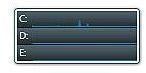
Consider the Drive Activity gadget if you want to know how efficiently your hard drive on your PC is working. It can be helpful for determining potential performance issues. You can set it to display a polygon or line graph on the drives you specify (up to twelve). The gadget uses graphs to display your hard drive’s current workload.
Uptime Gadget
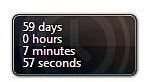
This is a simple gadget that keeps track of how long your Windows 7 (or Vista) operating system has been active. Every time you reboot your PC it will reset.
To download any of the above Windows 7 gadgets, visit the Windows Live Gallery .
Resources
Windows 7 gadget information - Windows Live Gallery


