In this review of eScan Antivirus we discuss features, performance and price to value of this antimalware product which has a number of unique properties.
System Requirements (5 out of 5)
EScan Antivirus, by MicroWorld Technologies, supports 32-bit and 64 editions of Windows 7, Vista, XP, and Windows 2000.
On our test system the software used 256 MB of disk space.
Interface (3 out of 5)
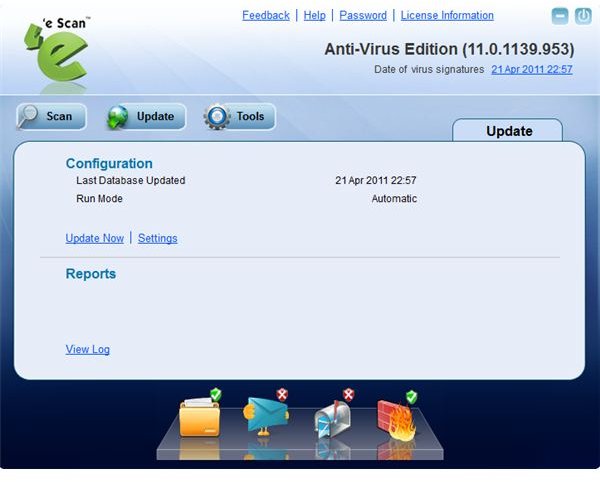
The interface of eScan Anti-Virus needs getting used to. In particular, the slider bar at the bottom of the Scan, Update and Tools section is easily overlooked. Clicking on the File Anti-virus, Mail Anti-Virus, Anti-Spam and Firewall items will reveal the settings and configuration options you want to check out.
Features (4 out of 5)
EScan Anti-Virus defends your PC from viruses, Trojans, worms, rootkits , keyloggers, spam email, offensive content and other malware including potentially unwanted software.
Its antivirus and malware features including behavioral analysis protects your system before malware reaches your computer, such as by email content scanning to protect you from infected attachments and checking script execution, for example. However we noted a number of false positives when visiting game sites when the software mistook flash ads for malicious scripts.
During system scan, using virus signature files and a heuristic engine, eScan Anti-Virus proved it was up to expectations and found the pieces of malware we had on the system for testing purposes. Thanks to its application whitelisting known good applications aren’t checked, which minimizes resources and benefits scan time at the same time.
Additional protection features include a two-way firewall to guard inbound and outbound network connections, prevention of accidental deletion of system files, auto-backup of important system files, and idle mode when playing popular games. Also included in the computer protection suite are Anti-Spam filters to send unsolicited email to the junk folder.
While running the protection suite on our test systems we were also alerted of missing important Windows updates. EScan Anti-Virus not only sent us a notification about the operating system vulnerabilities it detected, but also downloaded the fixes automatically.
What’s more is that the administrator password is helpful for protecting the PC from alterations of your AV configuration in case you share your PC with somebody else. On top of that, various reports and log options allow inspecting the malware history of your computer.
In case things go really wrong, this protection suite from MicroWorld Technologies provides you the means to create a rescue disk . If your system becomes unusable you can repair it by booting from the Windows-based repair CD it allows you to create.
Performance (5 out of 5)
On our test system we noted no performance degradation, and the Windows Task Manager confirmed that the eScan Anti-Virus modules in fact use little system resources.
Help and Support (4 out of 5)
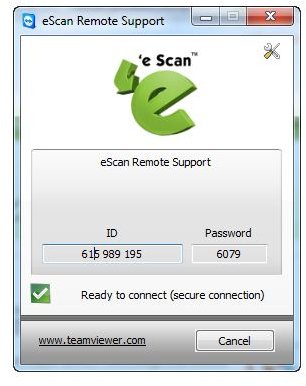
EScan help and support includes live chat, eScan Online Help, a forum, and free remote support. However, on our test system with the evaluation license, the tool didn’t work right away.
Price to Value (4 out of 5)
The one year license for one PC costs $29.95. You pay less if you opt for a longer subscription period or secure more PCs with eScan Antivirus Home User version.
You can try before you buy during a 30-day evaluation period. Here’s the download link for eScan Anti-Virus.
The Bottom Line
EScan Anti-Virus offers a great range of protection against various computer threats, yet the software GUI needs getting used to. On the positive side we note that the software is helpful for protecting your computer from operating system vulnerabilities, and that eScan Anti-Virus offers protection at the Windows socket layer, which offers better protection for the application layer residing above.
References
- Official product page http://www.eScanav.com/english/content/products/generic_eScan/eScan.asp
- All screenshots and product information refer to eScan Anti-Virus Edition version 11.0.1139.953
- Screenshots taken by the author


