Plenty of free security software exists on the Internet. You can download them just about anywhere and anytime. This article will give you some quick pointers if you are wondering where you can find free computer security software.
Free Computer Security Software
Free computer security software is available from several leading brands, including Microsoft. Before talking about computer security software, it is necessary to know that security software can be 1) an antivirus; 2) a firewall; 3) an antispyware; or 4) a combination of two or more of the first three. A complete security software suite would include antivirus, antispyware and firewall protection. If you are wondering where to find free computer security software, just read below to get some good places to start.
Note: There are plenty of rogue computer security software packages doing the rounds on the Internet. They look as if they are from reputable brands, but instead just act on fears about your computer being infected. To avoid the rogue software, always download any software from reliable websites, or better still, from the official company websites.
Microsoft Security Essentials
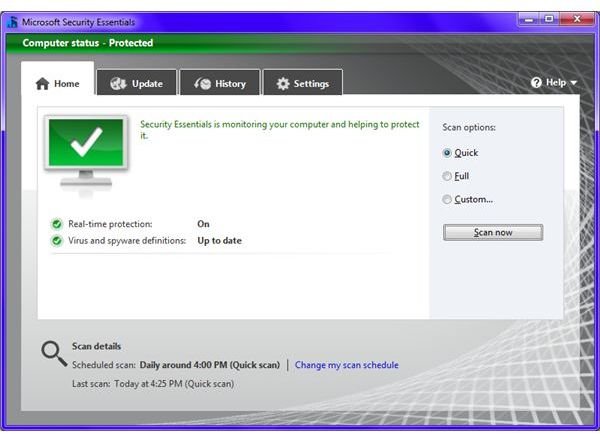
Microsoft Security Essentials is an antimalware suite from Microsoft. This free computer security software includes antivirus and antispyware protection. It includes the popular Windows Defender software, so if you install Microsoft Security Essentials, you automatically install Windows Defender too.
Microsoft have apparently left out the firewall on purpose, as MSE is meant for operating on Windows operating systems that already come with a firewall. You can use the default Windows firewall in addition to Microsoft Security Essentials, or you can use a good free firewall, such as ZoneAlarm.
I would also suggest regularly updating the Malicious Software Removal Tool (MSRT), which is automatically present on any Windows computer. The software is an antimalware program, but it is not a substitute for a dedicated antivirus. Together, Microsoft Security Essentials and MSRT can give ample protection to your computer or network.
Click the free download link for Microsoft Security Essentials to download it.
Comodo Security Suite
Comodo Security Suite is now advertised as Comodo Antivirus plus Firewall. Comodo is a reliable name when it comes to computer security products. They have several products that offer all-round protection to your computer. The antivirus and firewall bundle is free to download and use. The free antivirus package contains an antivirus and an antispyware program called Comodo BoClean . The antispyware is memory resident, and removes any spyware as soon as it is activated.
The Comodo firewall is one of the best firewalls. Still, if you wish to use any other firewall with Comodo antivirus, you can choose not to install the firewall while installing the antivirus. Similarly, you can choose not to install the Comodo antivirus and install the firewall only. The options appear clearly during the installation.
Click this free download link for Comodo antivirus and firewall to download it.
ZoneAlarm Firewall
Though the Windows firewall is good in Vista and Windows 7, many people still prefer to use a third party firewall to protect their computers. Note that using only a firewall without an antivirus will not help in securing your computer or network.
ZoneAlarm firewall is one of the best firewalls that I came across. Due to the ZoneAlarm firewall, I place the Comodo firewall at second place. My personal experience while dealing with both the firewalls has shown that ZoneAlarm is comparatively easy-to-use. The Comodo firewall is good, but is not very user friendly. For example, the Comodo firewall presents messages that are not easily understood by users who are not well-versed in the names of processes used by Windows.
ZoneAlarm, on the other hand, presents lighter messages that even a new user can understand. ZoneAlarm configures itself as soon as it is installed. It checks for all the important Windows processes running on your computer and allows them access to the Internet if required, instead of asking users who may get confused by the process names.
Click this security software download link for ZoneAlarm firewall to download it.
I hope this answers your queries about where to find free computer security software. If you have anything to add, please feel free to use the comment boxes below this article.
References
Image from Microsoft Security Essentials
Based on author’s experience and linked articles at BrightHub.


