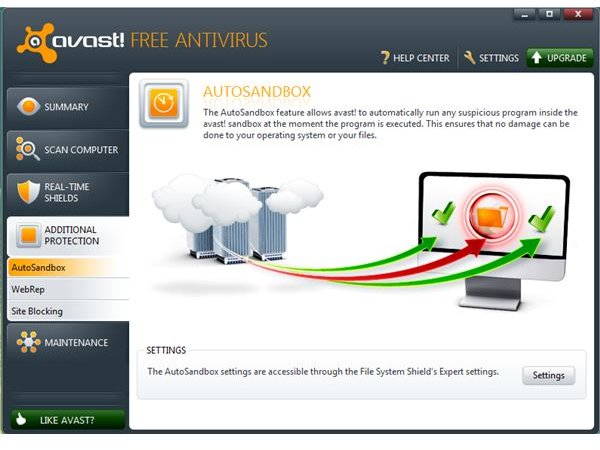
The new version of Avast installer is now included with sandbox technology. Find out how you can take advantage of the said security feature in this Avast sandbox guide.
Sandbox Protection in Avast 6
The latest version of Avast 6 now comes with a sandbox protection feature. The sandbox technology in Avast is similar to other programs such as, Sandboxie, Returnil, Shadow Defender, Deep Freeze, and Defense+ in Comodo.
Free and paid editions of Avast include sandbox protection but the free edition of the antivirus program by Alwil has limitations. The next section of this article is the Avast sandbox guide to help in understanding how to use Avast sandbox.
AutoSandbox in Avast Free
The autosandbox feature in Avast free is a basic feature only. It will not remember the user preferences when the protection feature has detected a suspicious program. There is also no option to manually add programs to automatically run in sandbox mode.
The only function of Avast sandbox in Avast free is to detect anything suspicious and then try to protect the computer from changes or prevent damage and malware infection. If the setting of autosandbox is to automatically put suspicious activity in sandbox mode, the user need not to do anything. The program that was found to be suspicious will be contained within the sandbox.
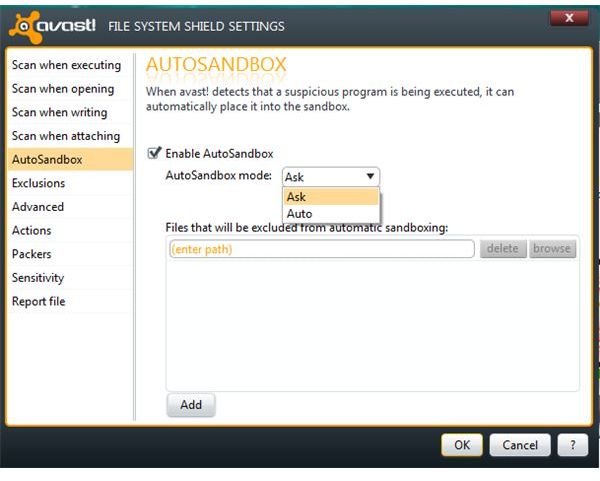
However, if the user choose to be prompted before a suspicious program is contained within the sandbox, there will a dialog box:
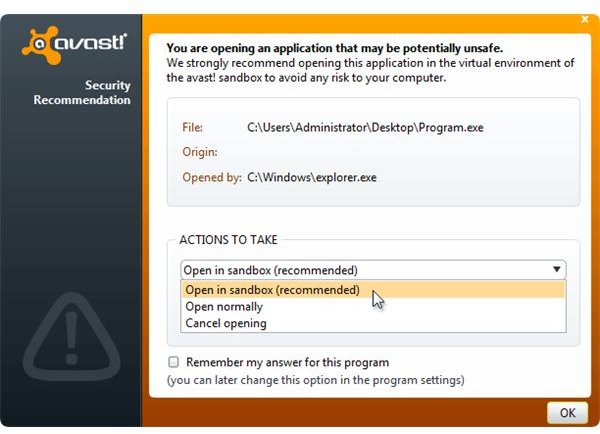
You have the option to stop running the suspicious program, allow it to open normally or open in sandbox. Note that not all programs that autosandbox detects are malware or malicious. In most cases, sandbox technology will only detect suspicious activity. Positive malware should be detected by Avast real-time protection, instead of the sandbox feature. The sandbox protection does not include a database to detect malware.
Sandbox in Avast Pro and Internet Security
The sandbox or virtualization component in the paid editions of Avast includes a full and enhanced module. The following options are available to all paid customers and this should help to explain how to use Avast Sandbox:
-
An option to automatically store the settings when the sandbox module prompted for action e.g. to normally open, cancel or open in sandbox mode a suspicious program.
Advertisement -
Show tags and borders around or in the titles of windows created by virtualized applications.
-
Context menu integration.
Advertisement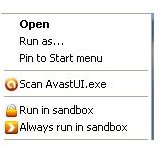
-
Option to exclude browser history, bookmarks or Internet cookies that should not be contained within sandbox.
Advertisement -
Delete hard-disk space used by sandbox component.
-
Option to manually add processes to run in virtualized mode.
Advertisement -
Allow or block Internet access for virtualized processes.
-
Activity log of sandbox module.
Advertisement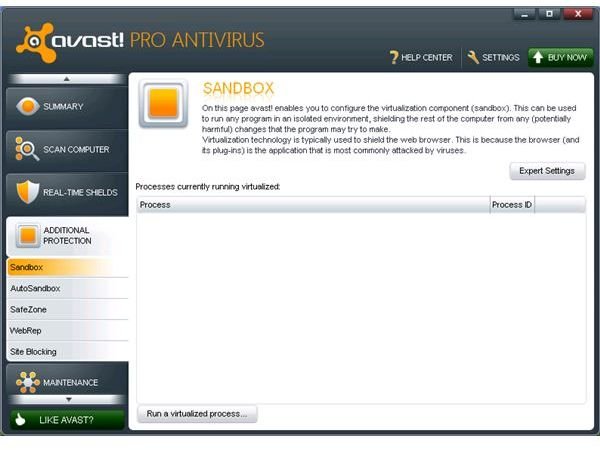
Note that the autosandbox feature in Avast free is also available in Avast Pro and Avast Internet Security programs.
Should You Run Safe Applications in Sandbox Mode?
Avast Free provides the option to run a suspicious program in sandbox mode. It’s safe to use autosandbox to keep the PC and data safe from malicious software or activity. However, it is not recommended to use autosandbox if you want to save or store the changes in an application. An example is when you add or modify email settings using Outlook Express, Windows Mail or Microsoft Outlook , the settings will not be stored if the processes of the email programs is contained within Avast sandbox. Received and sent email messages will also be gone when running email programs in sandbox mode.
Only use Sandbox technology in Avast or other programs if there are no changes to be made in a program. Web browsers are recommended to run using sandbox module but again, changes in bookmarks, cookies or history will not stay unless you are using the paid edition of Avast that allows you to exclude those settings of the browser so you can access new bookmarks stored in your PC.
References
- Image credits: Screenshots taken by the author, Sandbox dialog box from Alwil website .
- Product versions: Avast Free and Avast Pro v6.0.1000


