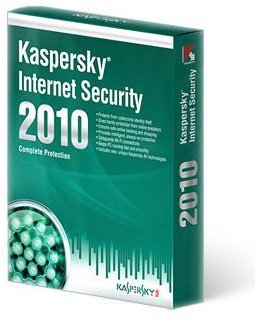
The Kaspersky Internet Security 2010 upgrade is available for free for current users. Upgrading the application will give you a number of new security features that your computer may have been missing until now. The upgrading method is extremely easy and quick, so don’t be afraid of trading up!
About Kaspersky Internet Security 2010
The 2010 version of Kaspersky Internet Security includes a number of features that were missing in the earlier versions. According to
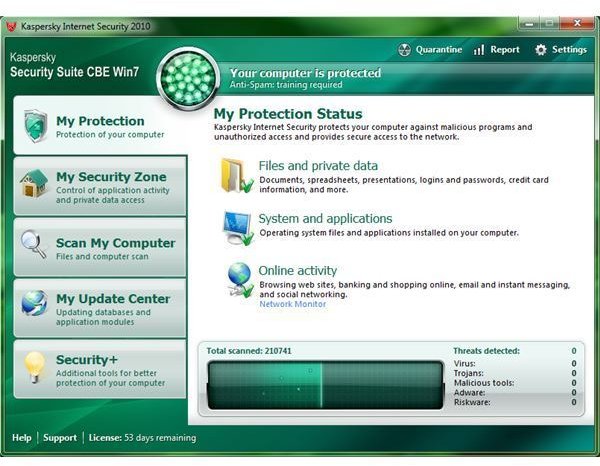
Kaspersky, it has an advanced Host based Intrusion Prevention System (HIPS) in the Application Control module, which provides support for a number of malware that were not known previously. The incorporated sandbox technology provides a secure runtime environment, and reduces new threats that can reach your computer from the Web. It has also included a new instant messaging antivirus component, which is there to ensure safety for IM clients. The application scans all the messages for malicious content, particularly the files that are exchanged during an IM conversation. It also includes a URL scanning module, which checks the URLs located on websites. If it finds a link that belongs in Kaspersky’s list of phishing and malicious Web addresses, it doesn’t let you open it in your Web browser.
The basic components of Kaspersky Internet Security 2010 are:
-
File Antivirus
Advertisement -
Mail Antivirus
 Advertisement
 -
Web Antivirus
-
IM Antivirus
Advertisement -
Application Control
-
Firewall
Advertisement -
Proactive Defense
-
Network Attack Blocker
Advertisement -
Anti-Spam
-
Anti-Phishing
Advertisement -
Anti-Banner Tools
-
Parental Control
Advertisement
As you can see that many of these components are missing in the 2009 version, why not upgrade it to 2010, especially when you can do it for free?
Upgrading Requirements
To get the 2010 version to run properly on your machine, make sure it meets the minimum requirements. There should be at least 375 MB free on the hard drive. Since you will be upgrading through the Internet, you must have Microsoft Internet Explorer 6.0 or higher along with Microsoft Windows Installer 2.0. As for the operating system, KIS 2010 requires Windows XP, Windows Vista or Windows 7.
The Actual Upgrade Method
The upgrade method for the 2010 version is extremely simple! First, keep in mind that to upgrade it to the new version for free, you

need the valid license key that had arrived with your previous version of Kaspersky Internet. As long as your previous version’s license is active, you are entitled to all the version upgrades and signatures. This is the reason it is imperative for you to have the license key saved somewhere on your computer, a CD or a USB stick. If you have lost the key, you will have to get a replacement code by contacting the Kaspersky Helpdesk.
If you have found the license key, download the correct upgrade version from Kaspersky Lab . When you go to this website, select “Kaspersky Internet Security” from the list and download the file.
When the file finishes downloading, double-click it to run.
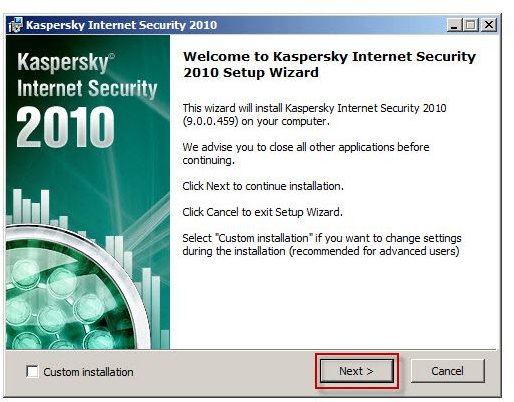
Now a “Setup Wizard” will appear, which will walk you through the entire upgrading procedure. During the upgrading, you will be required to enter the license key from the previous version.
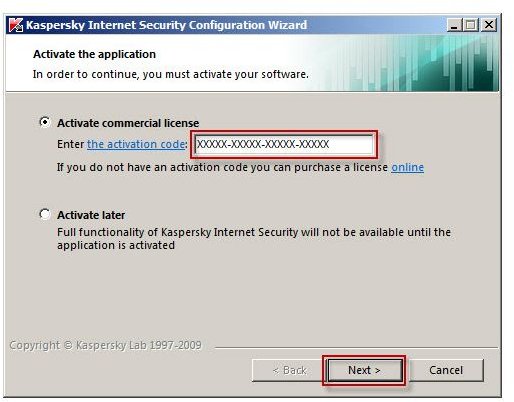
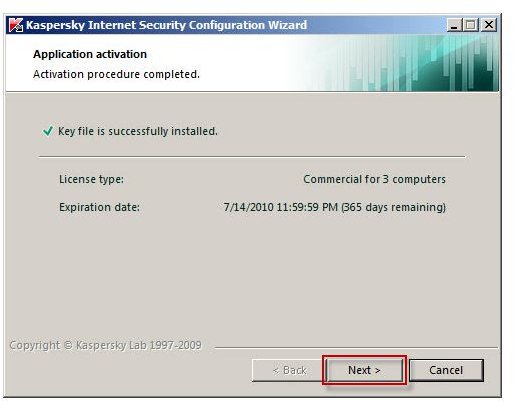
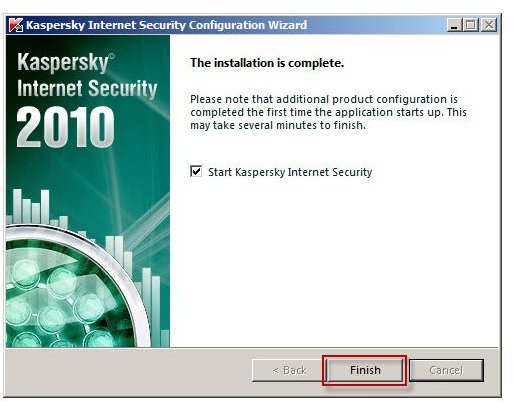
Once installed, reboot your computer. Since the 2010 version will replace the previous version, your activation information and the anti-spam database will automatically be relocated in the respective folder.
References
Image Credits: Images from Kaspersky Website - https://usa.kaspersky.com/products-services/home-computer-security
Screenshots by Writer


