Do you work with lots of programs open on your computer? If so, do you know how you have to minimize your windows or resize them so you can get back to them easily? It can be a pain and time consuming. What if I told you there was a way to keep your desktop clean and all those windows accessible?
(5 out of 5)
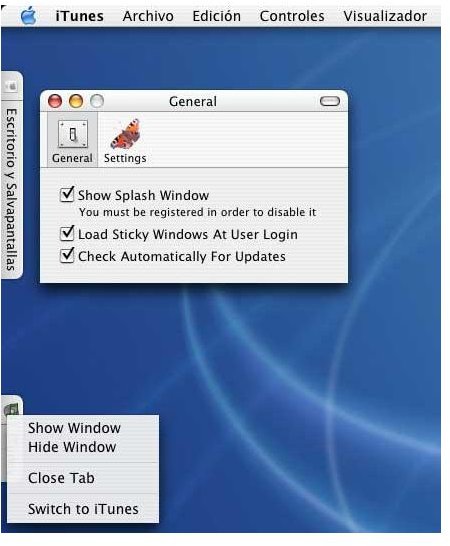
Sticky Windows is a program I find myself using a lot more than I thought I would. Many times, I find myself with several windows open on my desktop and sometimes I need to toggle back and forth between these open windows. What Sticky Windows does is shrink any open window into a tab. Move a window to the left or right side edge or the bottom edge and the window becomes a tab. When you need the window, just click on it and the window opens to full size but the tab stays, if you need to get it out of the way again just click the tab and it shrinks. When you are finished with the window and do not need it tabbed any longer, just drag the tab out to the desktop and poof, it’s gone.
What a genius of an idea! It works much better than minimizing my programs because the dock becomes really long after several programs are minimized at the same time. Resizing windows is a pain but these shrunk tabs really do help make my work easier and I find I am more productive when I use Sticky Windows.
Pros and Cons (4 out of 5)
So let’s look at the pros and cons of Sticky Windows. I think you will find it a solid program.
Pros:
Clean Desktop: Keeps desktop free of windows
Organized: Tabs to left, right, or bottom keep windows at your fingertips
Full Evaluation: The program allows you to full evaluate with no limits on the features
Solid:The program appears to be very stable, once it is installed and you have set up your settings, there isn’t anything else you ever have to do, just use it and enjoy
Cons:
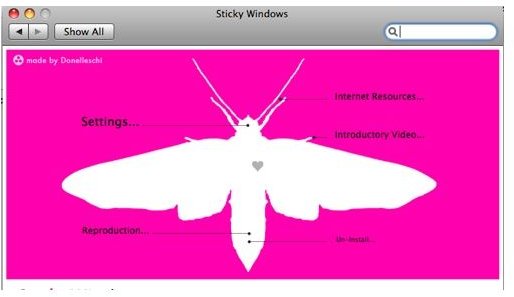
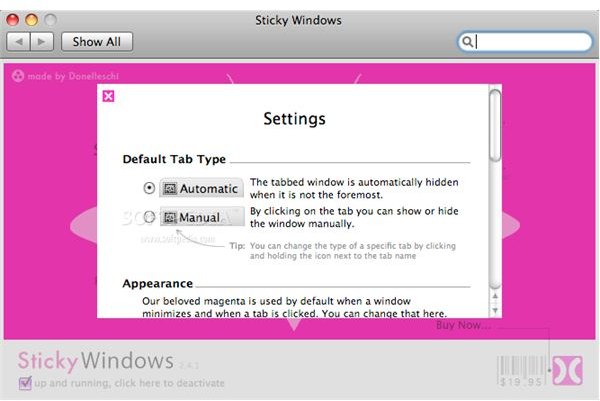
Magenta Flash: I could live without the pink flash that appears every time you shrink or un-shrink a window, this can get a bit annoying after awhile. The first few times it was cute, but the cuteness wears off quick. You have the option in Settings to change from the pink to another color but there is not an option currently to disable the flash of color when you shrink a window, I currently have it set to a very light white color, which I can definitely live with. I hope that they will change it in a future release with the option to turn the color flash off.
Not Free: The cost is $19.95 and I think it is worth it. The more I used it, the more I knew I would miss it if I didn’t have it, so I purchased the full program
Sticky Windows
Final Thoughts on Sticky Windows
I recommend trying Sticky Windows, particularly if you tend to have several windows open on your desktop at any one time. You can try the program with all features working, the site doesn’t indicate if it is a 30 day trial or not. If you don’t like it, you can dump it, but I think you’ll agree with me that it is a handy program to have.
You can download your trial version at: https://www.donelleschi.com/stickywindows


