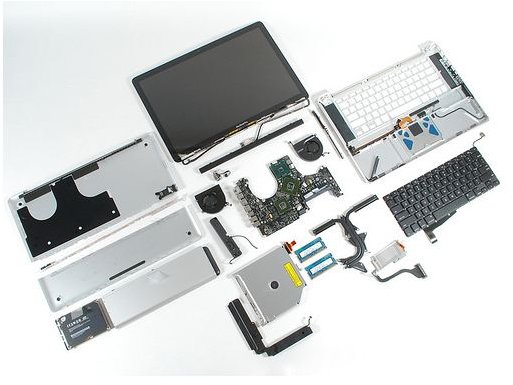
The easiest way to replace your MacBook or MacBook Pros keyboard with tips on how you can do it without breaking the bank or your back in the process.
I spilled something…
A liquid spill that takes place right over your computer’s keyboard is painful enough and it isn’t something that Apple Care can help you with because liquid spills of any kind will void your warranty for that repair.
If you’re reading up online trying to figure out a way to still get Apple Care for your MacBook Pro, let me save you the trouble. Unless the liquid that you spilled was water, there is no way that you will be able to convince an Apple Tech that it was something else because all other liquids leave a residue of some kind. Apart from that, if you have a MacBook Pro which was made post 2008, there is no reason not to be honest with Apple as they now have spill detection built into every portable machine. The ’technology’ involves a couple of colored plastic dots under the trackpad area which change color when exposed to liquid from yellow to blue.
Even if you would like to replace the keyboard by yourself, you should still check to see if your MacBook Pro is under warranty. The spill would only void your warranty for those repairs that are specific to the spill where as opening up your MacBook or your MacBook Pro will void the warranty indefinitely.
The reason that I kicked off this article with spills is because it is the most common reason for replacing complete keyboards. Otherwise, you might be better off just replacing a key or two .
Where can I find a new keyboard?
The least painful way to finding a new keyboard replacement for your MacBook is to head over to PowerBook Medic . I was in need of a replacement keyboard myself and these guys were the best even though they had to ship the keyboard half way across the world to Tibet. It beats having to look up the keyboard on Amazon or on eBay, the latter which usually turns out to be disappointing anyway in most cases due to fake keyboards or used ones being sold as new.
How do I get a new keyboard into my MacBook Pro?
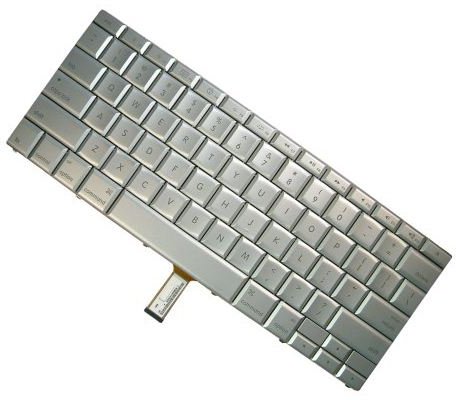
Before you perform this procedure, you’re going to need the following tools.
- T6 Torx Screwdriver
- Spudger
- Phillips #00 Screwdriver
Other than the things listed above you’ll also need to find a clean surface to put all of your things on. A screw holder or even a couple of plastic cups would be great as well since the last thing that you need is to lose the screws themselves. If you would like to have a look at detailed instructions with pictures of the process then the least painful way is to head over to the iFixit website where you can see how to open up and replace the keyboard in 30 easy steps.


