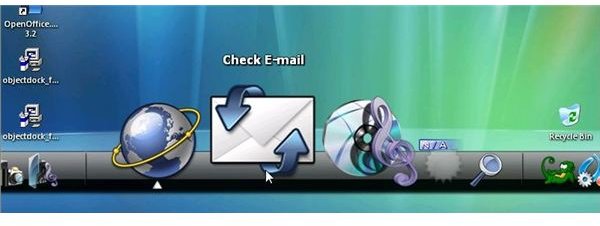
Using ObjectDock, you can add the functional advantage of a Mac OS X dock to Windows XP, Vista or 7 - and with OS X Leopard themes for ObjectDock, you can revamp your drab operating system!
Get a Dock for Windows!
If you’re jealous of the Apple Mac OSX interface and have been using ObjectDock, to get over your Leopard envy, you’ll be happy to know that Leopard themes are available for the Windows taskbar replacement.
ObjectDock provides Windows users with an Apple-esque desktop dock, a sort of active “Quick Launch” taskbar that provides home to favourite applications to be launched and minimized to on the Windows desktop in impressive style.
While the dock is active, you can launch applications from it, and with an OSX Leopard theme for ObjectDock coupled with a nice OSX-style background image on your desktop, you could probably fool quite a few people that you’re actually using a Mac!
Finding an OSX Leopard Theme for ObjectDock
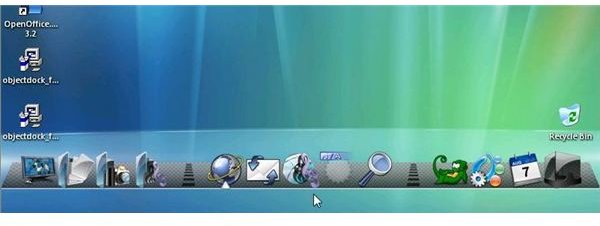
The toughest part of setting up an OSX Leopard theme for ObjectDock is actually finding one – there are many across the web, but often they’re incomplete, offering a limited number of common icons, for instance.
WinCustomise.com has a great selection of themes, including the OS X Leopard Dock Pack .
This relatively small file can instantly redesign your ObjectDock, giving it the stylish look of the Apple Mac OSX Leopard desktop dock! With a selection of dock backgrounds, from individual 2D tiles for each icon to a larger, 3D plate for your launch icons, the OS X Leopard Dock Pack is probably the best OSX Leopard theme for ObjectDock.
Installing a Theme in ObjectDock
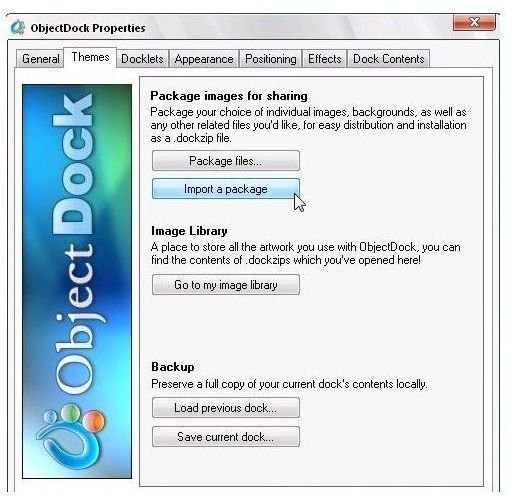
There are several ways of installing themes in ObjectDock – newer themes use the .docktheme file extension or the .dockzip extension. To use .dockzip files, simply save the theme and use ObjectDock to import the theme. Alternatively, .docktheme files can be run (double-clicked) in order to apply the the new styles for the theme.
However the theme suggested here, the OS X Leopard Dock Pack, is an older file that comes as an old fashioned ZIP file. As such, the contents need to be unzipped in order to be used, and stored in a location where ObjectDock can find them.
With your theme downloaded, browse to C:\Program Files\Stardock\ObjectDock\Backgrounds\Non-Tabbed (note this location will be different if you installed ObjectDock to a drive other than C:\)
This is the location your unzipped theme files should be saved to – either use the Extract command to save them there directly, or copy them out of your ZIP extractor (such as WinZip, WinRAR, 7zip or the native Windows unzipping app) directly into the folder above.
Once unzipped, use the ObjectDock Configure Dock menu to select the theme in the Appearance tab – and your dock is restyled!
Sources for Other Themes
If you’ve had fun with the theme above, you might be interested in other themes for your ObjectDock:
WinCustomise has a myriad of themes offering many different types of look both for your dock and your desktop.
GUIStyles offers a quite different range of themes, many of which are in the style of Apple Mac OSX. As such, you can choose quite a few different ObjectDock themes and still retain that Mac look.
Meanwhile, if you’re happy with the results of this ObjectDock theme, why not customise your whole Windows desktop? The article How to Make Your PC Look Like a Mac has more information on this. However you might notice that even with ObjectDock and themes applied, your Windows desktop doesn’t quite operate in the same way as a Mac OS X desktop might; see Windows 7 vs Mac OS X for how the operating systems might differ.
(Images by author)


