
Ever wanted to take a trip down memory lane on your Mac and look at some older discontinued software? Then try Internet Explorer for Mac. Internet Explorer was ported to the Mac, but has since lost its Microsoft support. If you’re looking for software nostalgia, give it a try.
An Introduction to Internet Explorer
Internet Explorer is a web browsing program used to access the Internet. Its early competition included older versions of Firefox, but mainly Netscape Communicator.
The maker of Internet Explorer is also the maker of Windows – Microsoft. The company has always used Internet Explorer as its browser, and it comes installed with the base system of Windows. The current version of Internet Explorer for Windows is version eight. Though it has a future on the Windows platform, its time on Mac has been over for a while.
How Internet Explorer on Mac Met Its End
The Internet Explorer port to the Macintosh system stopped at version 5.2.3. It had lasted from operating systems 7.01-10. By the time OS X Tiger (10.4) was released, it wasn’t included with the install of the base system anymore. On June 13, 2003, Microsoft announced it was stopping support for Internet Explorer for Mac. Then on December 31, 2005 it officially ended support for the browser.
Internet Explorer was kept on the Macintosh downloads site until January 31, 2006, and then it was taken down. By 2003 however, Macintosh had released its own web browser known as Safari. Microsoft encouraged its former Internet Explorer users to switch to that web browser before they ended support.
Getting This Software
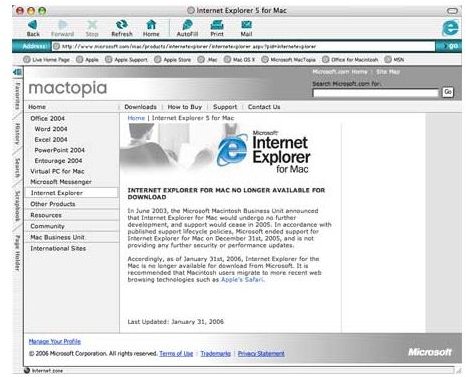
Microsoft has removed the Internet Explorer for Mac download from any sites that are affiliated with Microsoft. That does not mean, however, that the software cannot still be found on the Internet. A simple Google search shows that there are still websites that offer the download. In order to download the latest version (5.2.1) of Internet Explorer for Mac click here .
The file is in the dmg file format as most Macintosh install software is. You can download it relatively quick as the software isn’t that large of a file. Once it is downloaded, you can simply install it as you do all Mac software by double clicking it and then dragging the icon into your Applications folder. From there, you can add the short cut wherever you’d like and it will function like any other Mac software application.
You’re on Your Own
Obviously, if you want to download this software and use it, it should only be for fun or curiosity. The software is outdated and if you try to use it seriously you’ll find a number of problems when visiting certain websites. First of all, having been scrapped in 2005, there is no support for Adobe Flash, and most websites have at least some content that requires Flash. Another problem that could arise with using the software for anything serious, is if you had any type of problem, you’d have no support. As stated earlier, Microsoft pulled all support for this software in 2005, so you wouldn’t have any help from them at all.


