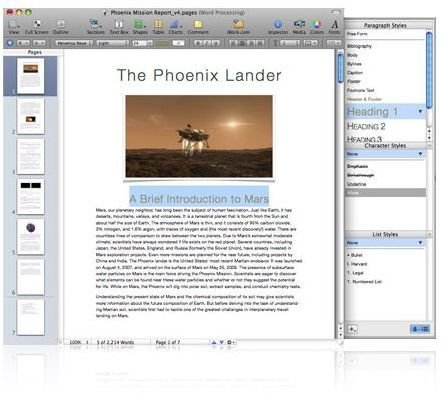
You’re a Mac user running Microsoft Word on your computer. Why? You’ve been told it is the only option since you deal with a lot of documents that are sent in MS Word. Did you know that iWork Pages can handle opening and saving your documents in Word format? Many are dumping Word in favor of Pages.
Pages and Word Overview
If you are like me, you prefer your Mac over a Windows-based computer. You like that your Mac just works and maintenance is a snap. If you are a Mac convert, and I admit I am, you no doubt used Microsoft Word on Windows. When moving to the Mac environment you believed you needed the Mac version of Word, so you could send and receive your documents.
When I first moved to the Mac environment several years ago, I honestly did not know how I would survive without Word, it was the standard and everyone used it. I’m not saying I loved everything about Word, but it was a comfortable relationship. As soon as Word became available for Mac, I purchased a copy thinking it would make my life easier.
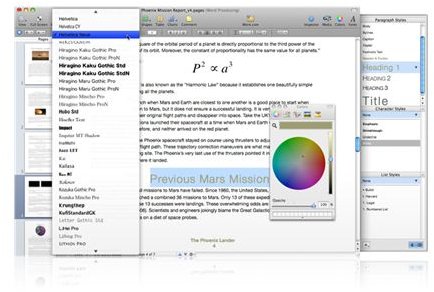
The first time I tried Pages on my Mac, it felt different then Word but it was a “good” different. Of course I stumbled over the menu items and trying to figure out where everything was. In all honesty, the learning curve was less than it had been for Word. To be fair, I will never be able to determine if the shorter learning curve was because I already knew Word so well. I digress, the point is, Pages felt comfortable right from the first time I tried it.
Pros and Cons for Both Pages and Word
So now let’s look at the pros and cons of both Word and Pages. Ultimately, you have to decide which program meets your needs best.
Word Pros:
• Most companies use it and the file extension is well known
• Includes templates (though not the best!)
• Ability to create beautiful documents
• Ability to save as .DOC or .RTF
Word Cons:
• Huge program that uses lots of system resources
• The latest version on the Windows Word defaults to save as. xdoc that even earlier Word versions were unable to open without a converter – forced many people to purchase the new version
• Costly – Word is bundled with Microsoft Office
• Feels like Windows
• Lots of toolbars, feels disjointed somehow
Pages Pros:
• Looks distinctively Mac – very eye-pleasing
• Ability to create beautiful documents
• Able to save in .DOC, .RTF, and .Pages files
• Everything on one page and toolbar, feels complete
• Comes bundled with iWork, cost half as much as MS Office
Pages Cons:
• Templates are included though like Word, not very good
• Most people cannot open a .Pages file, especially those on Windows, so the file extension is pretty useless. Users have to save in .Doc or RTF in order for others to be able to open their files
Pages and Word
Conclusion
So which do I prefer? I honestly prefer Pages to Word for Mac. It just “feels” comfortable and since Apple made it specifically for the Mac, it just seems to run smoother then Word. MS Word was created for Windows and then adapted to the Mac, which is why it feels very much like a Windows product.
Here’s how to get your copy of both:
iWork 09: https://www.apple.com/iwork/
Microsoft Office 2008: https://www.microsoft.com/mac


