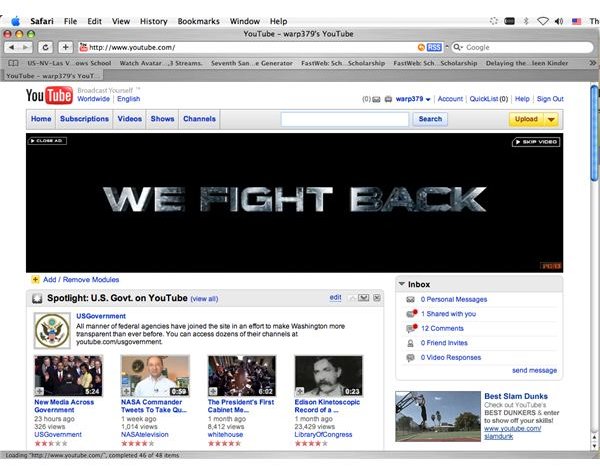
Download videos from YouTube onto your computer using the Safari web browser!
Have you ever wanted to download a video from YouTube onto your computer’s hard drive? There are so many cool videos out there that come and go, so downloading it onto your Mac to watch anytime is a great idea. There are a few applications that will allow you to download YouTube videos onto your Mac, TubeTV and Tooble among them. But you don’t actually have to have any special application to download YouTube (or other videos for that matter) onto your Mac. All you need is Safari, the web browser every Mac comes installed with.
Directions
Step One:
Open Safari on your Mac and go to YouTube (or another video sharing site like MegaVideo).
Step Two:
Find the video you want to download onto your Mac.
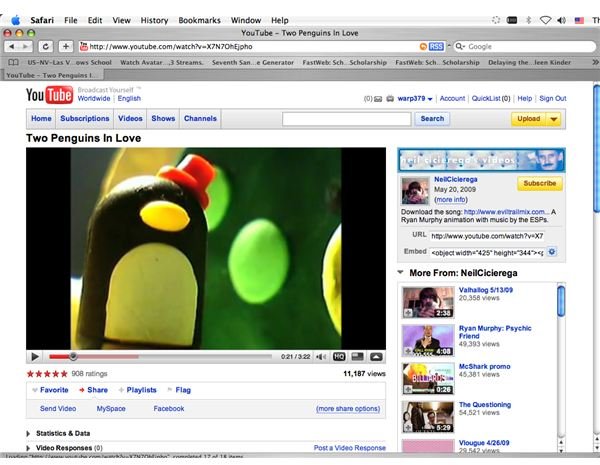
Step Three:
Go to Safari’s Window menu on the top of the screen (between Bookmarks and Help).
Step Four:
Scroll down to Activity and open it. This shows you what webpages are open are loading.
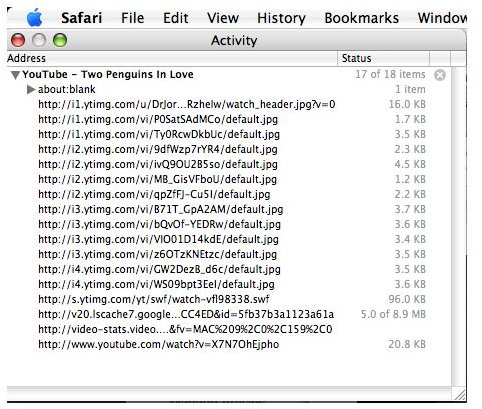
Step Five:
Find the largest file that is loading in the Activity menu. It will usually be in at least MB, although some smaller videos may be in the higher numbers of KB.
Step Six:
Click on the file. A new window will open and the file you clicked on will be added to your Safari download list. Leave all windows open (including the new one which will be blank) while the file downloads.
Step Seven:
An .FLV file will be on your Mac now. You can watch it with a VLC player or convert it into another file type with FLV Crunch.
Finished!
There you have it. Downloading videos from the internet is easy with Safari! Sure, it is a little more complex than using an application, but why download an application to do something Safari can already do? Have fun!


