This article will show you how to protect your MacBook or MacBook Air from signs of time. We are going to analyse two kind of protections available: hard cases and protective decals and stickers.
When you buy a MacBook, you are sure that you are going to enjoy a long-lasting product. This is certainly true from a software point of view, while the external hardware could suffer from scratches and signs of time. In this article we are going to see how you can protect your laptop without compromising in the looks department.
Which Kind of Protection is Right for You?
There are different ways in which you can protect your MacBook. The main difference is choosing between soft or hard protection. A soft protection could be a sticker or a decal, that will decorate your laptop but will provide only a minimal amount of protection. With an hard case, instead, you will enjoy full protection with a few less choices as to the design.
To meet the needs of all types of customers, I will give some examples of both hard and soft protection, starting with the first, hard cases.
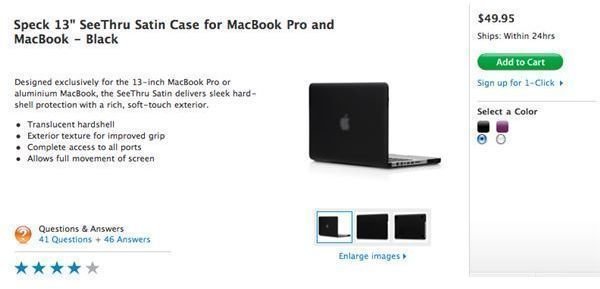
See Thru Satin Case For MacBook - Hard Case
This case will represent a complete protection for your MacBook. This case is composed of two plastic pieces that will perfectly fit your laptop. The access to all the peripherals is guarantee so you won’t have to worry about connectivity while using this case. It is available in different colors and you can find it directly on the Apple Online Store as well in almost every Apple Retail Store.
Given the nature of the MacBook Air, this kind of cases are not available. It wouldn’t make much sense to add thickness and weight to a laptop designed to be ultra portable.
GelaSkins - Stickers
If you are not incredibly worried about having strong protection for your laptop, you could choose to purchase a sticker or a decal. Doing this you will enjoy more visual benefits, compared to a traditional hard case. You will get minimal protection, while adding lot of style to your machine.
There are different places online where you can find these kind of stickers. My suggestion, in order to avoid swindles, is to refer to gelaskins.com, a website known worldwide for the superb quality of their products. Essentially they offer a skin for almost every possible device on the market, including of course our beloved MacBook and MacBook Air.
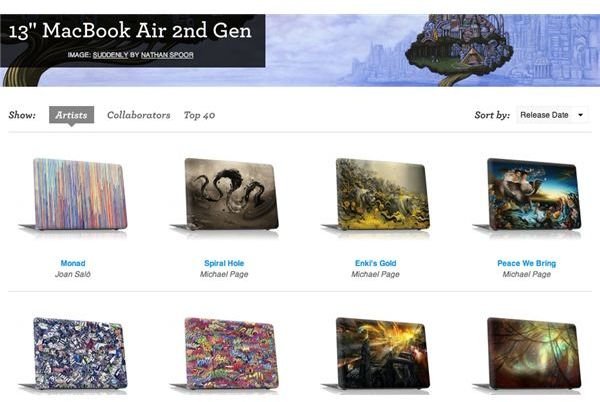
The peculiarity of this website is that you can select a sticker from a gallery filled with incredible artwork, ready to be used. Otherwise, you can chose to upload your own picture and thanks to a web image editor you can adjust it to fit the right size for your laptop. In any case, this skin will only protect the back of the screen, leaving the rest of the laptop exposed.
Conclusions
As you have seen, there are different ways to protect your laptop, while adding a bit of personalization. Depending on your style you will be able to find the right case to fit your needs, while keeping the costs relatively low.
If you find any other website that offer services like GelaSkin, please write the address in the comment section below, it could become material for a second edition of this article.
References
Apple Online Store - https://store.apple.com/us/product/TX040ZM/B?fnode=MTY1NDA2Ng&mco=MTA4MjU0NDM
GelaSkins - https://www.gelaskins.com/store/skins/laptops/13_inch_Apple_MacBook_Air_2nd_Gen


