With this simple how-to guide, we are going to see how to use Tidy Up! to find duplicate flies in your iPhoto library.
If you are like me and you have a big iPhoto library, this guide will be very helpful. Today we are going to have a look at a program called Tidy Up!, and we are going to use it to find duplicate iPhoto files.
Getting Started
Unfortunately this program is not yet available on the Mac App Store , so you need to download it from the developer’s website. Go on this website and on the right side of the page you will find the download links.
On this guide we are going to have a look at the latest version 2.3.3.. The program is available as a 30$ purchase, but you can also download the trial version that will work fine in order to understand how this program work.
With the trial version you can only delete 10 files per session, so if you want to use on an everyday basis you will certainly need the full version.
Setting Up the Search for Duplicates
Once you have downloaded the program, it’s time to look for duplicates on your Mac. To do so, launch Tidy Up!
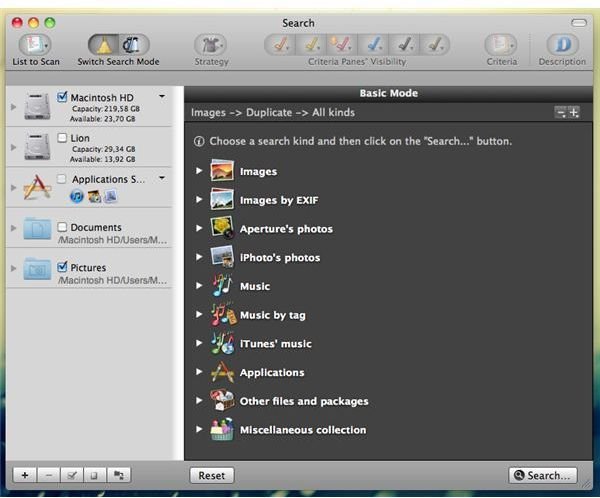
You will be presented with a screen like this:
On the left you have all the possible sources where the program will perform its search, while on the right you have all the kinds of files you can search. It’s worth to note that with Tidy Up! you will be able to look for a variety of duplicates and not just photos. Anyway, for purpose of this guide we are going to focus on images.
Click on the arrow on the left of the first label Images and then, select “All Kinds” under the Duplicate panel.
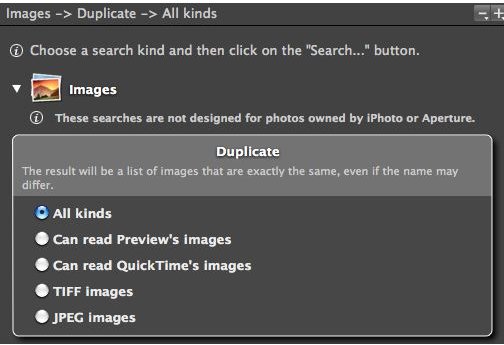
As said by the program, selecting this option will start a search for all images that are exactly the same, even if they have a different name. You can of course also use the second option: “Similar.”
What I’ve found during my tests is that with this second option the program will be a little less precise, providing you with pictures that are different from each other but they are listed anyway because of the presence of an identical particular.
After this choice, select on the left where you want the program to look for duplicates. Identify the local disk where you have your iPhoto library .
In the Trial version you are only allowed to do a basic search, therefore you can’t search just a specific program. This option will be available after you purchase a full license.
Start the Search Process
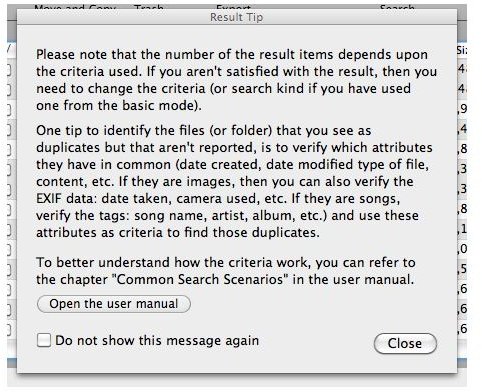
When you are done setting up all the options for your research, simply hit the Search button in the bottom right corner of the program. The search will start and after few seconds you will be brought to the result page. Before letting you go through your duplicates, the program will warn you against possible mistakes with a screen like this.
Filter and Delete Results
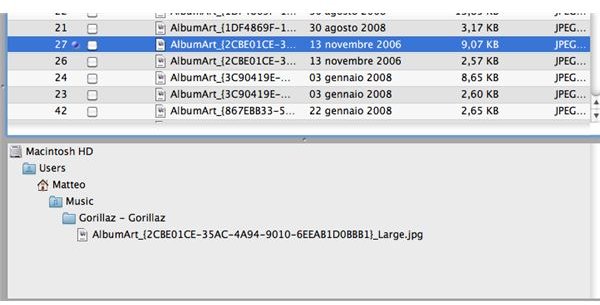
Once the search is finished, you will have a panel in which all the duplicates are listed. To easily manage them, simply click on one file and you will see a thumbnail, all the basic info about the file and on the bottom of the screen you will have the path where the file is located.
To delete it, select it by clicking on the check box on his left and then hit the Trash button on the top. By doing this, you will delete the file.
Conclusions
Tidy Up! is clearly a good product that works fine in order to find duplicate iPhoto files. As I said before, you can use this program not only to find image duplicates, but you can search for many different kind of files.
If you have large amount of data it’s clearly a must. The only downside maybe is the price, but after constant use I think you are going to say that it was worth the expense.
If you need more assistance with this program, leave a comment below and I will try to help you.
References
All screenshots taken by the author
Download Tidy Up!: https://hyperbolicsoftware.com/TidyUp.html


