Are you tired of having to refresh your Twitter homepage every five minutes? Then you need Mitter. In this review of Mitter, we also show you how to set it up and give a little background on the Twitter craze.
Why Twitter or Mitter?
What is Twitter?
Twitter is a micro-blogging tool used by people to post “tweets” of what they are doing at the moment. Some even use it to report to the world about current news events. World disasters, such as the May 2008 earthquake that hit China, have reached Twitter first, before the news media was on the scene to report to the people.
What Is Mitter?
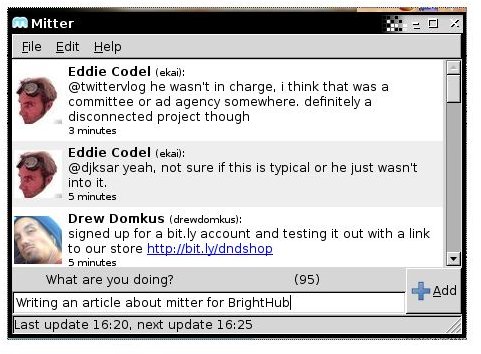
Mitter is a desktop tool that allows you to read and post tweets on your Twitter account. It resides in the task bar for easy access. The Mitter icon will change from a “m” to an “m with a star" when new tweets are posted.
Mitter is written in the Python programing language, PyHildon (similar to PyGTK), so Mitter can be used on both Gnome and KDE.
Setting Up Twitter
As far as I know, there is no installer for Mitter. This means we just download the tarbal and untar the archive in Terminal run:
cd ~/Desktop && wget -c https://mitter.googlecode.com/files/mitter-0.3.2.2.tar.gz && tar xvfz mitter-*.tar.gz
Starting Mitter in terminal run:
~/Desktop/mitter*/./mitter &
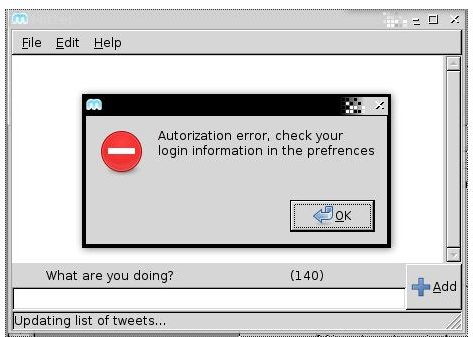
The Mitter window opens and an error window will pop-up. This happens the first time Mitter is used and no credentials have been saved.
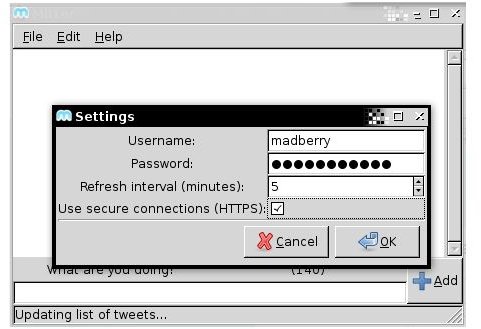
Close the error window. In the drop down menu click on “Edit” and select “Settings”.
At this point, if you don’t have a Twitter account then go to https://www.twitter.com/signup and get one.
In the settings window, enter your Twitter credentials. Make sure to tick “Use HTTPS” so you’re not sending passwords that are not unencrypted over the net.
Mitter will now update the list, and you will be able to see the tweets just like you would on your own Twitter homepage. If you have people that you are following, then tweets that they post will show up as well. If you don’t have anybody to follow yet, you may add me (https://twitter.com/madberry) , or use the search to find people you know. You can also invite others using https://twitter.com/invitations if you know their user name.
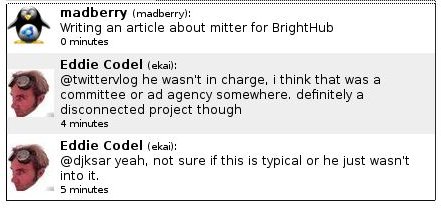
Now, you’re ready to start twittering. Type a message in the Mitter text input box, then click the “Add” button. It will now show up for everybody to read in your twitter stream.
When twittering, you only have 140 characters to use. So, what do you do if you want to post a URL, and it happens to be a long one like the following?
https://www.brighthub.com/computing/linux/articles/10839.aspx
The 140 characters will be used up quick. Mitter has a solution for this, select the URL and use the keyboard shortcut CTRL+ u. Mitter will now shorten the URL for you and use less characters.
The result:
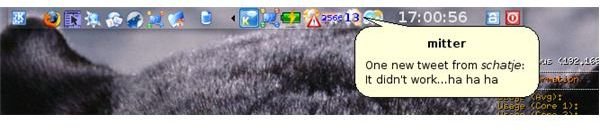
When Mitter is minimized and a new tweet is posted, an alert message will pop up on the desktop.
Some more Images


Rating (4 out of 5)
The only reason I rate this 4 dots is because of the lack of a .deb or .rpm package. Other than that, Mitter is a great tool if you want to post a quick tweet or don’t feel like refreshing your browser every five minutes.


