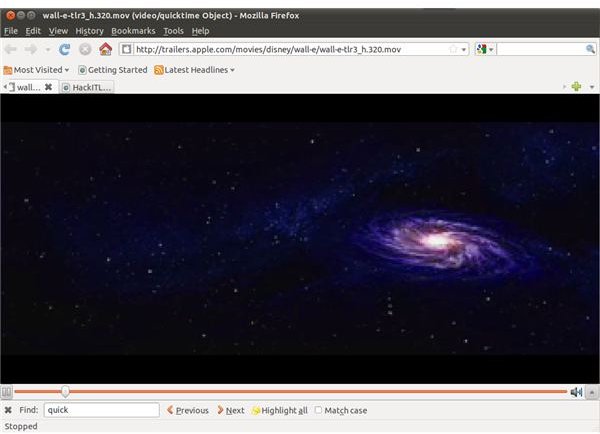
You don’t need a QuickTime player for Linux to enjoy MOV video clips - watch them in your browser!
Watch QuickTime Movies on Linux
Video editing and multimedia are two activities that have become increasingly popular on the Linux platform over the last few years, something that requires that all video formats can be accessed, opened and manipulated.
One popular format that should be available is the .MOV format, commonly played back in QuickTime on Windows and Mac OS X. It would be sensible to imagine that the same software is available on Linux, although a browse of the web will find few recent mentions.
Is there a version of QuickTime for Linux? And if so, where do you find it and how do you install it?
More to the point, if there is no version of QuickTime for Linux, how do you play MOV files on Linux?
What is MOV?
MOV is Apple’s proprietary multimedia format, designed to be played mainly in QuickTime Player on Macs and Windows PCs.
As one of the QuickTime File Formats, MOV is a multimedia container format, which basically means it contains multiple file formats such as text, video or audio that with the correct media player can all be played back together individually or together.
MOV video clips are virtually the same as MPEG4 format video clips with the only real difference being that MPEG4 is an international standard. As such some MOV clips might play on any movie playing application, but pure MOV clips will have difficulty on anything other than QuickTime.
Common Uses for QuickTime on Linux
The most common use for QuickTime on Linux is not to create .MOV clips – instead it is to view them.
Meanwhile, QuickTime is a comprehensive media player that will also play music. However pretty much every Linux distro comes with an MP3 player of some sort built in, so there shouldn’t be any specific requirement for QuickTime to play music.
So, if we assume that QuickTime is mainly used to view movie clips in your browser, we can then determine a way to view QuickTime files in Linux.
Watch QuickTime Movies in Your Browser
Remarkably all you need to do to view a QuickTime file in Linux is to view it via the Mozilla Firefox browser which is already equipped to handle MOV clips.
For this you will need a test clip, or you might browse to a website where QuickTime files are regularly available, such as trailers.apple.com , where all you will need to do is click play to view the clip in a player within your browser. For locally downloaded MOV files meanwhile you can simply copy the file path for the clip into your browser to play it.
For instance this can be done in Ubuntu 10.10 by right-clicking the MOV file and selecting Open With Other Application…; select Mozilla Firefox from the list of applications to watch the clip!


