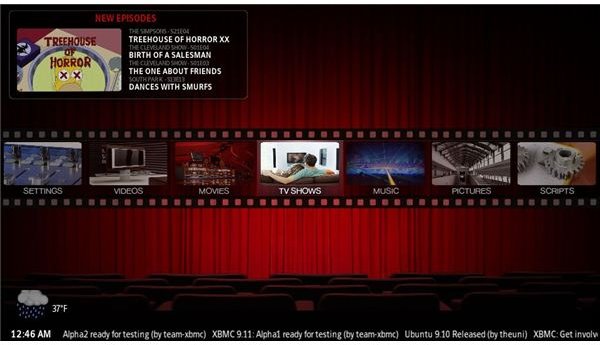
If you’re building a HTPC for your home theater, you can do a lot worse than a installing a Linux distro…
Choose the Right Linux Distro for Your HTPC
If you’re planning on building a HTPC (home theatre PC), the chances are that you’re either settled on Windows XP or a Linux distro as your operating system. Each has its benefits and certainly if you’re planning on the Linux option you can be reasonably certain to concentrating on getting the best hardware rather than paying for an operating system.
As you probably know, various Linux distros (distributions) are available – but which of these is best for building a Linux HTPC ?
I would probably narrow the choice down to one of the following three options. Each is free to download, and each features a Live CD option for you run on your current operating system before opting to install.
XBMC
Originally known as Xbox Media Center and developed for the original Microsoft games console, XBMC isn’t a specific operating system, although it is a popular home theatre software option that can be run on Linux.
You can use XBMC on practically any hardware configuration, although an Intel Core 2 Duo 2GHz or greater/comparative CPU must be present for smooth 1080p HD content to be played back.
The beauty of XBMC is that if you opt for a standard Linux distro (perhaps to use your HTPC for other purposes later on) you can still use this from the Live CD.
Get your copy of XBMC from xbmc.org .
Mythbuntu
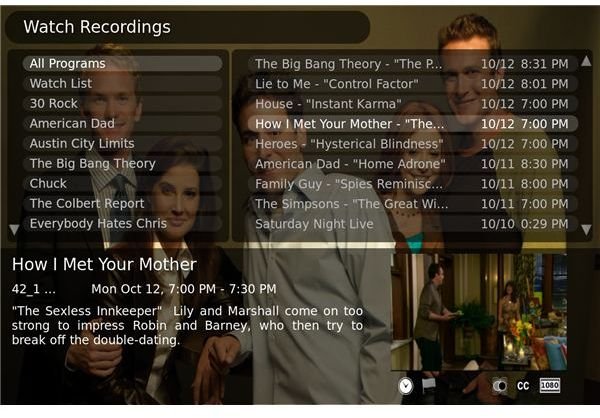
A collision of MythTV and Ubuntu, this media centre operating system has become a popular choice in recent months. It dispenses with the need to install a Linux distro before installing a home theater application by combining the two most popular Linux HTPC tools – the Ubuntu OS and MythTV.
Mythbuntu allows different configurations (such as an all in one install or a two-tier install across HTPC and server) and the MythTVcomponent will pause live TV, record to hard drive and allow scheduling, as well as allow you to view unencrypted HDTV
Releases of Mythbuntu occur every six months, as with the original Ubuntu, with which it retains close links for compatibility reasons. Find out more and download your copy from www.mythbuntu.org .
GeeXboX
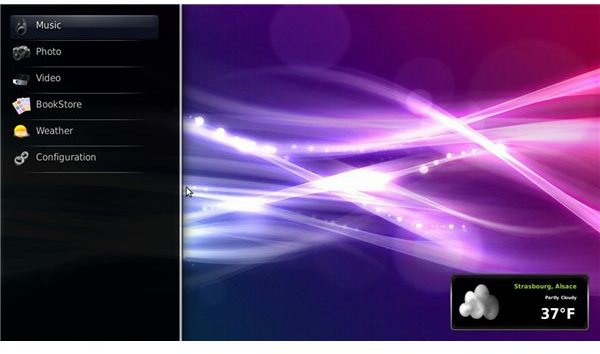
Like Mythbuntu, GeeXboX is a free Linux HTPC distro that includes media player functionality. Suitable for Intel, AMD, PPC and ARM processor units, GeeXboX has a simple aim – to allow you to easily playback media content from any storage location, local or remote, depending upon your storage configuration.
With a slick user interface, GeeXboX will support a variety of hardware such as TV cards and USB TV adapters , and allow you to watch HDTV!.
You can download your copy of GeeXboX at www.geexbox.org .
(Images via corresponding links)
Remember - all of these Linux HTPC options are free to use!


