Want to know how to uninstall Mandriva Linux? Another Linux distribution? Already tried to uninstall Mandriva and your computer now won’t boot? Look no further! Today we take a look at how to uninstall Mandriva Linux cleanly and make sure your computer still boots!
Introduction
In time you may come across situations where you want to remove Mandriva from your system. Done incorrectly this can cause headaches including a system that will not boot. Today we will take a look at the steps to cleanly uninstall Mandriva and restore your computer to it’s previous state.
Mandriva Installed as the only Operating System; New Operating System to be Installed
If you currently have Mandriva as the only operating system on your computer it is very easy to perform an uninstall. In this situation the assumption is that you will be replacing Mandriva with another operating system. All you have to do is install the new operating system. The new operating system, whether it be Windows, Mac OSX, or another distribution of Linux will allow you to repartition your hard drives as well as overwrite the current bootloader in the MBR.
Mandriva Installed with Windows; Looking to try another Linux Distribution
No real work has to be done in this situation. Simply install the new Linux distribution as you normally would using the Mandriva Linux partitions. The bootloader will be reinstalled with the new install as well and you’ll still have a fully functional Windows/Linux dual boot setup.
Mandriva and Windows XP Installed; Going back to Windows Only
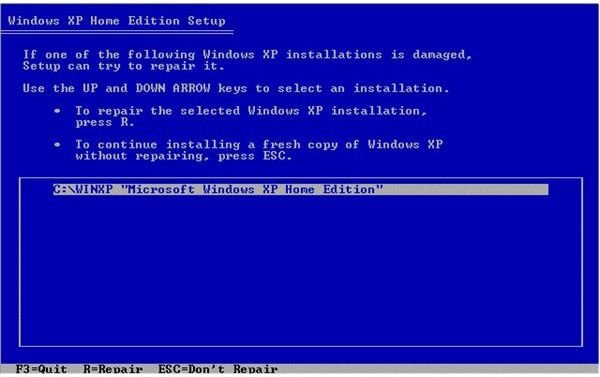
Here we will perform the uninstall of Mandriva Linux using the Mandriva Live CD and your Windows XP CD.
- Boot the Mandriva Live CD.
- Open a console.
- Become SuperUser by typing “su” and hitting “enter”.
- Start Diskdrake by typing “diskdrake” and hitting “enter”.
- Remove all Linux partitions.
- Boot your Windows XP CD.
- Type “R” to enter the Recovery Console.
- Invoke the FIXMBR command.
This should allow you to boot into Windows XP and reclaim the space you freed up by deleting the Mandriva Linux partitions.
Mandriva and Windows Vista Installed: Going back to Windows Only
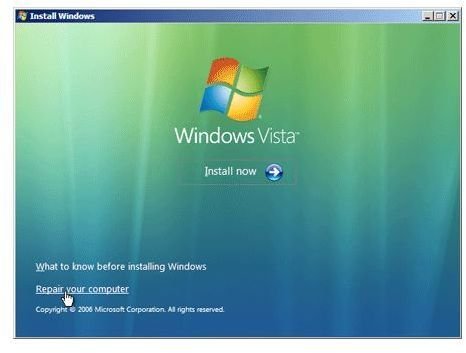
Again, this situation can be resolved in a couple different ways. In this example we are going to use our Mandriva Live CD with our Windows Vista CD.
- Boot the Mandriva Live CD.
- Open a console.
- Become SuperUser by typing “su” and hitting “enter”.
- Start Diskdrake by typing “diskdrake” and hitting “enter”.
- Remove all Linux partitions.
- Boot your Windows Vista CD.
- Click “Repair your computer”.
- Click the operating system you want to repair.
- Under System Recovery Options click “Command Prompt”.
- Type Bootrec.exe /FixMbr
This is the Windows Vista version of FIXMBR and will allow you to boot directly into Windows and recover the space freed up by your Mandriva Linux uninstall.
Conclusion
How to uninstall Mandriva Linux? While this may appear to be a simple question to answer and while there are other ways to achieve a clean uninstall, the above are the methods I have had the most success with. Should you have problems using these methods you can look into alternatives such as the Super Grub Disk which is a bootable disk image (CD, Floppy, or USB) containing several tools to repair the MBR of your computer.


