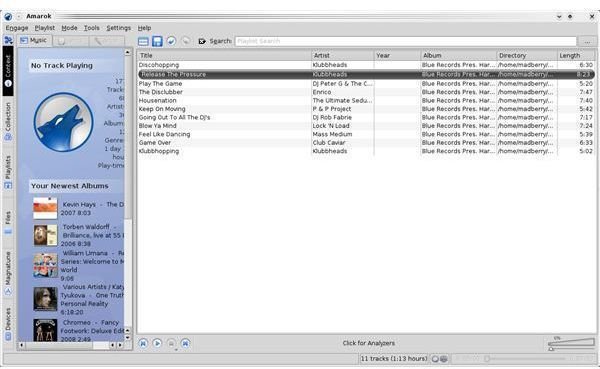
You own an iPod and you want to connect it to your Kubuntu desktop. This is easily done using a program called Amarok. In this article we discuss how to sync your iPod with Linux. With Amarok there is no reason why you can’t use your iPod on your Linux computer.
Introduction
Whether you own a newer or an older iPod? They all can be connected to the Kubuntu Linux desktop through Amarok. In Amarok you can browse your iPod and add music, and this article will explain how to hook up your iPod to Linux so that you can listen to, manage and transfer files to it.
How To Connect The iPod
Start up Amarok without your iPod connected. After Amarok has started connect your iPod.
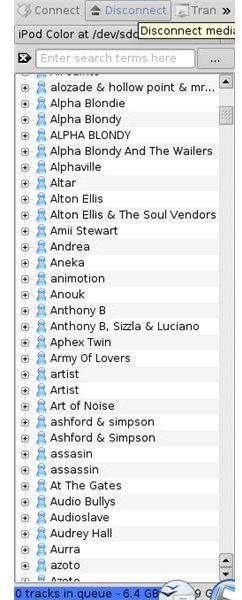
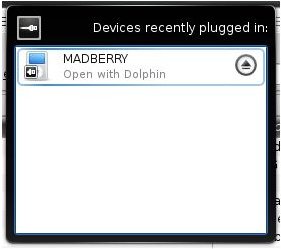
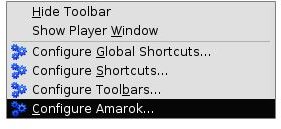
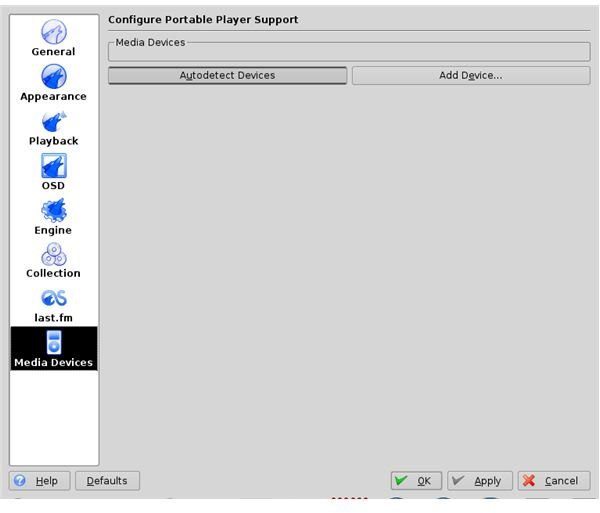
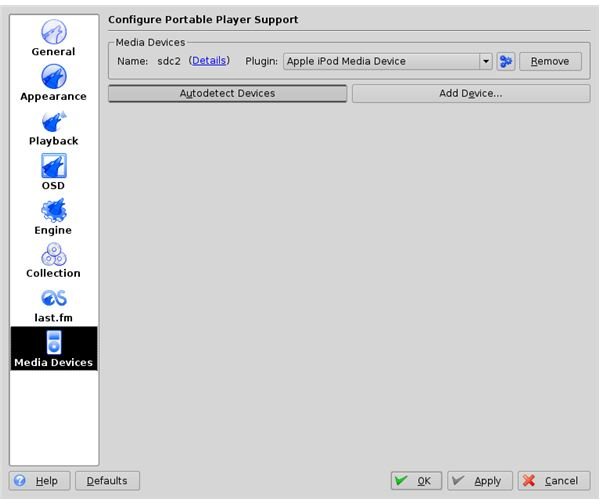
We will need to add the device in order for Amarok to recognize it. Go to Settings → Configure Amarok (left image below) in the drop down menu. Then go to Media Devices. Click on Autodetect Devices (middle Image below). It will now find your iPod. (right image below) Close this window. Your iPod should now be connected, but if it isn’t hit connect.
Connecting Your iPod in Linux
How To Play Music Files On Your iPod
Select the Devices tab. Select a song from your list, right click on it and click on load or append to playlist.
How To Add Songs To Your iPod
Click on the files tab or the collection tab. Select an album or song. Right click on it and and click Transfer To Media Device. Go back to the Devices tab. Right click on a song and click on Start Transfer. Amarok will transfer the files from your computer to the iPod.
How To Back Up Your Music On Your iPod
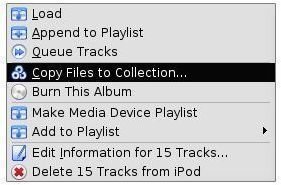
Right click on the file you want to transfer from your iPod to the computer, click Copy Files To Collection. You can do this for just one file or your entire iPod.
In addition Amarok also let’s you copy the music to either a data cd or an audio cd.
Back It Up
How To Disconnect
To disconnect your iPod you might have to follow these steps. Click Disconnect in Amarok. Then Unmount the iPod. Disconnect the cable from the computer. If the iPod still has “Do Not Disconnect” on the screen then you will have to do a reset. On my older color or Photo iPod you can do this by holding down the middle button and the play/pause button simultaneously.
Disconnect