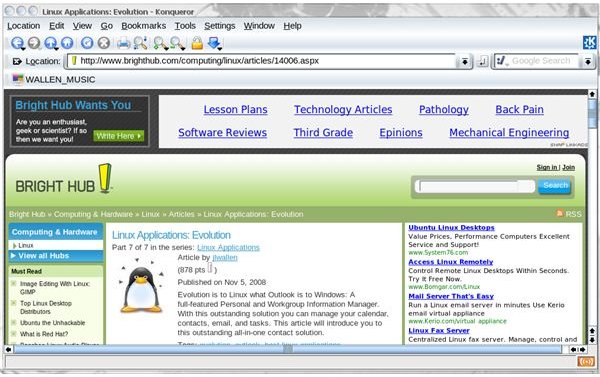
If you’re looking for an alternative Linux web browser besides Firefox or Opera you should give Konqueror a try. Konqueror is a full-featured browser that has a few features not available on any other browser. This article will introduce you to Konqueror and show you how to conquer the web.
History
Konqueror was originally created to serve as a replacement for KFM (KDE File Manager) in the KDE desktop. But quickly after it was made the official replacement it became apparent that Konqueror would make a great web browser as well. The name “Konqueror” was originally a play on the two major web browsers at the time of its creation: Explorer and Navigator. The first release of Konqueror came out with KDE 2.0 October 23, 2000. Konqueror is written in C++ and QT and is available for all UNIX-like operating systems, OS X, and Windows.
Features
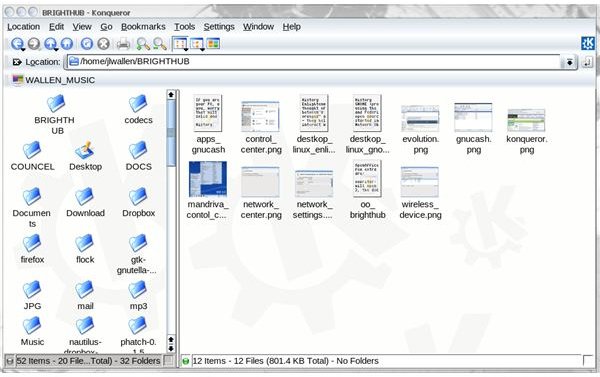
Not only can Konqueror surf the web but Konqueror is an outstanding file browser as well. Of course the list of features doesn’t end there. Konqueror’s features include:
Browser features
- HTML 4.01 compliance
- JavaScript support
- Java applet support
- Cascading Style Sheets 1,2,3 support
- DOM1, DOM2 and partially DOM3 support
- Full support for bidirectional scripts
- SSL support (requires OpenSSL)
- Archive web pages
- Web page translation
- Seamless KDE integration
- Browser identification switcher
File Manager
- Display files in multiple view types
- Multiple (and customizable) profiles
- Thumbnail preview
- txt, pdf, audio, and other file type support
- Browse ISO images
- Mime support
- KIO plugin support
- Read archive files
- Access Windows shares
- Audio CD support
- SSH and sFTP support
Getting and Installing
The installation of Konqueror is simple: If you have KDE on your machine, you have Konqueror. If you do not have KDE on your system you can open up your package management system (Synaptic, Yumex, Rpmdrake) and do a search for KDE. Select the results, click apply, and KDE will be installed on your system.
If you are a little weary of attempting such a large installation, you can always download one of the distributions that include KDE. If you’re a Ubuntu fan you can install Kubuntu as your OS. If you’re a Fedora fan you can download the KDE-based Fedora (the same thing applies to most other major distributions).
Konqueror
Final Thoughts
With it’s versatility, speed, and reliability, Konqueror is one of the best alternative web browsers. If you’ve never given this browser a try, you owe it to yourself to do so. You might find yourself never looking back. I have used Konqueror since version 1 and have used it for many purposes. As a web browser it doesn’t quite stand up to Firefox. As a file manager there is none better for flexibility, features, and performance.
This post is part of the series: Linux Applications
In this series I will highlight those Linux applications that are must haves for personal, school, or office use. And once you get to know them, you won’t be able to go without them.


