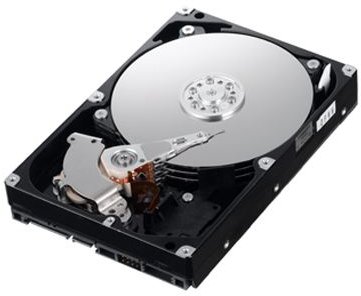
In Part 2 of this series on how to care for your computer, we focus on things you can do to protect your hard drive.
Defragmenting the Hard Drive
Hard drives store information in a very specific ways so that they can access it as quickly as possible. However, adding, deleting, and moving files causes the hard drive to become fragmented. Not only will it take longer for your computer to access information on a fragmented hard drive, it also puts excess strain on the hard drive itself.
Using a Disk Defragmentation tool at least once a month is a good preventative measure to keep your computer running well. If you’re using Windows Vista, take a look at this article for more detailed instructions on how to use the Disk Defragmenter .
Protection From Viruses
It is absolutely crucial that every computer that will ever have access to the internet also be outfitted with reliable and up-to-date virus protection. Even if a computer is not connected to the internet, it can still be infected with viruses from other computers it may be connected to, as well as from disks and portable storage devices.
Anti-Virus software can be expensive, but there are also free versions that are just as reliable, such as AVG Free Edition and Avast! Antivirus Trial Edition. Schedule the anti-virus to scan your computer on a daily basis, preferably during a time you are not using it. Again, no matter which anti-virus software you choose, it must be kept up-to-date.
Protection From Spyware/Adware
While many anti-virus tools may claim they help protect you from spyware and adware, such things are not their focus and therefore they shouldn’t be solely relied upon. Even spyware and adware are different enough from each other that it is best to have a separate removal tool for each. Examples of these are: Spybot Search and Destroy spyware remover, and Ad-Aware adware remover. Both are free tools.
Avoiding Malware in the First Place
While the above will help you with the removal of Viruses, Spyware, and Adware, the best protection is always prevention. To protect yourself best, avoid using peer-to-peer applications such as Limewire, Morpheus, and Kazaa. Also avoid questionable websites that may have an age requirement or feature a lot of flashing ads and popups. Such sites are often havens for adware and spyware, as well as “drive-by” virus infection.
Use A Firewall
Firewalls protect you from malicious people or programs that are looking for ways into your computers other than the obvious. Firewalls lock down your computers ports when they’re not being used by you or for an approved purpose. Think of the ports in your computer as doors and windows on the exterior of a house. You may lock the front and back doors to keep thieves out, but you could easily overlook a window. Firewalls protect you from such situations. Windows has a built in firewall that does an “ok” job, but for ultimate protection you should look for something more. Zone Alarm is a free firewall tool that does an outstanding job.
This post is part of the series: Caring For Your Computer - 10 Great Tips
10 of the best, proven tips for caring for your computer, keeping it running smoothly, and extending its life.


