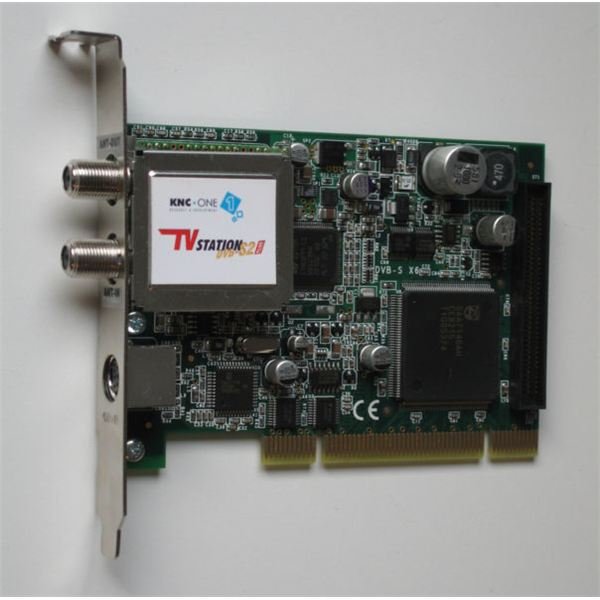
Buying a video capture card can be something of a challenge as video standards are as widely varied as the hardware and software used to support them. Fortunately, capturing and converting video can be simplified for those in need of a basic, workable sol
Varying Devices and Prices
Since many video cards come with various inputs for video from other sources, you may want to consider a video card upgrade .This would be advisable depending on the status of your existing video card, and how often you intend to use your computer for video conversion. Capture devices that utilize FireWire and USB inputs are convenient in the sense that they don’t require the computer case to be opened, nor do they require a dedicated slot on the motherboard. In these cases, the best video capture card for your needs may not technically be considered a standard capture card, but will perform according to your requirements regardless.
Take, for instance, the inexpensive Sabrent USB Video/Audio Capture DVD Maker Adapter . It appears to be little more than two audio inputs, a composite video input, and an S-video input attached to a USB device no larger than a memory stick. An external device available at around $30.00, you might expect minimal performance for the most basic of analog-to-digital (VHS to DVD) conversion. According to the product description, it supports all major video codecs, streaming video, and can be used for CCTV surveillance monitoring. Though its maximum resolution is 720x480 for NTSC (no support for HDTV) the functionality for this price range is impressive.
Higher Resolution and Processing Power
Perhaps you want to go beyond transferring old VHS tapes to the digital realm. Capturing satellite or cable TV and using your computer as a DVR unit might be what you’re going for. In such an instance, you’ll not only be looking for a more powerful device, but one you’ll use more often than for the occasional analog video transfer.
An internal TV tuner card would be the way to go, and a highly rated one is the PCTV Systems PCTV HD Card 23040 . At around $70.00, it has a PCI interface and inputs for S-video, composite video, coaxial, FM band radio, and stereo audio. It also comes with a remote control, and support for direct to DVD capture. The system requirements are not at all prohibitive for a card in this class.
Moving Into High Definition
AVerMedia’s AVerTV HD DVR MTVHDDVRR is a step up to the HDMI realm. For $85.00, 1080i HD capture is possible with this unit, although having a reasonably powerful CPU and video card are necessary for smooth performance.
Of course, considering which is the best video capture card comes down to value for cost, reliability, and it’s performance for the user’s needs. A professional grade capture card like the VIEWCAST OSPREY-240 might be superior in terms of functionality compared to the previously mentioned cards, but a $400.00 card is not the “best” if you’re only looking to transfer old home movies into digital video. You can use these examples to hone your search for the card that’s right for you.
Image Credit: Image of TV Tuner card appears courtesy of HDTVTotal.com.


