Seeking information on how to remove a DVD drive from a Toshiba laptop? You’ve come to the right place. In this article you will find a few easy steps in order to remove the DVD drive from a Toshiba laptop easily and effectively.
Removing DVD Drive From Toshiba Laptop
There’re typically two reasons to remove a DVD drive from a Toshiba laptop: the drive has become faulty or you want to use it in another Toshiba laptop. Removing a DVD drive from a Toshiba laptop is a bit time consuming job because the drive is installed under the keyboard and you have to remove the keyboard first before you can remove the DVD drive.
If you need to remove your DVD drive from your Toshiba laptop, find below the disassembly steps that you can follow to safely remove your drive easily and without causing any damage to the laptop.
Things You’ll Need
- Clean and open surface to work on
- Good lightning
- Toshiba laptop
- Small flat head screwdriver
- Patience
Steps To Follow
Step 1
First you must find a clean and open surface to work on. Also make sure there is sufficient lightening because the hard drive removal procedure involves working with tiny screws and small parts of the laptop.
Step 2
Turn off your laptop, close the LCD screen and disconnect any external devices or cables connected to it. This is to prevent any damage from occurring to the DVD drive or the laptop. For extra assurance that the laptop is completely powered off, remove the battery as well.
Step 3
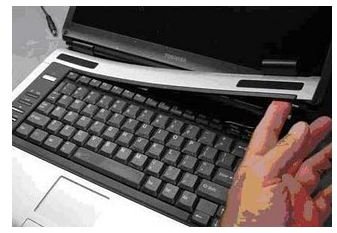
In order to remove the DVD drive, you have to remove the keyboard first. To remove it, lift up one side of the keyboard bezel with the
screw driver and then continue pulling it upwards with your fingers. Once the keyboard bezel is removed, you will see six screws under the bezel, securing the keyboard. Remove all of them and put aside.
It’s not necessary to disconnect the keyboard but you may disconnect it and put it aside for your convenience. If you don’t want to disconnect, just flip it over cautiously and put upside down on the palm rest.
Step 4
Now, you will see one screw securing the DVD drive to your laptop base. The DVD drive might be labeled as “DVD” but if it isn’t, you can easily recognize it. Remove the screw and then slowly slide the DVD drive out of your laptop.
This is how to remove a DVD drive from a Toshiba laptop. You may now place the DVD drive into a different laptop or may slide a new DVD drive back into the laptop so as to install a new drive.
Are you also replacing or upgrading the hard drive on your laptop? Find out steps to replace the hard drive on your laptop in Laptop How To: Upgrading or Replacing Your Hard Drive
Image Credit: 4.bp.blogspot.com
Tip & Warning
-
DVD drives contain sensitive parts so be careful not to bump, hit, or drop it when removing it.
Advertisement -
If you install a different DVD drive, you may have to install drivers that came with it.


