More and more apps are released in the iTunes App Store everyday. How do you know which ones you should buy? You could look at the ratings and reviews, or you can continue reading below
Missing Default Apps
There are many apps that Apple has on the iPhone and iPod Touch by default that they chose to leave off of the iPad. Here are the apps I have on my iPad that have taken the place of those that are missing.
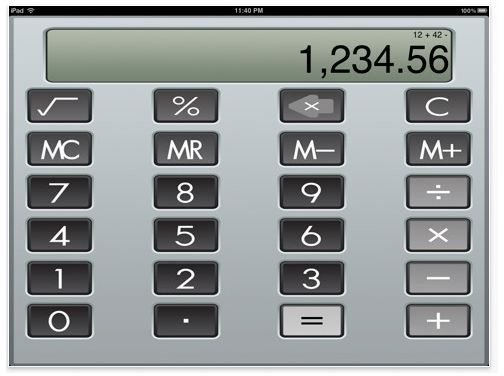
Calculator XL (FREE) One of the missing default apps from the iPad is a calculator. There are many calculator apps to choose from and I have tried several. Calculator XL is a simple, basic functions, calculator that I found to be my choice out of the pack.
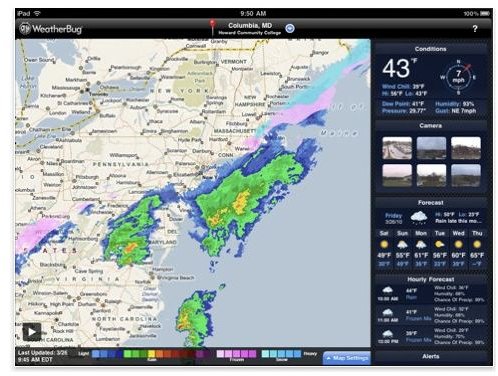
WeatherBug Elite (FREE) Of all the missing default apps I would have thought a weather app would not be in the group, but it is. There are many weather apps, including one from The Weather Channel. I have that one on the iPad too, but I prefer WeatherBug Elite. The simple reason is that I prefer it on my iPod Touch. I like the features better, and you open it and everything you need is right there.
Bloomberg for iPad (FREE) Another missing app is something to check the stock market. Bloomberg for iPad is the best solution for this. You get a summary of the market, you get stock related news, and you can make your own custom portfolio.
Entertainment Apps
ABC Player (FREE) ABC Player is great for watching your favorite ABC shows on your iPad for free. The app basically takes the ABC network website where you can stream TV shows and puts it in app form.
Netflix (FREE) If you subscribe to Netflix this app is a must. Not only can you manage your queue, but you have access to the Netflix streaming library that you can watch directly on your iPad at the touch of a button!
Shopping Apps
Amazon (FREE) and Ebay (FREE) both of these companies have made fantastic iPad apps that take advantage of the iPad. I frequent both of the sites regularly, and while Safari on the iPad works fine with these site, I prefer using the app which is much more iPad friendly.
Apps For The Artist and Photographer
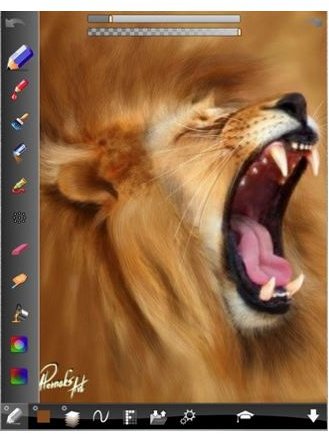
ArtStudio ($2.99) ArtStudio is hands down my favorite painting app for the iPad (and iPod Touch). It is fantastic and the developer is constantly pushing out updates for the app to make it even better. This is the closest thing I have tried on the iPad that brings the natural painting apps like Corel Painter from the desktop to the iPad.
Photogene ($3.99) If you are using the iPad Camera Connection Kit with your iPad your want Photogene. Photogene is like iPhoto for your iPad. It has almost everything you need to edit your photos away from home and have them ready to go when you put the photos onto your computer.
Apps For The Artist and Photographer Continued
Filterstorm ($1.99) Filterstorm is another great photo editing tool for your iPad. Filterstorm focusses more on adding effects and manipulating your images rather then doing the editing you get with Photogene. Both together make a great pair!
Toddler Apps
I have a two year old, and I am always looking for apps for him to install on my iPad. Most of the apps are from my iPad Touch, but there are two iPad specific apps that are fantastic.
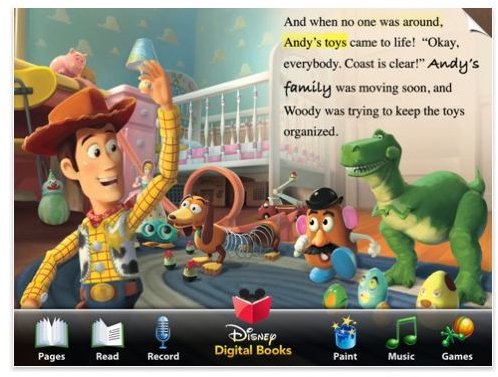
Toy Story Read-Along (FREE) Even if you don’t have a young child, this app is a must. It is what books on the iPad should be like. It has video, coloring, games and the book is read aloud to you. It is amazing and it is FREE! Toy Story 2 is available for $8.99 and I plan on buying that at some point, but for free you can’t go wrong.
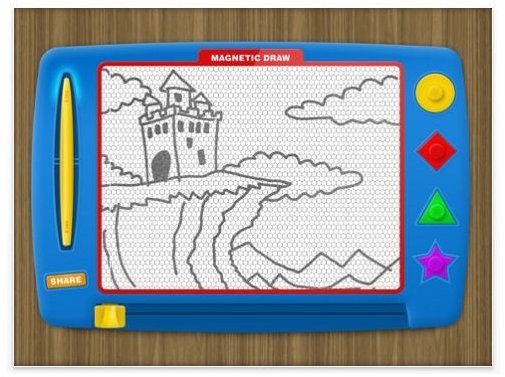
Magnetic Draw ($1.99) Magnetic Draw is basically MagnaDoodle for the iPad. MagnaDoodle is the magnetic drawing board that is very popular with kids. You can use shapes and a pen to make a picture and you erase it by dragging the sliding bar across. This version looks and acts like the real thing except it is 2D.
Apps Not On This List
As you may have noticed I don’t have any real games on my list. This is because I have not found any I really like yet. The only games I play on my iPad are iPhone/iPod games that I have installed and play using the “2x” mode.
I also have not listed any news apps or rss reader apps. I have written about my picks in those categories in two other articles (the RSS reader article is for the iPhone but has some universal apps in it) and felt there was no need to repeat them here. Please, check them out at the links above if those categories interest you.
Have a favorite app that I left off the list? Post if below. I’d love to find some more great apps for my iPad!


