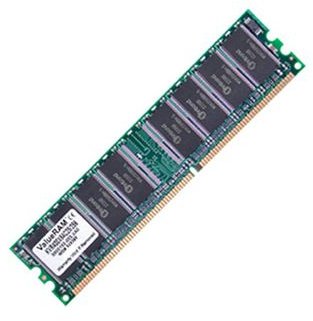
When buying a computer or building one, there are some aspects of its configuration that play a large role in its performance. The size and speed of the RAM, as well as the setup and sizes of its cache are very important if what you are looking for is speed, agility and smooth operation.
The Quicker It Is, The Smaller It Gets
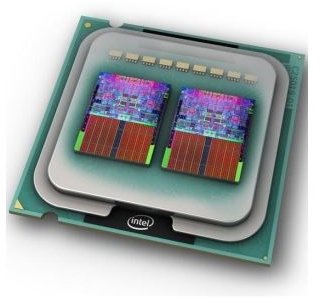
CPU cache is located in the chip itself. It is the closest and most promptly accessible location where the CPU can find information to process. The most required information of any given second is accessed from the Cache first. In turn, such information is replaced by even more immediate data in a constant cycle.
The source of this constantly replaced and renewed data are all the other main memory locations - primarily RAM . The less often new data is retrieved from other locations, the faster the CPU will have material to process.
When the CPU needs to read from or write to another memory location (RAM, hard-drive, optical and magnetic media), it first checks whether a copy of that data is already available in the cache. If such data is not found there it will then look for it in the secondary sources of memory, starting with the second fastest, the RAM.
Cache is vastly faster than RAM and any other source of memory in the system. Nevertheless, it is only a fraction of the size of a RAM stick. It is about working fast and smart, not with muscles.
RAM (Random Access Memory) has a much bigger storage capacity. Even though it is much faster than magnetic and optical storage mediums, it is much slower than Cache. However, it is the primary source of memory for the Cache. Without RAM, the computer would not have enough data to boot.
Cache memory can be anywhere from 64 KB to 1 MB (or even 2 or 3 MB) depending of the capacity and configurations of your CPU.
On the other hand, RAM memory is much bigger. Today’s memory sticks can go as high as 4 GB or more (per stick), which is remarkable given the fact that only five years ago having one GB of total RAM ( spread across two or even four memory sticks per system) was considered a lot.
The Evolution of Memory
Old Cache memory technology required data to be sent and received orderly and from a single source at a time. Today, the CPU Cache allows for data to be sent and received in any order, size, and from any source. It is smart enough (and fast enough) to sort everything out by itself.
This is very important for performance, because the more resources are freed during the transfer and renewal of memory the less time it will take to perform the operation at hand.
Such feats could never be achieved with other storage mediums, such as hard-drives, magnetic discs and optical discs. Retrieving data from such mediums takes too long and consumes too many resources as the information is acquired by a reading head in an orderly and synchronized fashion.


