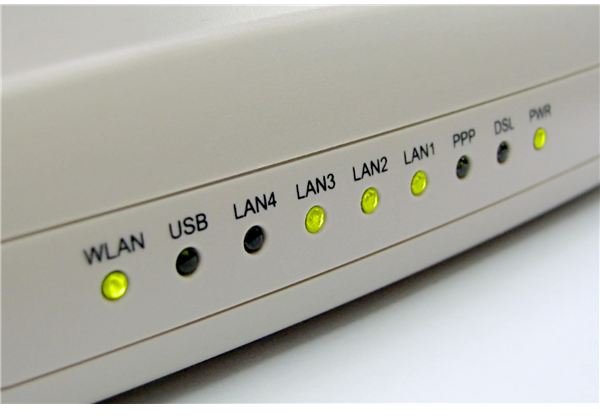
If you are using a wireless router to connect to the Internet or your network, an intermittent connection can be cause for frustration. Since many factors may cause an intermittent connection, you will need to do some troubleshooting. These steps will help you solve the problem.
Router Location
One possible reason for an intermittent connection to your wireless router could be the location of the router. Try to position the router in a central location of your home or office so that the signal will be strong in every room or area. Place the wireless router on a raised surface, such as a desk or table, rather than on the floor and try to keep it away from walls and metal surfaces, such as file cabinets. Floors, walls and metal objects may obstruct the wireless router’s signal, causing you to experience an intermittent connection.
Photo Credit: sxc.hu/4shaws
Interference
Another common reason for an intermittent connection to your wireless router is that something else is interfering with the router. Many cordless devices such as cordless telephones use the same channel or frequency as wireless routers. A telltale sign that this is the cause of your intermittent connection is if you tend to lose your connection when a cordless phone in your home or office is in use. Even if you do not use a cordless phone, a cordless device being used in a nearby home or office might be the culprit. Following the instructions provided by your wireless router’s manufacturer, try changing the channel on the wireless router’s settings.
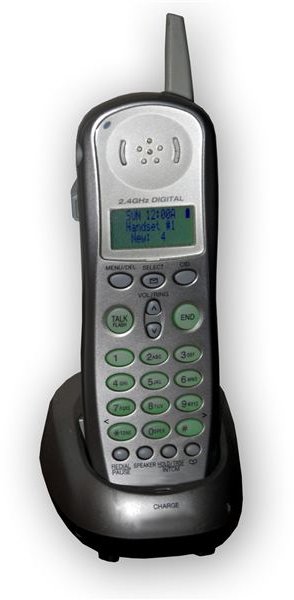
Photo credit: sxc.hu/ericortner
Another source of interference that may cause an intermittent connection to your wireless router could be that there is another nearby wireless network using the same name as yours. This is a common occurrence when wireless networks are set up and the default network name is kept. If you used the default network name, follow the instructions provided by your wireless router’s manufacturer to change the name. Be sure to enable all security settings at this time as well, if they are not already in place. Someone taking advantage of your wireless network without your permission could also be a cause for an intermittent connection.
Update Drivers and Antivirus Programs
Check for driver updates for your network adapter, as this can also be a cause of intermittent router connectivity. If you are using Windows XP, go to the Microsoft Update website to check for updates for your computer. In Windows Vista, go to the Start Menu and select Windows Update from the All Programs list to check for available updates.
It is important to make sure you update your antivirus and spyware removal programs and run them regularly, as well. Spyware, viruses and other malware can damage your connectivity files and cause you to experience an intermittent or no connection.
For more help and information about wireless routers and network security, check out the Bright Hub articles Recovering Your Wireless WPA Key and How to Secure Your Wireless Network .


