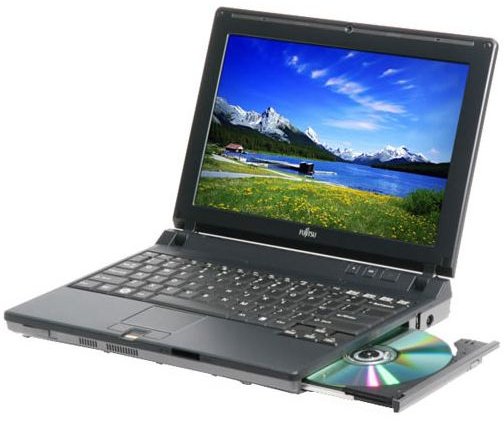
Laptops have a unique way of becoming obsolete very quickly, which begs the question - Can a Laptop be upgraded? Some components can be, but most are proprietary to that system only. So let’s see what we can do to improve performance on a laptop.
Upgrading Rules
While some components on a laptop can be upgraded to improve performance and features, you should never purchase a laptop with a view to upgrading it to make it worthwhile. If you’ve been using a laptop for a few years and find that it needs a small performance boost to keep you going, or if one has been given to you as a hand-me-down, you may want to consider some easy upgrades instead of buying a new one altogether. The only time you might make an exception is when the laptop is inexpensive and its only shortcoming is in memory/RAM. That is the only component that can be upgraded affordably, and with components that do not have to come from the laptop’s manufacturer.
Laptop Parts That Can Be Upgraded
Optical Drive - This is the CD/DVD ROM or burner. It is usually possible to upgrade this component within reason. If you have a laptop using a CD ROM it probably won’t be able to support a 20x DVD Burner. Likewise, upgrading from CD/DVD to Blu-Ray is rarely an option either. However if you want to upgrade from a CD burner to a DVD burner, this is quite possible. Your laptop’s manufacturer should be able to sell you the part, or you can find a compatible one from another retailer.
Memory - You can increase the amount of RAM in a laptop within reason. Most laptops only have one or two slots to install RAM. You must use the correct type (DDR, DDR2) with the same pin count. 1GB of RAM is recommended for Windows XP and 2GB for Windows Vista.
Hard Drive - You can swap out a hard drive for one with more storage space, but it must use the same interface and physical dimensions. The proprietary laptop hard drive installation cage must be able to screw onto the new hard drive the same way. Check with your laptop’s manufacturer.
Laptop Parts You Shouldn’t Try To Upgrade
CPU - Processors are designed to fit specific sockets on specific motherboards. While a laptop motherboard may be able to support a new CPU around 0.2-0.4 GHz faster than your current one, such a minor upgrade isn’t worth the time or money.
Screens - You cannot get a larger screen for your laptop. The only screen change remotely possible is to swap out for one with a different finish (gloss/matte). You may be able to upgrade your screen’s resolution by changing the screen, but the laptop’s graphics adapter plays a large role in that as well. Check with your laptop’s manufacturer.
Laptop Parts That Cannot Be Upgraded
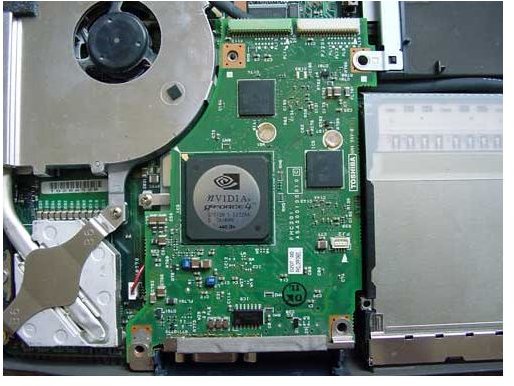
Motherboard - Motherboards are built specifically for the make and model of each laptop. Even the shape of the board itself is unique. They cannot be swapped out with any other motherboard.
Graphics Adapter - In laptops, the graphics “card” is attached directly to the motherboard. The exception to this is in “gaming” laptops, where a special interface is occasionally used to attach a graphics card. In these cases, a swap out may be possible but you will have to buy from the same manufacturer specifically for that laptop model, and the upgrade options will likely be very slim.


