Did you know you can cool your desktop computer using liquid, and it won’t damage the components? Of course, a special design and system is involved. We discuss how this technology works, and why people do it.
Overview
Have you ever heard of a liquid-cooled computer? Some of the less tech-savy among us don’t even realize that a computer needs to be cooled. Normally this is done by air, and there are usually at least two fans inside a computer. When you turn a computer on, this is the noise you are usually hearing. Fans are usually combined with large copper or aluminum heat sinks that are placed over key components, like the CPU, GPU, and the motherboard’s North Bridge. The fans pull air across the heat sink, which is specially designed to disperse heat and prevent damage to the computer components. Air-cooling is limited, though. Much lower temperatures (and therefore higher speeds) can be achieved by using liquid to cool these components instead.
But wait, didn’t you know that Liquid + Electronics = Disaster? Of course you did! So how can we cool a computer using liquid, if the liquid will destroy it? The key to this lies in the design of the liquid cooling system.
The Water Block
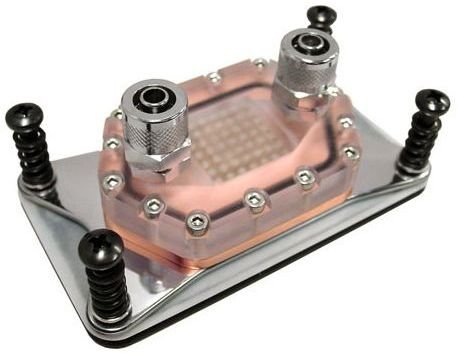
In a liquid cooling system, instead of a heat sink and fan combo, like this one , we use a formed block of copper (pictured here) with deep grooves to conduct water, and sealed with a hard plastic or glass to keep the liquid from touching the actual electrical components. This image is roughly the birdseye view of the waterblock. Those silver circles on top are tubing connectors. Essentially, plastic tubing directs fluid into the block through one, and out the other. As the liquid rushes across the interior copper it draws the heat away, thus cooling the underlying chip.
The Pump
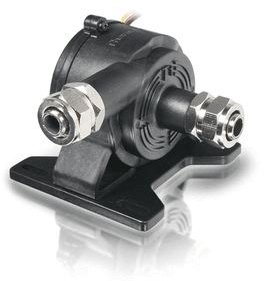
Of course, water doesn’t move by itself. It is set along its circuit by a specially designed pump. The pump is an extremely important part of the setup, as it dictates the volume that can be moved through the tubing, and the speed it moves at. Liquid cooling pumps come in various shapes, sizes, and designs. The one pictured here is simply an example of a liquid cooling pump that features a very small, simple, and clean design. You’ll recognize the familiar tube fittings.
The Radiator
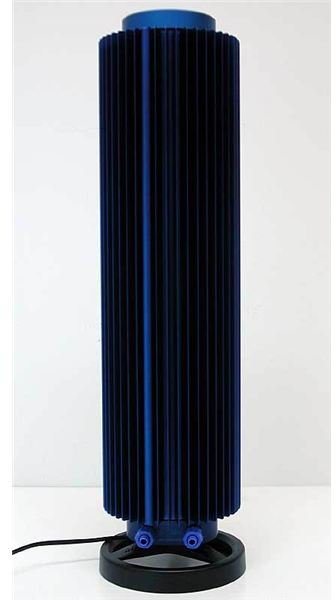
Like all good cooling systems (car radiators, refrigerators, etc) the last key component is the radiator! How else would our hot liquid get down to a lower temperature before being back dragged across the hot copper block again? If it all just heated up to a boil, that wouldn’t accomplish anything, now, would it? Radiators have two primary designs: Fan, and fanless. A fanless radiator is typically an external device that is extremely large, with a lot of surface area, like a heat sink. This Zalman radiator is just one example (Incedentaly, this particular one also acts as the cooling system’s fluid reservoir).
A more common (and less expensive) design is the fanned radiator, which is frequently mounted inside of the case. This design incorporates copper tubing, which the water passes through, afixed to an aluminum or copper mesh. A large fan pulls air across the aluminum mesh which rapidly disperses the heat in the copper
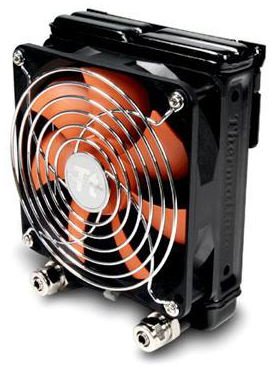
pipes. The Thermaltake fan radiator pictured here is just one example.
This post is part of the series: Liquid Cooling Reviews and How-To’s
This selection of Bright Hub articles looks at liquid cooling units and the process by which you can liquid cool a PC.


