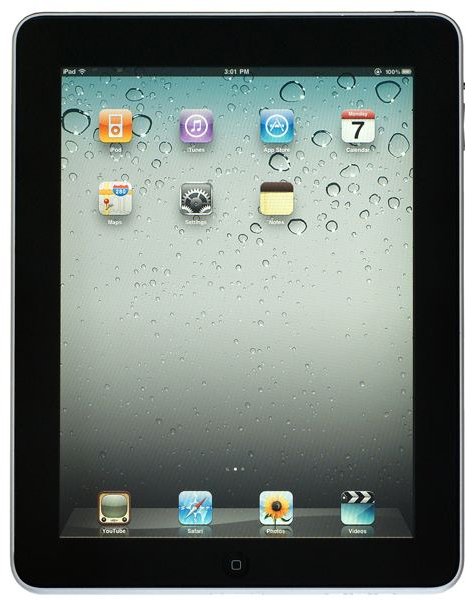
The iPad is generally a trouble-free device, but from time to time you might run into problems using YouTube. These issues are easy enough to resolve, however, as long as your computer has the right date and time set!
YouTube and the iPad
The various advantages that multimedia entertainment brings to a tablet such as the Apple iPad are well known. You might sync videos and music from your PC or Mac to your tablet, or stream content from one of the popular online services such as YouTube.
As you might expect, using the app delivers access to all of the same video clips that you would be able to enjoy when viewing the site on your computer, and thanks to the portability of the iPad this can be viewed wherever your tablet will let you!
However not everyone can get to YouTube on the iPad.
Image credit: https://www.apple.com
App Vs Webpage
There are two ways in which you might access YouTube on your iPad. The first is the most obvious – simply dial up the webpage in the tablet’s browser.
Alternatively you might use the app for iOS devices. This offers a better interface and is tailored for use by fingers rather than a mouse as the browser version is.
If you’re experiencing problems using one of these methods, the first step you should take in troubleshooting the issue is to have a go at using the alternative. This can lead to some success, which will indicate that the problem is related to session cookies in either the browser or the app, so tidying up the browser and reinstalling the app should help to fix this.
Managing the Date and Time on Your iPad
Another factor that can cause problems connecting either in the mobile Safari browser or in the official app is an incorrect date and time on your iPad.
With the incorrect date and time setup, the server prevents your device from accessing content.
This is a common problem, but it is easy to fix. On your iPad home screen go to Settings > General > Date & Time > Set Date & Time; once this has been updated to the correct local date and time you should find that any problems that you had connecting are now resolved.
Re-sync with iTunes!
The ultimate fix for any problems connecting either on your iPad browser or in the app is to re-sync and reset your iPad.
To re-sync the device, connect it to your computer, confirm that iTunes is running and your device is detected, and spend a moment or two browsing around the App Store. After a minute, disconnect and then restart your iPad by holding the Home button and the Sleep button together and waiting until you see the grey Apple logo.
With your iPad now restarted, you should find that access is now enabled! This final fix should be used in future if the problem re-occurs.
As you can see, this is a simple fix for what can be a frustrating problem - so don’t forget it!
References
iPad Forums, https://www.ipadforums.net/ipad-help/1555-cannot-connect-youtube.html


