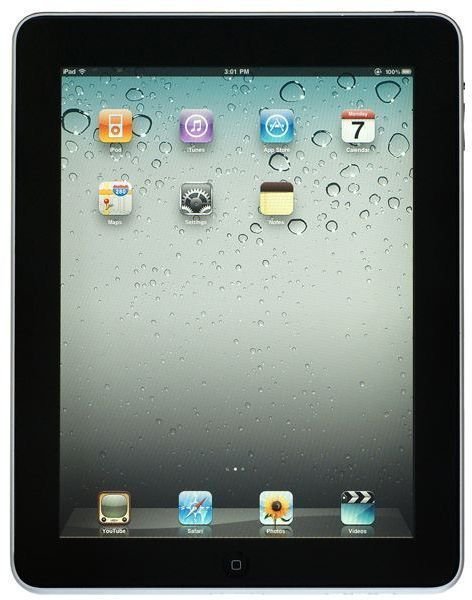
You might think that it is possible to discard your PC now that you own an iPad or an Android tablet, but as we shall see, whatever the CEO of Apple might think, a PC is still needed…
Can A Tablet be Completely Independent from a PC?
In early 2011 Apple CEO Steve Jobs described the iPad as the first “post PC device," indicating that a tablet can be used completely independently of a computer. This is probably not the truth when a home computer is still required to sync music and other data to your tablet device of choice.
However the day will soon be upon us when a PC might be discarded in many homes in favour of a tablet.
It’s easy to see why. With wireless connectivity, access to a vast library of free and paid software and enough power to play games, watch videos and listen to music, as well as perform all of the usual web browsing and office tasks, tablets are becoming ever more versatile.
Whether you’re using an Apple iPad or an Android tablet like the Motorola Xoom or Advent VEGA , you will have at your fingertips a high-spec device with powerful graphics and potentially everything you need to do a day’s work, enjoy a movie or even read a book and play games.
But is it actually as easy as that?
Image credit: https://www.apple.com
Drawbacks in the User Experience
As far as Apple are concerned, the user experience of an iPad is paramount. If it feels good, responds well and delivers the apps that the user wants while retaining battery life, then as far as they are concerned, that is “job done.”
However the practicalities of using a tablet computer for accurate and professional work are quite removed from this dynamic.
An iPad or an Android tablet don’t offer the reasonable, polished experience that a laptop or desktop computer can. Without a keyboard there is inadequate text entry, for instance. While apps are capable of replicating Microsoft Word, are tablets capable of image, video or audio processing over any particular length of time.
Could it in fact be argued that rather than quit your PC, you’re still going to need it, despite embracing your tablet?
Both Android Honeycomb and iPad devices might offer a selection of apps to purchase and download, and while standard tasks (browsing, email, word processing) can be replaced, the portability of these devices means that you need secure storage and processing that you control, most likely in your home.
Working on the Road with a Tablet PC Compared to Laptops
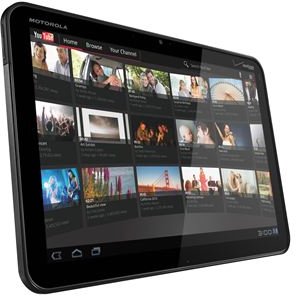
As a freelance writer, I tend to work pretty constantly. This means when travelling to meet people that I take the train and work en route.
Typically I would take a laptop or netbook, depending on whether I was travelling light or not, but with the latest addition to my own arsenal of tech, an Android tablet, I recently opted to use the device in place of a laptop in order to get through half a day’s work on the train and in a coffee shop.
Potentially, this was the worst mistake I could have made. If I hadn’t prepared myself with a pen and paper beforehand then I genuinely wouldn’t have had any work done by the time I returned home that evening.
As great as tablets are (and the flexibility of having a handheld, light device in your hand for work and leisure is brilliant) they rely too heavily on other devices - on a web server, on the web… on PCs, to be precise.
Even a tablet with full mobile Internet and wireless networking capabilities cannot operate reliably when there is no access to any online storage or any local PC to synchronize data with.
Image credit: Motorola Mobility Media Center, https://mediacenter.motorola.com/
Why You Still Need a PC
You see, for all his influence on the computing industry, his guile and his innovations over the years, Steve Jobs was wrong. The iPad isn’t the first “post PC device”, and it is unlikely if we will ever see such a device.
There will always be a requirement for a central store of data that can be manipulated at the source in the home or workplace. Whether this is a PC or a server, the outcome is the same – a device that will serve data to the tablet or other mobile device.
In many ways, what we see now with tablet computers is a rehash of what we’ve already seen with palm top computers in the late 1990s and, indeed, notebooks and laptops. Inconvenient to use without long life batteries and wireless networking, security and storage requirements force the end user to connect the hardware to some central computer for additional storage, processing or updates.
If you have hopes of living without your PC, you might achieve them, but the PC’s role as a data center within your home will be replaced by another browsable mass storage device, such as a media center.
References
Author’s own experience


