A very good tool to have at your disposal when repairing PCs is a hard disk scan and repair CD. These are easy to create - the real difficulty is in deciding what should go on the disc!
Advantages of a Hard Drive Scan and Repair Boot CD
Repairing crashed computers can be a difficult job; whether you have all of the tools you need or not, dragging them around either on individual discs, portable hard drives or even USB sticks can still impact on the amount of time it takes to find the right utility and launch it.
What you need is an all-in-one live CD that can be used to repair hard disk drives, recover files and provide a general rescue to the damaged disk.
If you’re planning on building a hard drive scan and repair boot CD, have a look at these software suggestions for what you might include on it!
Live Boot CD
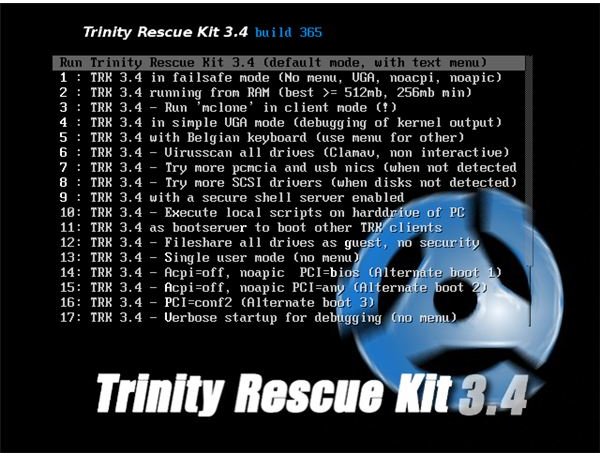
For an all in one solution you could do a lot worse than Trinity Rescue Kit as the sole software on your hard drive scan and repair boot CD.
Among the features of this live CD (which is available from trinityhome.org ) are tools to assist with the recovery and undeletion of files, recovery of lost disk partitions and the saving of data from soon-to-expire hard disk drives.
This is a very popular utility for IT professionals – the live CD is a stripped down Linux operating system that loads into your computer’s RAM, enabling you to make repairs and recover data without the OS being written to the hard disk drive.
Build Your Own Hard Drive Scan and Repair Boot CD
If you would prefer to build your own collection of software and utilities to be run from a bootable CD, you should include all of the top utilities that you have found for the various PC administration tasks that you perform.
For instance, you should have at least one anti-virus application , one anti-malware tool and some useful disk scanning software, such as WinDirStar in order to monitor exactly what data is where.
Additionally you should include some good quality recovery software such as TestDisk and PhotoRec – these open source tools can recover almost any data from any medium, and they certainly deserve a place on any scan and repair disc.
Finally, if you’re creating this disc for professional purposes don’t forget to include any utilities that you would be expected to use in such circumstances.
How to Compile the Boot CD
There are different methods available for compiling a boot CD. If you only want a CD that is bootable from within Windows – something that will autoplay – then you will be able to take advantage of software such as MagicISO or similar. All you would need to do then is copy all of your utility installers to the burn folder and create the disc.
If your intention is to create a fully bootable disc, however, you will need to take advantage of other software. One popular utility is BartPE, which will enable you to create a boot CD with hard drive scan and repair utilities included.
Full details on creating a boot CD with BartPE can be found in How To Create A BartPE Disc .
References
Source:
- Author experience
Images:
- Screenshot from Trinity Rescue Kit


